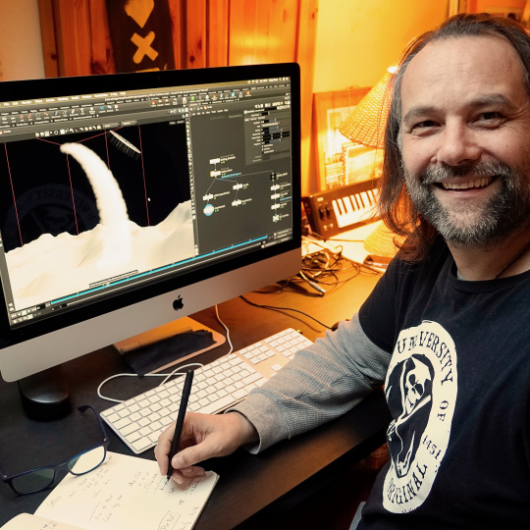
First “official” work day for 2021: Preparing my next Houdini FX classes for my SAE Students in the following weeks.

After starting last year with the fundamentals with them, we now dive into Particles, Vellum, RBDs, Fluids and Pyro. Exciting weeks with a fully motivated group. Such fun besides my normal studio trainings to teach a student group again.

Thanks to SAE Institute Germany for your trust!


If you like Helge’s Tutorials, give him some support to go on!

If you want to support Helge Maus for publishing more free tutorials, you can join his Patreons:
https://www.patreon.com/pixeltrain3d

Or if you want to buy me a coffee or pizza, here’s my Tip Jar:
https://www.paypal.com/donate/?hosted_button_id=72PHXB852BW5A

Thanks for your support!


Find more information on www.pixeltrain.net

YouTube: https://www.youtube.com/pixeltrain3DVFXTrainings

VIMEO: vimeo.com/pixeltrain

LinkedIn: linkedin.com/in/pixeltrain

Artstation: https://www.artstation.com/pixeltrain

Instagram: https://www.instagram.com/pixeltrain3d/

Facebook: https://www.facebook.com/helge.maus

Twitter: https://twitter.com/pixeltrain
Start your Blender 2.9 Journey now!
Blender 2.9 – A full production suite for 3D, VFX and Animation.


Next to my beloved Houdini FX, Blender is for me the solutions for Modeling, Animation and PreViz.

As you may have seen, I have published the last days 4 free tutorials about the new features of Blender 2.9.
You find them on my YouTube channel: https://www.youtube.com/pixeltrain3DVFXTrainings


If you now have the feeling, that you want to start seriously to learn this great free production suite, here are some event tips, where I will be teaching Blender for you.


>> VIEW CONFERENCE 2020, Oct 18 – 23

https://www.viewconference.it/

The next live workshop will be at the exciting VIEW CONFERENCE 2020 – on-site and online
I will give a 2-hours Workshop:

“Blender 2.9: The Free Production Studio for Indies“

in Room Mezzanino on Sunday 18th Oct 2020 in English.

You find more Information about the Online-Workshop here: https://www.viewconference.it/article/384/blender-29-the-free-production-studio-for-indies
And, don’t miss all the other great Keynotes, Masterclasses and talks. This conference is great!


>> Blender-Trainings – Visualisierungs-Akademie Schweiz, Nov & Dec 2020

https://visualisierungs-akademie.ch/

In Cooperation with Visualisierungs-Akademie Schweiz, I will teach again some online sessions for small groups of 4-8 attendees. This is in german language. If you are interested in an English workshop, please let me know!


Blender 2.9 – Einführungskurs

Date: 26 and 27 November, 2020 – online
You find more Information about the Training here: https://visualisierungs-akademie.ch/bildung/blender-einfuehrungskurs/

Blender 2.9 – Rendering mit Eevee und Cycles

Date:04 December, 2020 – online
You find more Information about the Training here: https://visualisierungs-akademie.ch/bildung/blender-vertiefung/

Blender 2.9 – Animation & Rigging

Date: 10 and 11 December, 2020 – online
You find more Information about the Training here: https://visualisierungs-akademie.ch/bildung/blender-animation/


If you have questions or your company wants to adapt Blender (or Houdini FX) to the pipeline, get in contact. I’m happy to help!


***

It’s finally done! Helge and his team worked for more than a year on this epic publication and are happy and proud to be finally able to tell you all about it. So here are the details about the contents of this video-tutorial:

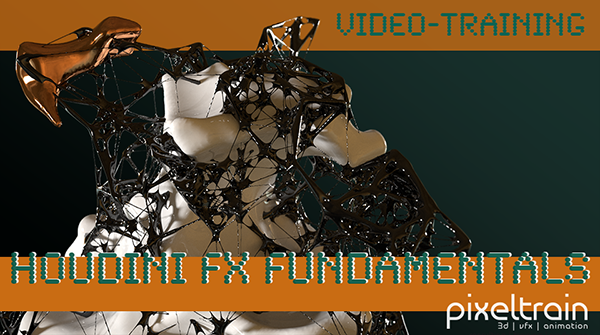
This publication “pixeltrain – Houdini FX Fundamentals >> Fast Forward“ by experienced trainer Helge Maus is a complete Introduction to Houdini FX.

In 117 lessons with a duration of 18,5 hours, your instructor Helge Maus provides you with a step by step approach to understanding Houdini FX and its workflow as a fully featured 3d application.

This training is designed to get you up and running quickly, enabling you with the skills needed to work effectively in this incredibly powerful 3d and vfx package. Additionally, it lays the foundation of essential concepts and paradigms to understand more advanced topics for other modules of Houdini FX down the road.
In this course, Helge Maus starts from the ground up providing you with a solid and practice-oriented foundation in Houdini FX.

First, he takes you through the user interface, followed by an exploration of the different levels and contexts of a Houdini project. You will conclude by learning how to manage these concepts through the production cycle within Houdini FX.
You will write your first expressions in Hscript. Therein, you will learn the concepts of dependencies between objects, explore using groups and packed geometries and finish by building your first asset.
Once you have those primary skills under your belt, Helge gives you a brief introduction into working with VOPs (vex visual scripting), Digital Assets, Volumes and VDBs.
After that, you will start learning the basics of modeling inside of Houdini FX. You will begin with the basics of NURBS Curves and generating surfaces, followed by the powerful and flexible polygon modeling tools.
Important topics like Deformations and UVs are explained in-depth and demonstrated.
After you have learned to build your assets, you will assemble your scene, set cameras with physical attributes, and finish with lighting and shading.

Helge wraps up with a practice-oriented introduction of rendering techniques using the Houdini Mantra renderer.
After finishing this training you will have the skills needed to understand the more advanced workflows and modules of Houdini FX.

Topics included:

01 Welcome to Houdini FX [01h 52m]
02 Basic Concepts in Houdini FX [02h 57m]
03 VOPs & Digital Assets [01h 44m]
04 Volumes & VDBs in Houdini FX [01h 04m]
05 Working with Curves [00h 57m]
06 Generating Surfaces [01h 16m]
07 Polygon Modeling [01h 45m]
08 Retopo, PolyBuild & Boolean [01h 04m]
09 Deformations [00h 44m]
10 UVs in Houdini FX [01h 22m]
11 Lighting & Cameras [01h 21m]
12 Shading [01h 54m]
13 Rendering [00h 43m]

You can find the entire table of contents here >> pixeltrain.de/images/stories/Houdini_FX_Fundamentals_Content.pdf

These tutorials were created using mostly Houdini 17.5. However, we made sure that everything will work in Houdini 18+. Also, you will receive subsequent information about any version-based technical changes as needed.

After purchasing these tutorials, please contact us by email (info(at)pixeltrain.de), so that we can send you a dropbox link to the training material.
If you have any problems or questions don’t hesitate to write to us.

***

If you want to support Helge Maus for publishing more free tutorials you can join his Patreons:
patreon.com/pixeltrain3d

***

Find more information on pixeltrain.de/en
VIMEO: vimeo.com/pixeltrain
LinkedIn: linkedin.com/in/pixeltrain
Artstation: artstation.com/pixeltrain

***

We hope, you like this tutorial. We hope, you find it helpful in learning and understanding Houdini FX. It was a pleasure creating this little masterpiece 😉 and Helge and his team will go on producing more tutorials with even more experienced topics. So stay tuned! We appreciate it and wish you all the best and fun in learning Houdini FX!

Helge and his team

Here are two examples taken from the publication:

Turbulence FD, X-Particles & RealFlow für Cinema 4D lernen mit Helge Maus

Vom 12. bis zum 16. Dezember 2016
laden wir Euch wieder ein ins pixeltrain studio!

Habt Ihr noch Lust vor den Weihnachtsferien 3D & VFX zu lernen?
Helge freut sich auf jeden Fall, Euch bei uns im pixeltrain studio begrüßen zu dürfen.
In dieser winterlichen Dezember-Woche, wenn die Apfelplantagen rund um das pixeltrain-Blockhaus in den wohlverdienten Winterschlaf gehen und das steirische Vulkanland nach Weihnachtspunsch und Zimtsternen durftet, wollen wir es uns mit Euch in unserem Holzhaus gemütlich machen. Warm soll es sein und voller Freude soll noch einmal Eure Welt von “VFX & Motiongraphics” mit KNOW-HOW befüllt werden.

Das Thema steht fest. Die Einladung ist raus an Euch.
Und: Wir haben schon Teilnehmer und somit können wir Euch Kurzentschlossenen sagen, dass diese Academy-Woche fix stattfindet.

Falls Ihr auch noch dabei sein möchtet, meldet Euch bei uns unter info@pixeltrain.de oder ++43.699.10669979.

Hier mehr Infos zu Unterkunft und Anreise >>
http://www.pixeltrain.de/de/de-vfx-academy-2016

Gemeinsam besuchen wir nach getanenem Lernen den Christkindlmarkt in Graz und genießen bei Brettljause & Co unser gemeinsames Abendessen mit Blick auf die Riegersburg 🙂


Lernthemen:

VFX und Motiongraphics mit Cinema 4D
RealFlow | Cinema 4D, Turbulence FD & X-Particles

It splatters and splashes: Diese Woche ist den Fluids, Partikeln, Rauch und anderen physikalischen Zuständen in Cinema 4D gewidmet. Demnach lernst Du mit Helge Maus in dieser vorweihnachtlichen VFX-Winter Academy, wie Du zu tollen Ergebnissen in RealFlow, Turbulence FD und X-Particles kommst.


RealFlow | Cinema 4D

Hier bekommst Du einen fundierten Einstieg in die verschiedenen genutzten Technologien und Simulationansätze von RealFlow | Cinema 4D (Dyverso).

Anhand von Produktionsszenen lernst Du die Arbeit mit RealFlow | Cinema 4D praktisch kennen. Neben echten Fluids schauen wir uns auch die kreative Arbeit mit Dyverso Partikel-Strömen an und natürlich die enge Integration mit Cinema 4D und MoGraph.


X-Particles 3 + Turbulence FD

Deep Dive in die Welt von komplexen und intelligenten Particle-Simulationen, Erzeugung von Fluids, aber auch Fractures und Plasma. Feuer, Smoke und Explosionen mit Turbulence FD, sowie viele Hintergrundinformationen über das Layering von Simulationen und Aufbau von photorealistischen Bränden und Explosionen. Aber auch trickreiche Lösungen mit Hair und Cloth werden mit integriert. Das Rendering erfolgt dann in ARNOLD für CINEMA 4D.


Turbulence FD, X-Particles & RealFlow für Cinema 4D lernen mit Helge Maus


Merken

Merken

***

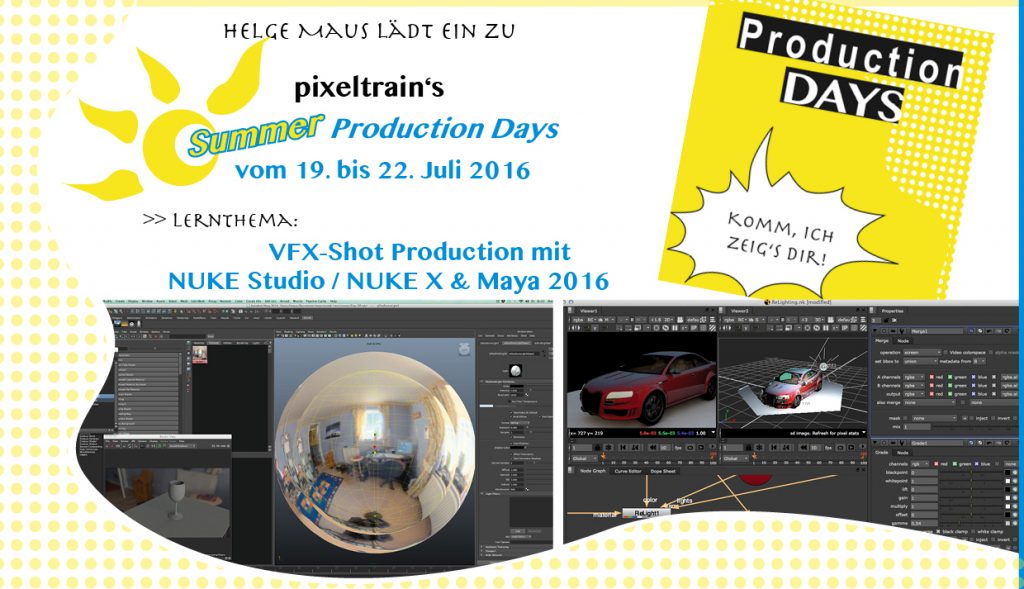
Starte mit Helge und seinen NUKE-Production Days in den Sommer!

+++ vom 19. bis 22. Juli 2016 +++

>> Hol’ Dir Deine Infos HIER >> INFO-PDF

Der Sommer klopft schon an die Türe. Es wird wärmer, das Jahr ruft nach Ferien. Bevor im Herbst der Arbeitskalender wieder mit Produktionen & Aufträgen vollgepropft ist, wollen wir diese etwas dem heißen Müßiggang gewidmeten Sommerwochen fürs gemeinsame Lernen nutzen.
Wir laden Euch ein und freuen uns, wenn Ihr bei uns im steirischen Vulkanland in hitzigen vier Tagen von Helge alles rund um dieses vfx-Thema lernen wollt:

VFX-Shot Production mit NUKE Studio / NUKEX & Maya 2016


>> Eingesetzte Werkzeuge:

NUKE Studio / NUKEX, Maya, V-Ray 3.3, ARNOLD


>> Eingesetzte Techniken:

NUKE Studio Workflow, 3D-Camera-Tracking, Roto, Painting, Maya Polygon-Modeling, Camera-Projection, Dynamic- & Particle Simulations, BiFrost, Animation, Character Rigging und Animation, Shader- & Lighting-Setup, Rendering-Setup, AOVs, Compositing, Grading


>> Lernthemen:

  • Shot-Organisation und Aufbau einer sinnvollen Arbeitsstruktur in NUKE Studio
  • 3D-Camera-Tracking in NUKEX
  • Roto- und Paintingaufgaben und Ihr macht Eure ersten Keying-Schritte
  • Kamera-Projektionen
  • erste kleine Simulationen erzeugen
  • Character-Animation in Maya
  • Rendering in ARNOLD bzw. V-RAY 3.3
  • Arbeiten mit AOVs / Multipasses und deren Verwendung wird besprochen
  • finale Compositing in NUKE
  • Integration von 3D- und Realplates


Neben dem Profi-Know-How von Helge bieten wir Euch eine von vfx-Begeisterung aufgeladenen Atmosphäre, die zum Lernen und Austauschen anregt.
Nach der Arbeit folgt das Vergnügen: Ausflüge in das Vulkanland, genießen der steirischen Schmankerln in Buschenschanken und Entdecken der Kulturhauptstadt Graz stehen am Abend-Programm.

>> Vorwissen und Software:

Diese Production Days sind so aufgebaut, dass auch Quereinsteiger von anderen Software-Paketen (Cinema 4D, Modo, After Effects) sich schnell zurecht finden können. Daher sind auch Einsteiger herzlich willkommen! Diese sollten jedoch bereits in einem 3D-Programm gearbeitet haben.
Gerne kann auch mit einer kostenfreien Trial oder Non-Comercial-Version teilgenommen werden.

>> Kosten:

Die Teilnahme an den Production Days mit Helge Maus kostet für alle vier Production Days zusammen 979 Euro (exkl. Ust).

Die Plätze sind begrenzt, deshalb bitten wir die Anmelde-Deadline zu beachten: 14.07.2016.

>> Infos zu Anmeldung, Anreise und unserem kostenlosen Shuttledienst von und zu Flughafen / Bahnhof bekommst Du 

  •  gerne bei uns 🙂 >> info@pixeltrain.de oder ++43.699.1066.9979
  • oder auch auf unserer Webseite: www.pixeltrain.de
  •  und in dem extra für unsere lieben, zukünftigen Besucher im pixeltrain studio zusammengestellten INFO-PDF


Merken

Merken

Merken

Merken

Merken

Merken

Merken

Merken

Merken

Merken