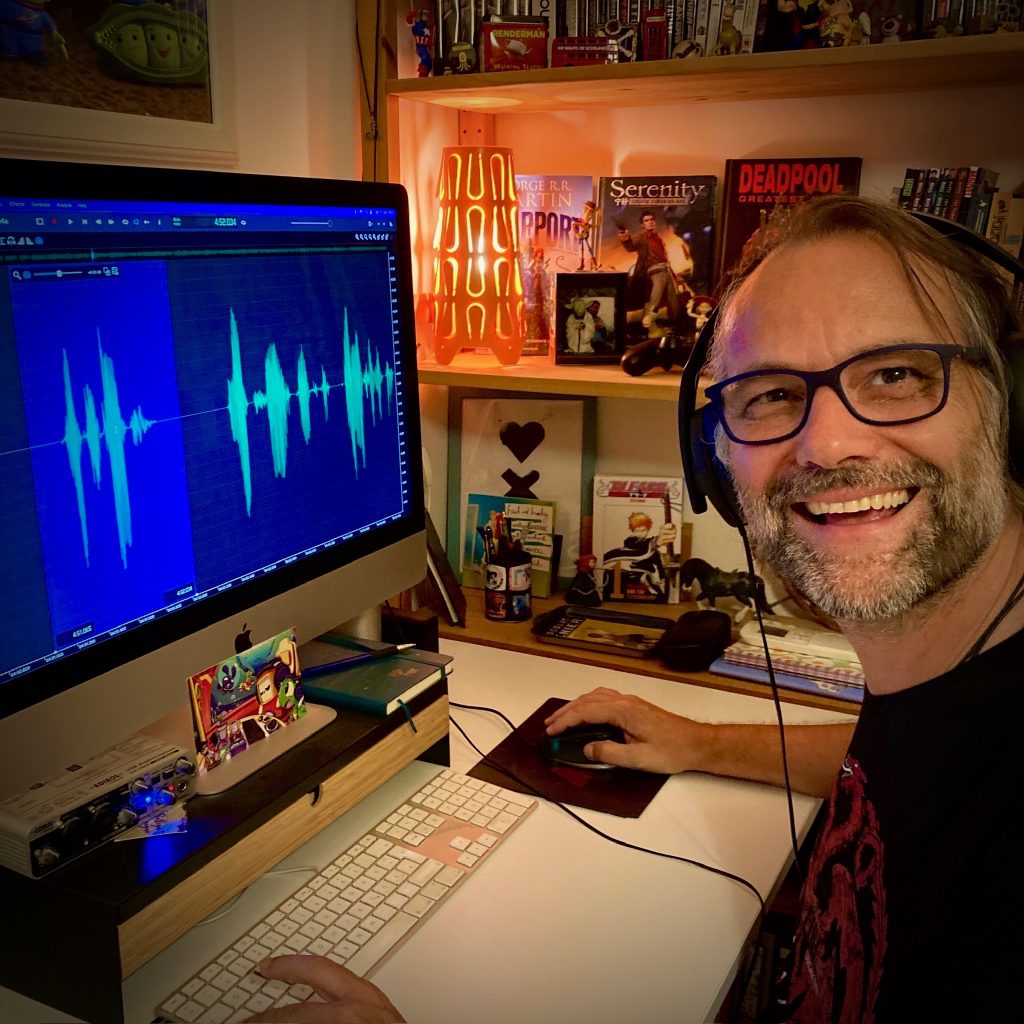
Helge Maus editing the Blender Fundamentals Training

Just finished capturing the next 2-hours free addition to my “Blender Fundamentals” publication.
This time we tackle “UV mapping and packing inside of Blender 3.6“.
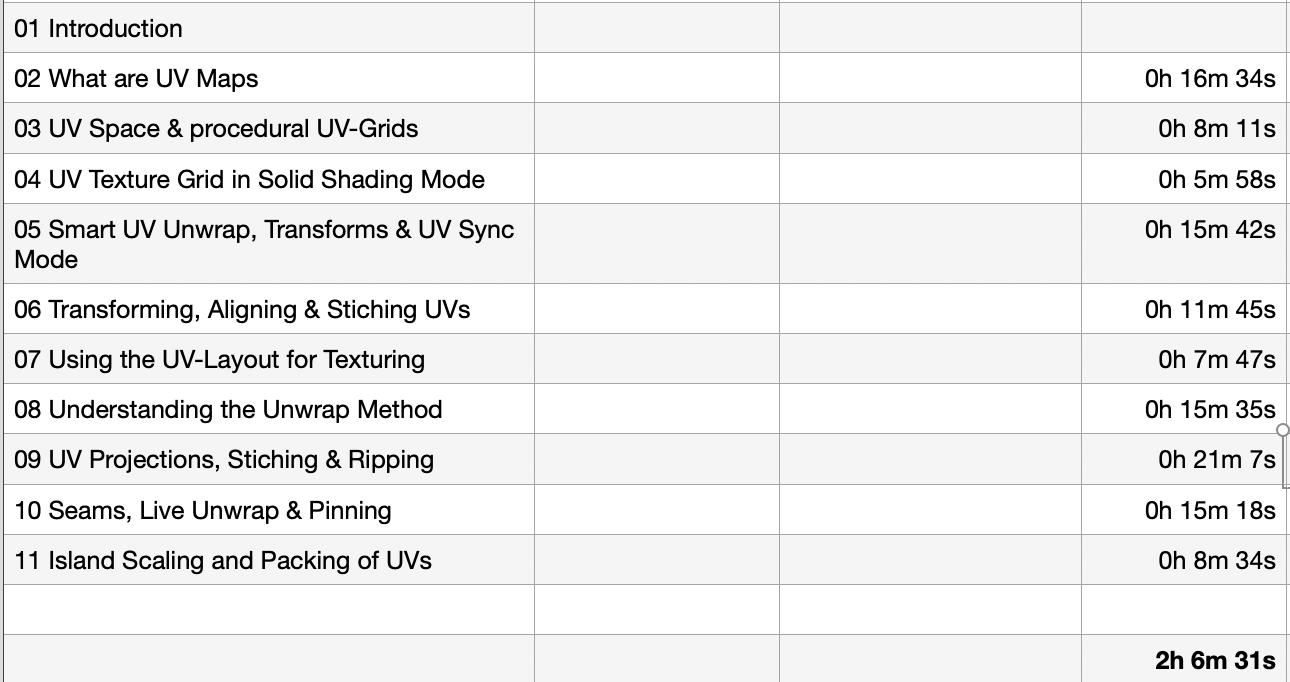

With this coming Plus+ chapter the “Blender Fundamentals” publication will grow now to 25 hours of dense content.

As said, this and more updated content will come to the Publication in the future, so you can start learning today and get all the updates for free after the are released!

Content:

01 First Steps in the Blender User Interface (2h 33m)
02 Working with Primitives & Transformations (2h 58m)
03 Working Modes & Selections (1h 6m)
04 Polygon Modeling (4h 30m)
05 Subdivision Surface (1h 8m)
06 Plus+ Sculpting (2h 34m)
07 Curves & Text (1h 19m)
08 Modifiers (1h 16m)
09 Materials, Shader & Textures (2h 45m)
10 Plus+ Working with UVs*
11 Lighting, Cameras & Rendering (2h 32m)

*Additional PLUS+ content coming very soon!

👉 YouTube Trailer

👉 Blender Market
https://blendermarket.com/products/pixeltrain-blender-fundamentals-fast-forward

👉 VIMEO Video-on-Demand
https://vimeo.com/ondemand/blenderfundamentals

👉 GUMROAD
https://pixeltrain3d.gumroad.com/l/BlenderFundamentals

And, this chapter will come to my Patreons in the Patreons-only section:
https://www.patreon.com/pixeltrain3d

Now editing starts, with 30° outside it’s not easy to stay cool …

Have a great day, have fun!
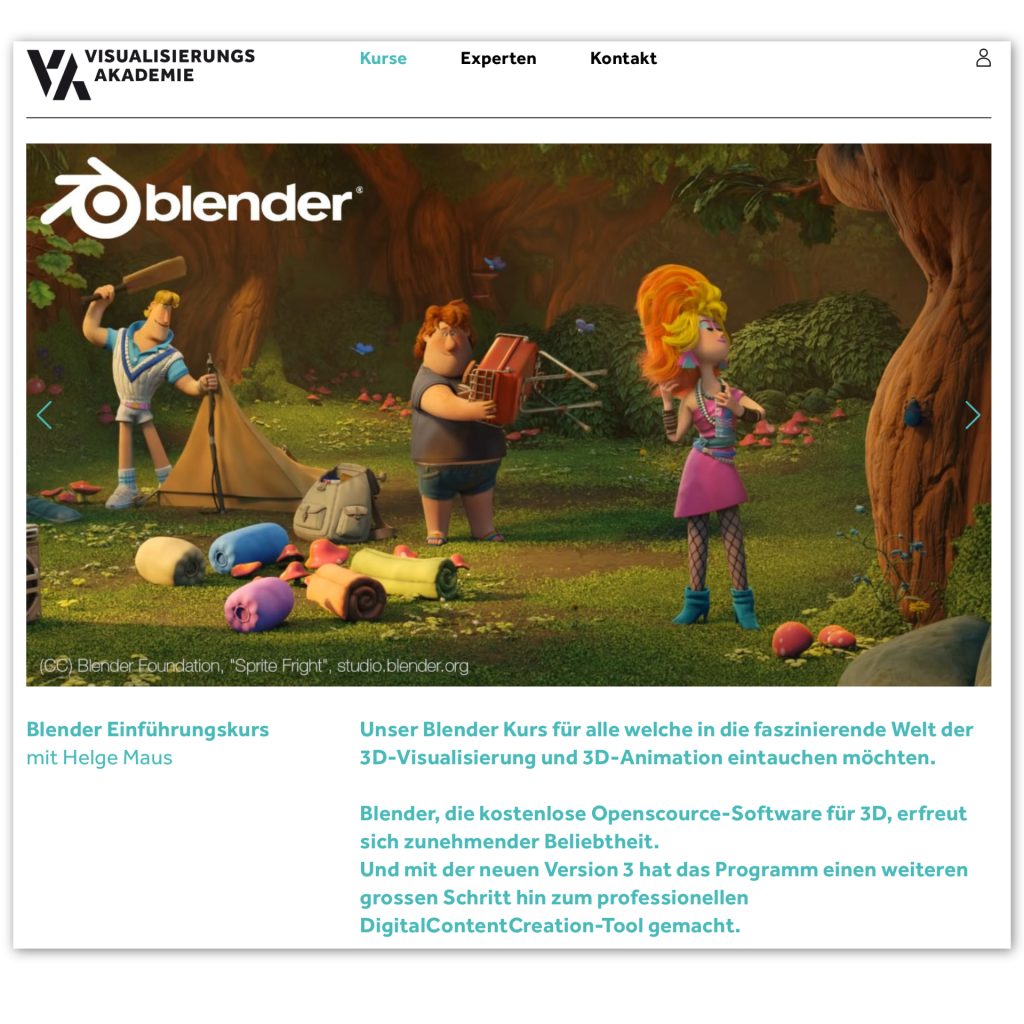
Blender Grundlagen Training mit Helge Maus

Du möchtest Blender 3D fundiert und effizient lernen und in den Bereich 3D-Visualisierung einsteigen? 
Mein nächster deutschsprachiger „Blender 3.6 – Grundlagen“ Kurs findet am 06.+07. Juli in Zusammenarbeit mit der Visualisierungs-Akademie statt. Als live online Training.

Dieser Kurs ist für Beginner konzeptioniert, genauso wie für Artists die bereits aus anderen 3D Programmen Vorwissen haben und nun Blender intensiv kennenlernen wollen. Da der Kurs online durchgeführt wird, arbeitest Du zwei Tage live mit mir in einer kleinen Lern-Gruppe, egal wo du wohnst.

Hier ist der Link zur Anmeldung. 

https://visualisierungs-akademie.ch/de/kurse

Bei Fragen stehe ich gerne zur Verfügung.

Helge Maus

English

If you are looking for a Blender Fundamentals or Blender Advanced Training, please contact me per direct message.

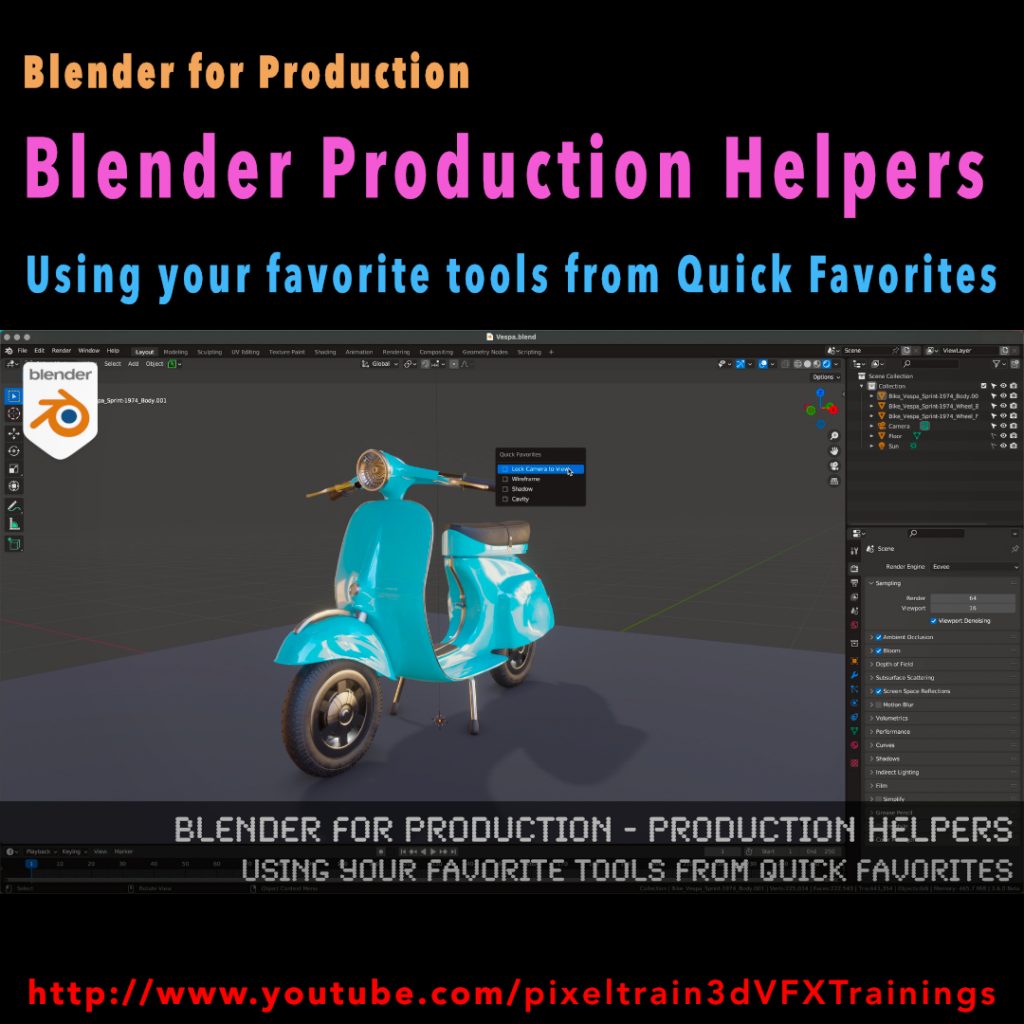
Blender for Production - Production Helpers - Using Your Favorite Tools from Quick Favorites Tutorial by Helge Maus / pixeltrain

Published another free “Blender for Production” tutorial:

“Production Helpers – Using Your Favorite Tools from Quick Favorites”

👉 https://youtu.be/rdqAm_px-oI

In this tutorial we will talk about setting up a Quick Favorites menu for the different working modes inside of Blender. Often used functions and options can be added there by the artist to work faster and more efficient. While explaining the process we will look into several clever helpers like switching edit meshes with keyboard shortcuts, fading inactive objects, configure often used overlays and much more.

Have fun!

Helge

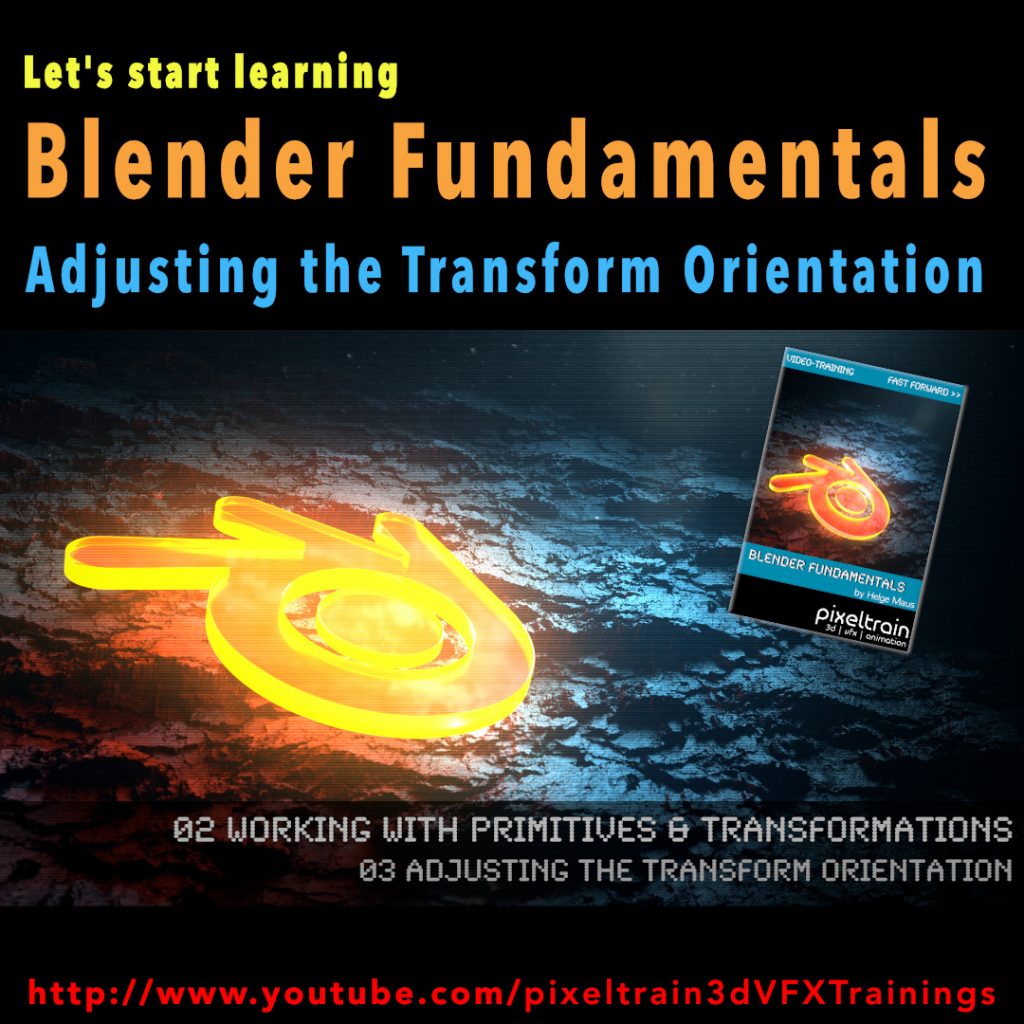
Blender Fundamentals - Adjusting the Transform Orientation (Demo lesson)

Today we switch gears – this is my first Blender tutorial of this year.

It’s a beginners lesson from my “Blender Fundamentals” publication and teaches you how you can work with different transform orientations. I hope you like it.

I’m quit curious if also some long-time Blender users find some new tips and tricks in it 😎

You find this tutorial as always on my YouTube channel:

👉 https://youtu.be/an8IXdtTQbo

In this tutorial, you will learn the different transformation spaces and how to change the transform orientation for your tools. We will talk about Global and Local space and how to switch the widgets with fast keyboard shortcuts.
Also you will learn how to make your own custom orientation with the help of another object.

If you are interested in the full Blender Fundamentals Publication:

👉 YouTube Trailer:

👉 Blender Market:

https://blendermarket.com/products/pixeltrain-blender-fundamentals-fast-forward

👉 GUMROAD:

https://pixeltrain3d.gumroad.com/l/BlenderFundamentals

Blender Hair Curves - Project Heist

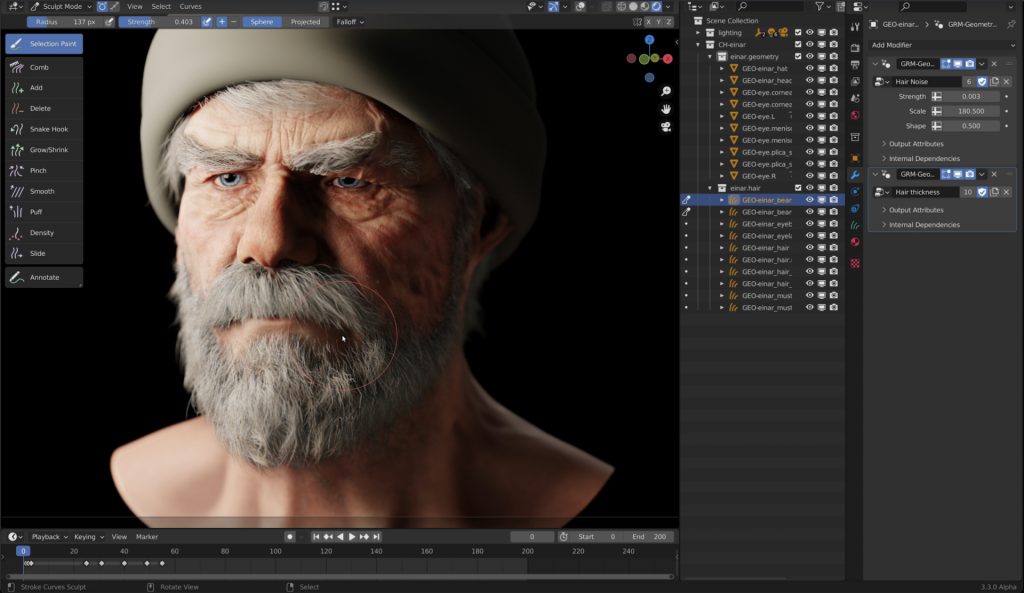
The next version of Blender, version Blender 3.3 LTS, is coming at the beginning of September 2022. At the moment I am testing the Alpha version to follow the developent of the new features of this version. As a LTS version, it will then receive bugfixes for 2 years, so it is a big milestone for development and production.

One of the most exciting features will be the new Hair system, which will be based on curves. The existing Hair system of Blender uses the Particle system, which is great, but also a little bit “old-school”.

Through geometry nodes it is possible to build your own geometry generators and procedural modifiers. Now with this new curve based approach for Hair you can build very easily procedural modifiers for Hair, for example you build only a basic Hair groom and then the Hair is filled procedurally and also reacts to weather conditions and wetness and so on by a modifier. This is awesome!

Andy Goralczyk from Blender Studio presents a new hair system for the upcoming Blender 3.3. The new hair system uses new high performance curves objects and combine the flexibility of Geometry Nodes with powerful destructive tools for hair grooming.

You find more information here in this article:
https://code.blender.org/2022/07/the-future-of-hair-grooming/

If you have any questions, please let me know. For Blender Trainings (remote, for companies and individuals please check www.pixeltrain.net or contact me directly under info(at)pixeltrain.net ).

Have a nice weekend,

Helge

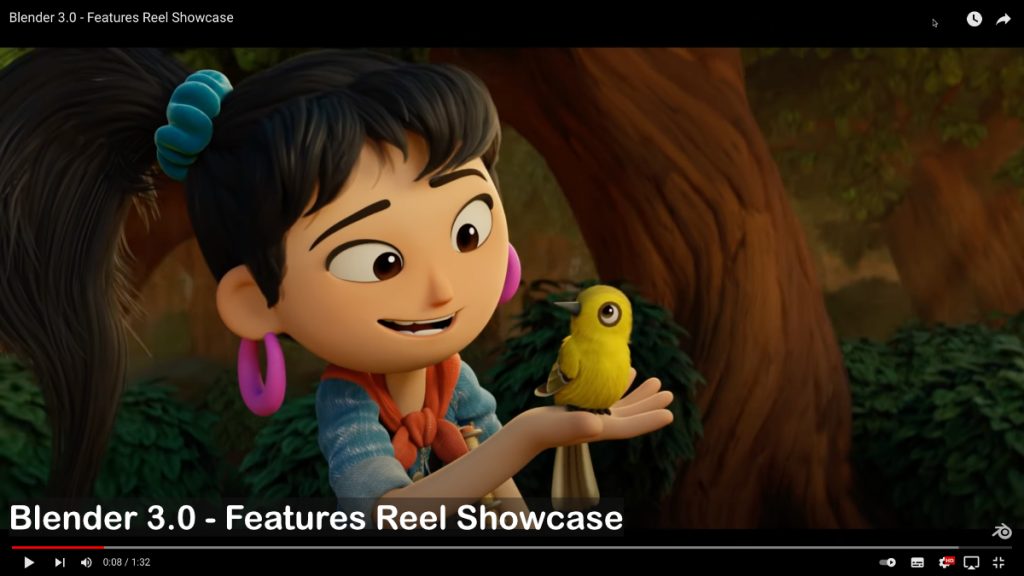
Have you seen the new Blender 3.0 Feature reel 2021?

Blender 3.0 Feature Reel 2021

Every release motivates me to dive deeper into content creation with this incredible tool.

Maybe you want to make 2022 your starting point for your Blender journey? Here are some trainings classes (German AND English) I will host together with Visualisierungs-Akademie in the following weeks:

Blender 3D entry-level live workshop (English) – 24.+25. January
https://www.eventbrite.ch/e/blender-3d-entrylevel-live-workshop-tickets-194481879537 

Blender Einführungskurs (German) – 20.+21. January
https://visualisierungs-akademie.ch/bildung/blender-einfuehrungskurs/ 

Blender Renderingkurs (German) – 24.+25. February
https://visualisierungs-akademie.ch/bildung/blender-vertiefung/ 

Blender Animationskurs (German) – 07.+08. March
https://visualisierungs-akademie.ch/bildung/blender-animation/ 

If you have questions about these trainings or ideas, please write me a direct message.

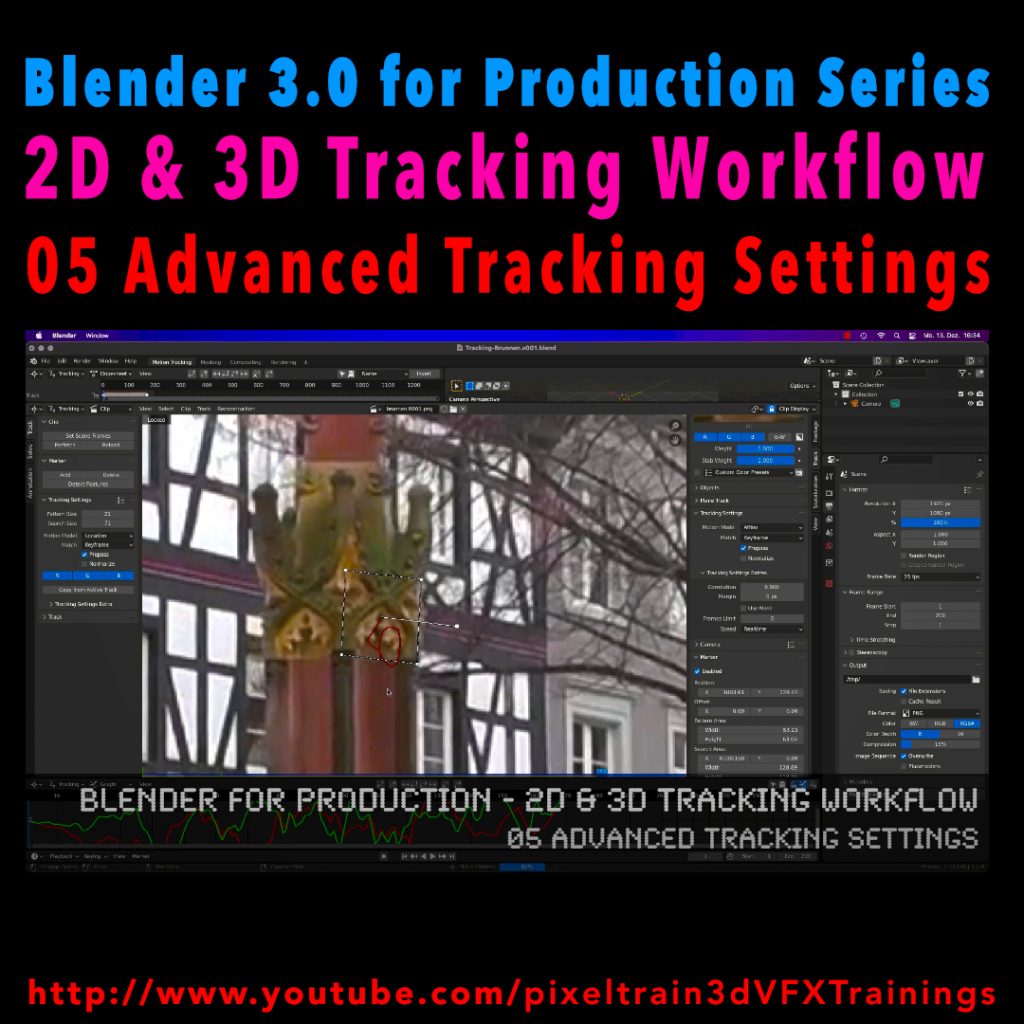
Blender 3.0 for Production - 2D & 3D Tracking Workflow - 05 Advanced Tracking Settings

Let’s look into the advanced settings of the Blender 2D-Tracking system.
My next tutorial of my “Blender for Production” tutorial series is online.

Have fun with it!

YouTube:
👉 https://www.youtube.com/pixeltrain3DVFXTrainings

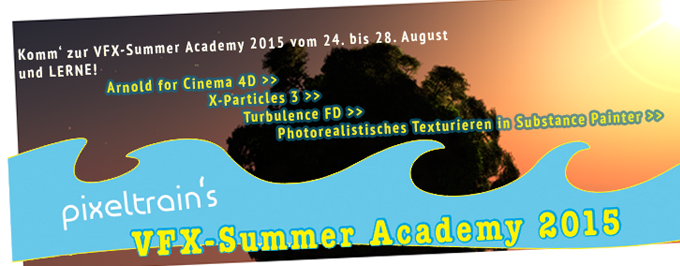
vfx-Summer Academy 2015 mit Helge Maus

In pixeltrain‘s VFX-Summer Academy dreht sich dieses Mal ALLES um photorealistische VFX-Production mit CINEMA 4D R16.

Dabei verwenden wir den endlich auch für CINEMA 4D zugänglichen Hollywood-Standard-Renderer SolidAngle ARNOLD in Zusammenarbeit mit der neuen Version X-Particles 3 und Turbulence FD.

Ziel ist es action-geladene VFX-Shots in C4D zu erstellen!

Als Hilfsmittel für die photorealistische Texturierung machen wir auch einen Ausflug in die Welt von Substance-Painter und dem neuen, kostenfreien Substance-Plugin für CINEMA 4D.

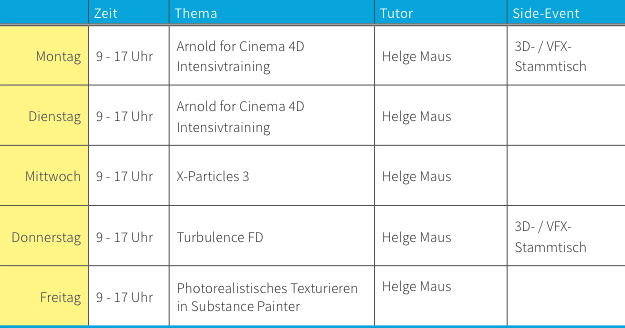
Curriculum vfx-Summer Academy 2015


Inhalte der Workshop-Tagevfx-Summer Academy 2015

oder

Helge’s Ziele für diese VFX-Academy


Info-PDF zur Academy >>


Tag 01 & 02: 

ARNOLD for CINEMA 4D Intensivtraining

>> Ein kompletter, zwei tägiger Crashkurs über den Einsatz von ARNOLD in CINEMA 4D. Umgang mit den mitgelieferten, aber auch Third-Party Shadern, das node-basierende Materialsystem, Procedurals, Volumes, AOVs (Multipassing), sowie Umgang mit Hair und Particles. <<


Tag 03 & 04:

X-Particles 3 & Turbulence FD

>> Deep Dive in die Welt von komplexen und intelligenten Particle-Simulationen, Erzeugung von Fluids, aber auch Fractures und Plasma. Feuer, Smoke und Explosionen mit Turbulence FD, sowie viele Hintergrundinformationen über das Layering von Simulationen und Aufbau von photorealistischen Bränden und Explosionen. Aber auch trickreiche Lösungen mit Hair und Cloth werden mit integriert. Das Rendering erfolgt dann in ARNOLD für CINEMA 4D. <<


Tag 05:

Photorealistisches Teturieren in Substance Painter

>> Substance-Painter bietet ein extrem leistungsfähiges, aber auch einfaches Texturieren von photorealistische Texturen. Zudem integriert es problemlos mit Substances aus Substance-Designer und bietet daher dem CINEMA 4D Benutzer eine leistungsfähige Schnittstelle für Produktionen. Außerdem beleuchten wir an diesem Tag die Arbeit mit dem neuen, kostenfreien Substance-Plugin für CINEMA 4D, dass es uns erlaubt, direkt in C4D Substances zu laden und zu nutzen. <<


Und so läuft’s ab…pixeltrain's VFX-Summer Academy 2015

Termin:

24. bis 28. August 2015 in Markt Hartmannsdorf bei Graz, Austria


Kosten:

Die Teilnahme an der VFX-Summer Academy mit Helge Maus kostet pro Tag 295 Euro (exkl. Ust).


>> Summer-Special:

Der Paket-Preis für die gesamte Woche in pixeltrain‘s VFX-Summer Academy beträgt 1.095 Euro (exkl. Ust).

Das entspricht mehr als 30% Ermässigung.

Da heißt‘s schnell zuschlagen. Die Plätze sind begrenzt.

Anmelde-Deadline ist der 20.08.2015

Anmeldeformular bitte >> hier downloaden >> und an info(at)pixeltrain.de schicken. Danke 🙂


>> Spezialrabatt für Studenten:

Gerne unterstützt pixeltrain angehende 3D-/ Animation- und VFX-Artists. Bist Du Student oder Auszubildender und hast Interesse an der VFX-Summer Academy? Melde Dich ganz unverbindlich bei uns ( info(at)pixeltrain.de oder +43.699.1066.9979 ). Gerne informieren wir Dich über unser Stipendienprogramm und wie sich das positiv auf Dein Gelderbörserl auswirkt!

Wir bitten Dich Deinen Laptop mit bereits installierter Software mitzubringen.

Falls kein eigener Laptop zur Verfügung steht, kann von uns ggf. einer gestellt werden. Zu den verwendeten Produkten (bzw. Plugins) können auch Testversionen zum ersten Hineinschnuppern verwendet werden:

Zu ARNOLD steht eine kostenfreie voll funktionsfähige Trial Version zur Verfügung. Nach Ablauf der Trial ist weiteres Testen mit Wasserzeichen möglich! Ebenso stehen auch Testversionen zu X-Particles und Turbulence FD zur Verfügung.

Montag und Donnerstag werden wir den Abend mit einem 3D- / VFX-Stammtisch in steirischem Ambiente einläuten. Social Networking und einfaches Zusammensein unter Nerds soll auch seinen Platz haben.

Bei Fragen meldet Euch bitte jederzeit unter info(at)pixeltrain.de


Anreise und Unterkunft

pixeltrain‘s VFX-Summer Academy findet im pixeltrain studio in Markt Hartmannsdorf bei Graz statt.
>> Feldbacherstrasse 493, 8311 Markt Hartmannsdorf

Empfohlene Unterkunft:
Gasthof – Pension Gruber >> www.gasthof-gruber.at


Anreise per Flugzeug:

Destination: Flughafen Graz Thalerhof

Gerne organisieren wir für Dich einen Shuttle-Dienst vom Flughafen nach Markt Hartmannsdorf.


Anreise per Bahn:

Destination: Hauptbahnhof Graz oder Bahnhof Gleisdorf

Melde Dich bitte bei uns, wenn Du gerne von uns abgeholt werden möchtest.


Spaziergang zum Veranstaltungsort:

Markt Hartmannsdorf liegt ca. 20 Minuten südöstlich von Graz im sagenumwobenen steirischen Vulkanland. Nur wenige Kilometer entfernt thront die Riegersburg über der malerischen Hügellandschaft, die auch als Apfelland bekannt ist.

Vom Gasthof Gruber spazierst Du fünf bis zehn Minuten zum pixeltrain studio durch den knapp 3000-Seelen Ort Markt Hartmannsdorf.


Ich freue mich auf den Austausch und auf das gemeinsame Lernen!

               Euer Helge Maus


pixeltrain's vfx-Summer Academy 2015

FMX-2013_PartnerWie bereits geschrieben sind wir auch in diesem Jahr ist pixeltrain | 3d | vfx | animation wieder Partner der FMX 2013 (www.fmx.de). Sie finden unseren Stand im Marketplace am Stand 2.9.

Products and services featured at booth:

pixeltrain | 3d | vfx | training offers you in-house trainings, workshops with experienced instructors and publications for the 3d & vfx industry. We enable you to master professional production techniques with the following tools: Maya, Cinema 4D, Vue xStream, NUKE, AfterEffects, SynthEyes and many more.

Eine komplette Stand-Übersicht finden Sie hier: http://www.fmx.de/program.html#!/event/1353

Nutzen Sie die Gelegenheit, vorbeizuschauen und sich selbst von unseren Firmen- und Individualtrainings im Bereich 3D, vfx und animation zu überzeugen. Zudem stehen wir Ihnen natürlich mit persönlicher Beratung und natürlich TechTalks zur Verfügung.


Zudem wird Helge Maus / pixeltrain auch in diesem Jahr wieder einen spannenden praxisorientierten Vortrag halten:

MAXON CINEMA 4D R14 – NUKE 7 Production Workflows

Friday, April 26, Raum Karlsruhe, 11:00 – 12:00

MAXON CINEMA 4D has established a reputation as a comprehensive professional 3D software that his easy and intuitive to use. It is used in a wide range of fields: product design, architecture, photography, engineering and of course motion design. A long list of powerful features such as the Physical Renderer, Sketch and Toon, rigid and soft body simulation, Hair, Cloth, character tools, the node-based XPresso system, Thinking Particles and MoGraph make it possible to easily create breathtaking images and animations.

Less well-known but just as powerful are the integrated tools for camera calibration, the integrated BodyPaint 3D painting system and ProjectionMan, which lets projections and environments be quickly created and also simplifies compositing in NUKE. File exchange formats such as Alembic and FBX as well as the automatic generation of NUKE scripts make CINEMA 4D an ideal tool for a wide range of uses in any production pipeline.

In this presentation, Helge Maus (MAXON Certified Lead Instructor) will demonstrate workflows and practical applications on how CINEMA 4D features can also be used by NUKE compositing professionals.

Jetzt ist es endlich soweit – Maxon liefert endlich Maxon Cinema 4D R13 aus. Das freue mich natürlich sehr, weil damit das Ergebnis einer lange Entwicklungszeit endlich allen zur Verfügung gestellt wird. Wie auch bei den letzten Releases hatte ich die Freue, als aktives Mitglied im Beta-Team von Maxon mitwirken zu dürfen. Wie immer eine tolle Erfahrung!

Mit Auslieferung der Version R13 biete ich mit meinem Team natürlich meine Firmen- und Individualtrainings neben R12 auch für R13 an. Alle Trainingsinhalte der pixeltrain (www.pixeltrain.de) sind also auch mit dieser Version möglich und sind dann auch für die aktuelle Version angepasst. Zudem stehe ich auch gerne für Update- und Neuerungen-Trainings für Sie und ggf. Ihr Team zur Verfügung.

Meine Liste an möglichen Trainings-Themen. Weitere Wünsche, so fragen Sie einfach an!

Maxon Cinema 4D R13 Grundlagen

Maxon Cinema 4D R13 für Fotografen

Maxon Cinema 4D R13 für technische Visualisierung

Maxon Cinema 4D R13 für Architekten

Maxon Cinema 4D R13 – Rendering (mit physikalischen Renderer)

Maxon Cinema 4D R13 – Character-Animation (mit neuen Character-Tools)