Splash Blender 5.1

The motto “Performance meets stability in Blender 5.1“” is the headline over this new release.

After the major rebuilds (and the sometimes painful clear-cutting) for the jump from Blender 4.5 to Blender 5.0, the developers have now taken the necessary time to stabilize this work and make it more production-ready again, removing existing obstacles.

At the same time, a lot of emphasis was placed on performance, which can now be felt in many areas of Blender 5.1. That’s always a great thing!

However, that does not mean that some welcome innovations have also arrived in this release.

There are some exciting goodies, especially in the areas of Grease Pencil, Geometry Nodes, Video Sequence Editor and Sculpting:-)

However, for anyone who has to stay on Blender 4.5 LTS due to the increased and changed hardware requirements, there is nothing in my opinion that would force a direct update.

Here is the link to the official feature list:
https://www.blender.org/download/releases/5-1/


My picks for some Blender 5.1 overview videos

As always there are also some informative overview videos on YouTube:

What’s New in Blender 5.1! Official Overview by CGCookie

Blender 5.1 Features in LESS THAN FIVE MINUTES! By SouthernShotty

Blender 5.1, Five simple quality of life improvements by Christopher3D

Blender 5.1: NEW Rigging and Animation Features by CGDive

I hope you like, what you see 🙂

Learn Blender with me!

I would also like to point out my Blender online training. You can find my German-language courses here:
https://visualisierungs-akademie.ch/de/kurse?software=b45db5db-1c20-4778-88f1-23f4753a12f9

If you are looking for the same topics in English, please contact me (info (at) pixeltrain.net )!

Have fun!

Helge
UCU Painter for Blender

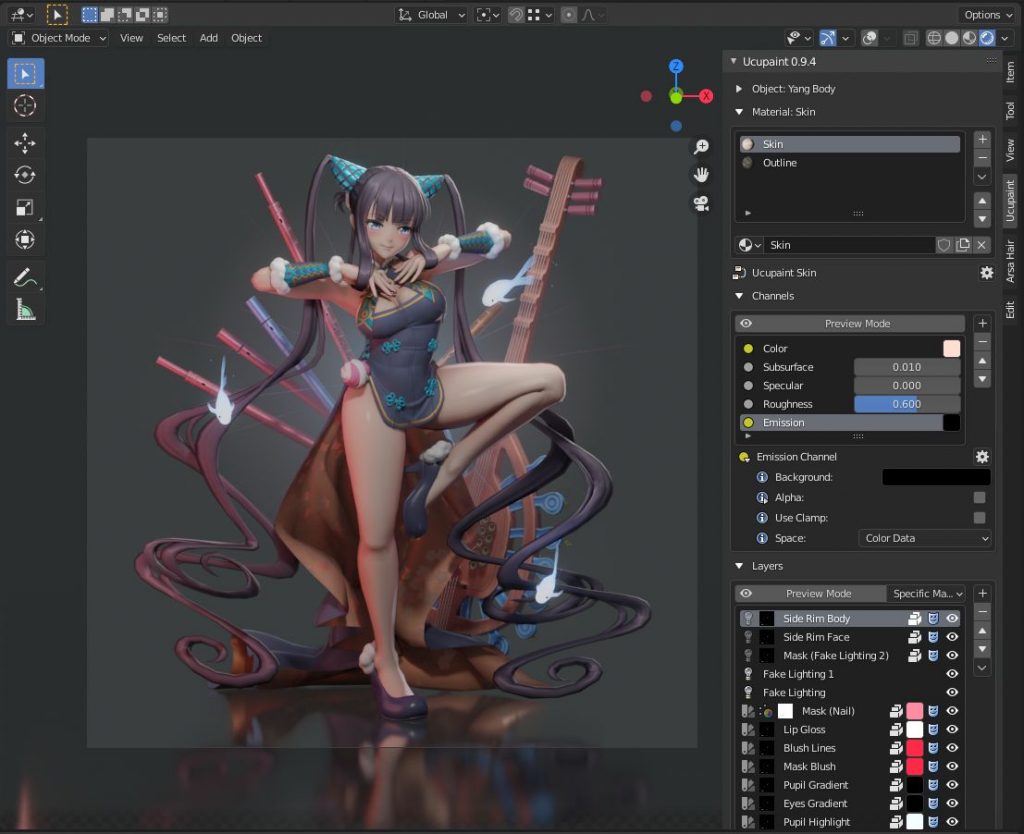
Especially when texturing stylized NPR assets for games or animations, the comfortable painting of textures for 3D objects is necessary. For this purpose, several commercial applications such as Substance Painter, 3DCoat or InstaMAT are available externally from Blender.

However, for my own workflow for animations and games, I have been using a free Blender Extension called “UCU-Paint by ucupumar” for some time.

This amazing add-on allows me to work directly in Blender. In the background, this extension creates a standard node-based Blender shading tree and can even work with my own shaders or external textures for a PBR workflow.

This extension can be easily installed in Blender under „Preference → Get Extensions“.

https://extensions.blender.org/add-ons/ucupaint/?utm_source=blender-4.5.7-lts

Here are some of the features:

  • Stack images, vertex attributes, generated textures, or many other types into layers and masks.
  • All Ucupaint nodes are contained inside a single node group and can be connected to any other nodes.
  • Channels in Ucupaint are flexible, add or remove them based on your needs.
  • You can add modifiers like a color ramp or math operation for quick adjustments.
  • Works well with multiple objects using the same material.
  • Decal support
  • Ability to load images from asset browser or file browser
  • UDIM is detected automatically based on UV islands.
  • Bake final channel images and easily arrange them so most exporters can read them.
  • Dedicated alpha channel for flexible transparency workflow
  • Bake AO, multires, other object’s normal, and more.
  • You can add drivers or keyframes to most Ucupaint inputs.
  • Support realtime displacement and even vector displacement map.
  • Preview mode to check your layers or channel colors.
  • Pack baked channel results into a single image using a custom bake target (useful for creating ORM texture or DirectX normal).
  • And so much more.

If you want to learn more about the features and workflows:

https://www.youtube.com/@ucupumar/videos

Version 2.4.5 was released yesterday, which, in addition to some bug fixes, now offers the option to paint custom Normals directly. A frequently used technique, especially for anime-styled characters.

Have fun painting in Blender

Helge

Helge Maus - Senior Trainer & Mentor 3d | animation | game art | game dev

The year is slowly coming to an end, and with it, our Blender training calendar for this year.

My last Blender Modeling course (2 days) in collaboration with Visualisierungs-Akademie Schweiz will take place online on December 18th and 19th. This is a german course.

Here’s the link to the course:
👉 https://visualisierungs-akademie.ch/de/kurs/blender-modelingkurs/ff1b0321-e948-41c1-bca6-1c23651e75ea

If you’d like to learn Blender or Godot online in English, check out the pixeltrain Academy website:
👉 https://www.pixeltrain.net/pixeltrains-academy/

Have a amazing weekend! 🙂

Helge

pixeltrain Blender Academy 2025 with Senior 3D-vfx-GameDev Trainer Helge Maus

Let’s go into a successful and creative year 2025.

If you want to learn Blender in a structured and practice-proven way, then I would like to introduce you to our pixeltrain Blender Academy.

With our module course system you build your own learning path tailored to your needs. The modules can be booked separately according to needs and prior knowledge.

pixeltrain’s Academy is characterized by small learning groups, well-structured units while keeping room to meet the needs of each individual.

All sessions are held live by Senior 3D & VFX trainer Helge Maus.

Module 1: Blender Fundamentals
20.+21. Jan.’25
27.+28. Jan.’25

Module 2: Blender Shading & Rendering
10.+11. Feb.’25
17.+18. Feb.’25

Module 3: Blender Animation & Rigging System
10.+11. Mar.’25
17.+18. Mar.’25

What’s included?

– Each module consists of 4 live sessions with a total length of 16 hours (4 x 4 hours)
– Each module takes two weeks with two sessions each week (Tuesday + Wednesday)
– Live sessions + downloadable recordings of each session
– Exercises + feedback
– Private discord channel for the students

Information and registration:
👉 https://www.pixeltrain.net/pixeltrains-academy/

If you have any questions, please let me know 🙂

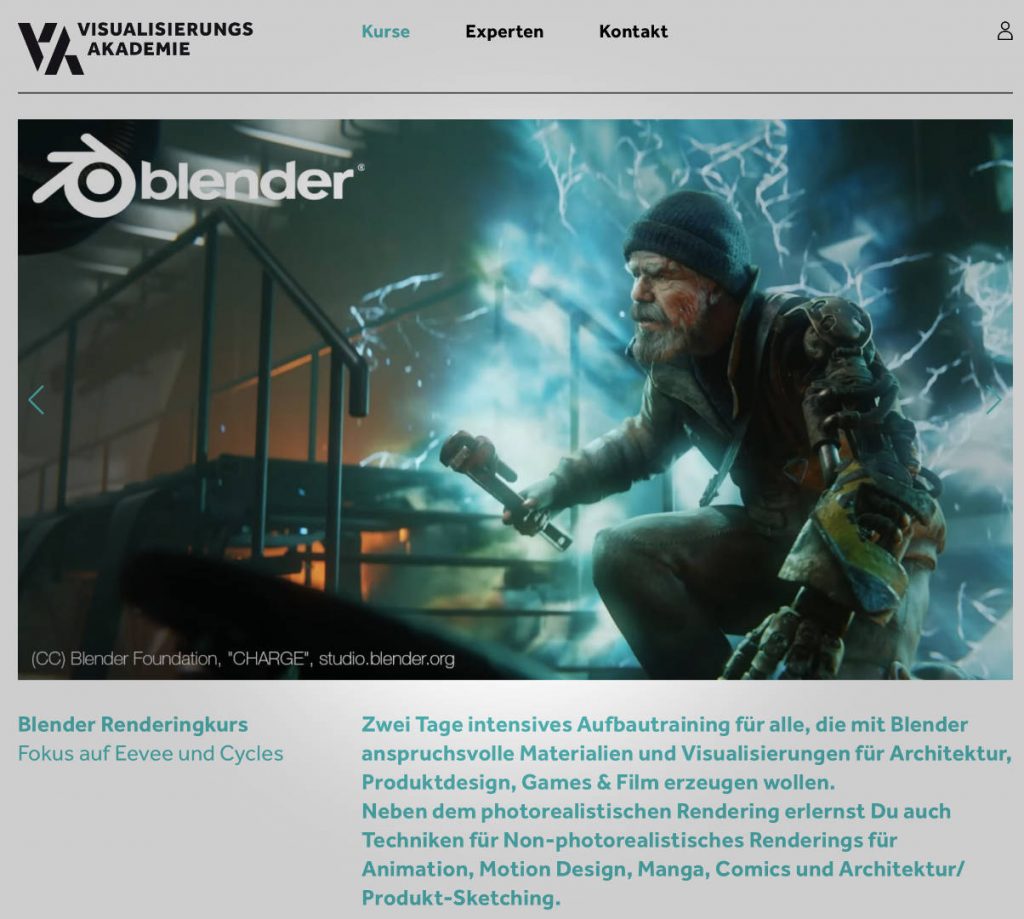
Blender Rendering & Shading Schulung mit Helge Maus / pixeltrain

In Zusammenarbeit mit der Visualisierungs-Akademie Schweiz GmbH bieten wir ein komplettes Blender Curriculum mit deutschsprachigen Live-Online-Klassenraum-Trainings an.

Unser “Blender Rendering & Shading” Training (2-Tage Workshop) findet am 04. + 05. April 2024 statt. Sei mit dabei!

Informationen und Anmeldung auf der Website:
https://visualisierungs-akademie.ch/de/kurs/blender-renderingkurs/98514946-325f-4818-bcdb-4f6b351a490b

Bei Fragen hierzu stehe ich gerne zur Verfügung 🙂

P.S. If you are interested in an english class for Blender or an english company training please contact me on info(at)pixeltrain.net .

Blender Grundlagen Schulung mit Helge Maus / pixeltrain

Möchtest Du eine schnelle und fundierte Einführung in Blender 3D haben?
In Zusammenarbeit mit der Visualisierungs-Akademie biete ich einige zweitägige deutschsprachige Online-Kurse / Schulungen (live) an. Es handelt sich um kleine Gruppengrößen bis 5 Personen.

Blender 3.6 – Grundlagen (21. + 22. Sept 2023)
https://visualisierungs-akademie.ch/de/kurs/blender-einfuhrungskurs/21d29c48-ee8a-4549-a500-6f82f7ff7ddc

Und wenn Du Dein Blender Know-How weiter ausbauen möchtest, hier direkt zwei weitere Aufbau-Kurse.

Photorealistisches- & NPR-Rendering in Blender 3.6 – Cycles & Eevee (26. + 27. Okt 2023)
https://visualisierungs-akademie.ch/de/kurs/blender-renderingkurs/98514946-325f-4818-bcdb-4f6b351a490b

Blender 3.6 – Animation & Rigging (16. + 17. Nov. 2023)
https://visualisierungs-akademie.ch/de/kurs/blender-animationskurs/68ff897c-f766-4119-bea3-9f3422704d2f

Falls Ihr weitere Fragen habt, erreicht Ihr mich unter info (at) pixeltrain.de

P.S. If you are looking for English Blender Trainings, please let me know!

Helge

Helge Maus editing the Blender Fundamentals Training

Just finished capturing the next 2-hours free addition to my “Blender Fundamentals” publication.
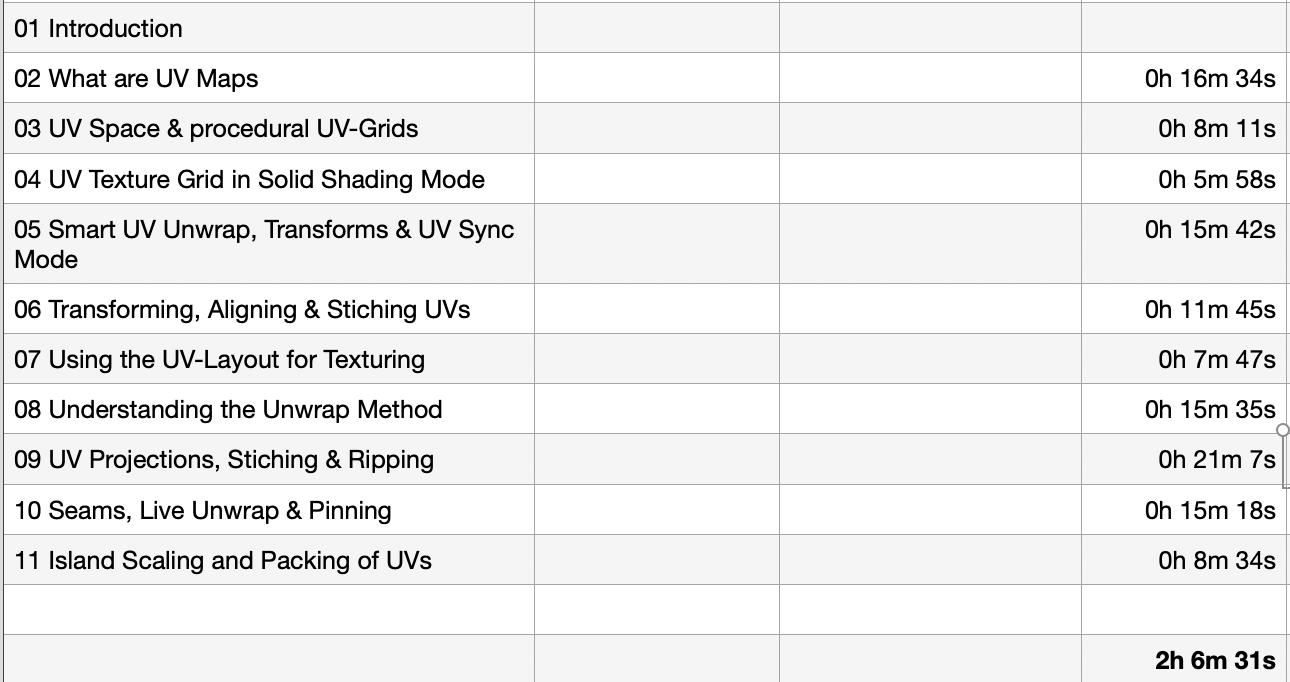
This time we tackle “UV mapping and packing inside of Blender 3.6“.


With this coming Plus+ chapter the “Blender Fundamentals” publication will grow now to 25 hours of dense content.

As said, this and more updated content will come to the Publication in the future, so you can start learning today and get all the updates for free after the are released!

Content:

01 First Steps in the Blender User Interface (2h 33m)
02 Working with Primitives & Transformations (2h 58m)
03 Working Modes & Selections (1h 6m)
04 Polygon Modeling (4h 30m)
05 Subdivision Surface (1h 8m)
06 Plus+ Sculpting (2h 34m)
07 Curves & Text (1h 19m)
08 Modifiers (1h 16m)
09 Materials, Shader & Textures (2h 45m)
10 Plus+ Working with UVs*
11 Lighting, Cameras & Rendering (2h 32m)

*Additional PLUS+ content coming very soon!

👉 YouTube Trailer

👉 Blender Market
https://blendermarket.com/products/pixeltrain-blender-fundamentals-fast-forward

👉 VIMEO Video-on-Demand
https://vimeo.com/ondemand/blenderfundamentals

👉 GUMROAD
https://pixeltrain3d.gumroad.com/l/BlenderFundamentals

And, this chapter will come to my Patreons in the Patreons-only section:
https://www.patreon.com/pixeltrain3d

Now editing starts, with 30° outside it’s not easy to stay cool …

Have a great day, have fun!

Blender Fundamentals - Powerful Transformation Hotkeys (Demo lesson)

This tutorial is a demo lesson from my Publication „pixeltrain Blender Fundamentals >> Fast Forward“.

In over 120 lessons with a duration of 20+ hours, I will take you through the complete fundamentals of Blender and the basic workflows you need to know to get started with this amazing free software.

[Tutorial] Blender Fundamentals – Powerful Transformation Hotkeys (Demo lesson)

In this tutorial, you will learn how to use Blenders powerful transformation hotkeys and shortcuts. We will not only talk about basic constraints when moving your objects around, but also about working with gestures, global vs local transformations and numeric expressions.

Here are the links for my Blender Fundamentals publication:

👉 YouTube Trailer

👉 Blender Market

https://blendermarket.com/products/pixeltrain-blender-fundamentals-fast-forward

👉 VIMEO Video-on-Demand

https://vimeo.com/ondemand/blenderfundamentals

👉 GUMROAD

https://pixeltrain3d.gumroad.com/l/BlenderFundamentals