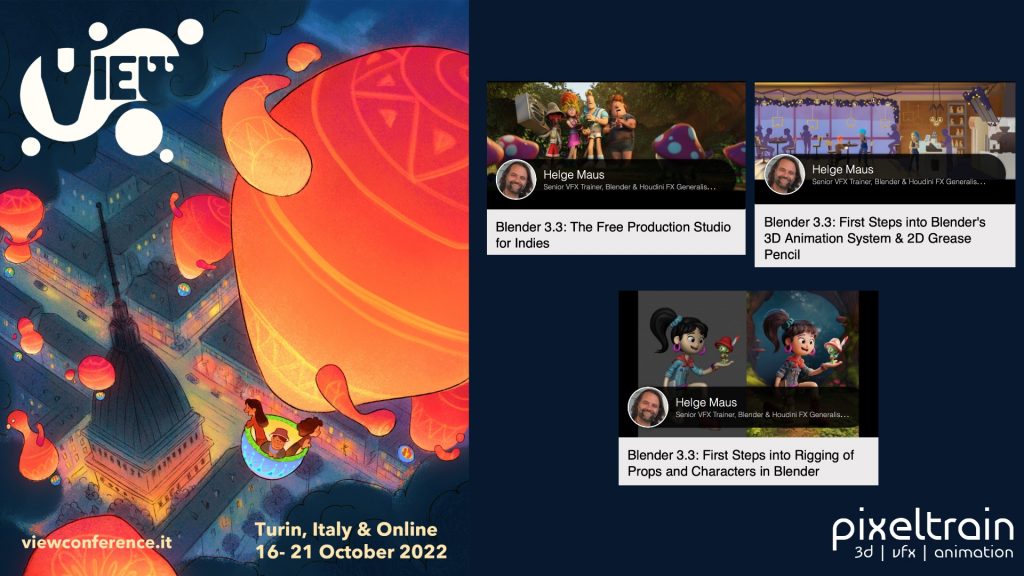
View Conference 2022

The amazing program for the VIEW Conference 2022 (https://www.viewconference.it) is online!

If you join this year’s Conference you will have the chance to start your Blender journey with 3 workshops for beginners:

Blender 3.3: The Free Production Studio for Indies
Tuesday 18th, 14:00 – 15:00

Blender 3.3: First Steps into Rigging of Props and Characters in Blender
Sunday 16th, 10:00-12:30

Blender 3.3: First Steps into Blender’s 3D Animation System & 2D Grease Pencil
Monday 17th, 11:15 – 14:15

Here is the direct link to the program:
https://www.viewconference.it/assets/html/view_CET.html

Don’t miss the opportunity to visit also the other exciting workshops and talks.

I am looking so forward to meeting you all in person!

CU,

Helge
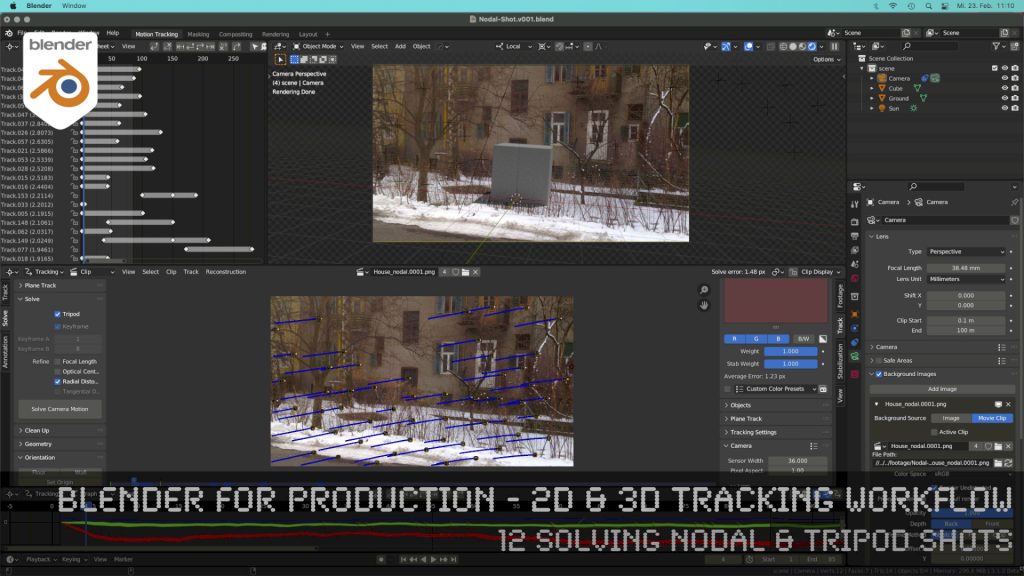
Blender 3.0 for Production - 2D & 3D Tracking Workflow - 12 Solving Nodal & Tripod Shots

How to solve an un-solvable shot without parallax? In this lesson we will talk about that.

Have fun!

Helge

Blender 3.0 for Production – 2D & 3D Tracking Workflow – 12 Solving Nodal & Tripod Shots

These topics are covered in this tutorial:

  • Importance of Nodal Shots for production
  • Analyzing the shot
  • Trying to solve with semi automatic tracking
  • Detect features
  • Camera Settings
  • Solving Keyframes
  • Finding problematic trackers
  • Cleaning up trackers automatically
  • Indicators for a nodal shot in the result
  • Start again, but the right way
  • Clearing out a previous solve
  • Definition of a Nodal / Tripod Shot
  • Solver Tripod Mode
  • Focal Length
  • Lens Distortion
  • Setup a tracking scene
  • Understanding the Camera-Movement
  • Tracker Markers in 3D
  • Setting up a logical manual scene
  • Aligning you camera more easily
  • Working with the 3d cursor
  • Adjusting the Transform Pivot
  • Building a fast Shadow Catcher Setup
  • Cycles Setup
  • Check the Camera-Tracking in a short animation
  • Using an external free Animation Player (DJV2)

If you want to use the same footage, here is my Gumroad link:

https://pixeltrain3d.gumroad.com/l/GEdjT

Be aware, that these files are included in my Patreon 😉

https://www.patreon.com/pixeltrain3d

This tutorial series „Blender for Production“ focuses on Blender as a full Production Suite for (Indie) 3D- & VFX Productions. In these tutorials, I will explain how to work with the different Modules of Blender and how they are connected. I will give you an introduction to the specific functionalities, but also the production context and workflows, which can help you to use Blender in your productions. 

As a Senior 3D & VFX Trainer, Helge Maus teaches 3D- & VFX Applications for 20 years. His focus lies on VFX, but he also works with many studios and agencies from different visualization areas. He focuses on Houdini FX, Blender, and NUKE for his daily work and training.

Here are the new features:

https://www.blender.org/download/releases/2-93/

And the cool new features reel:

https://youtu.be/fxNlpQYRz7s

Such a great final release for Blender 2+ series – now the Blender 3 can come!

Thanks to all the great developers!

P.S. If you want to start now, my next Blender Animation & Rigging Training (German) is June 17 + 18, 2021.

More information: http://www.pixeltrain.net/events/


If you like Helge’s Tutorials, give him some support to go on!

If you want to support Helge Maus for publishing more free tutorials, you can join his Patreons:
https://www.patreon.com/pixeltrain3d

Or if you want to buy me a coffee or pizza, here’s my Tip Jar:
https://www.paypal.com/donate/?hosted_button_id=72PHXB852BW5A

Thanks for your support!


Find more information on www.pixeltrain.net

YouTube: https://www.youtube.com/pixeltrain3DVFXTrainings

VIMEO: vimeo.com/pixeltrain

LinkedIn: linkedin.com/in/pixeltrain

Artstation: https://www.artstation.com/pixeltrain

Instagram: https://www.instagram.com/pixeltrain3d/

Twitter: https://twitter.com/pixeltrain

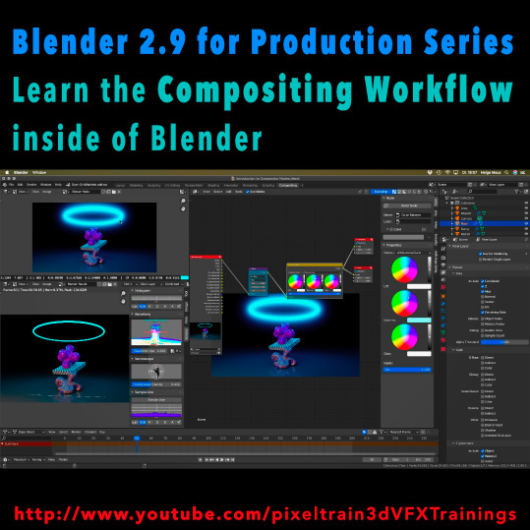
Learn the Compositing Workflow inside of Blender!

Today, I have started a new tutorial series for Blender 2.9 “Blender 2.9 for Production”.

This tutorial series „Blender 2.9 for Production“ focuses on Blender 2.9 as a full Production Suite for (Indie) 3D- & VFX Productions. In this tutorials, I will explain how to work with the different Modules of Blender 2.9 and how they are connected to each other. I will give you an introduction of the specific functionalities, but also the production context and workflows, which can help you to use Blender in your productions.

The first tutorial is online now on my YouTube – enjoy!

These topics are covered:
  • Overview over the series
  • Understanding the Blender Render Process
  • Rendersettings
  • Image Editor Window
  • Direct Saving of Render Results
  • Images in Blender’s Memory
  • Re-open a previous render
  • Slots for Comparison
  • View Layers (Renderlayers) & Render-Channels / Passes / AOVs
  • Differences in saving Stills vs. Animations
  • Understand Blender’s Post Processing Pipeline
  • Adding Channels in the View Layer Properties
  • Denoising Data, Mist, Cryptomatte Passes
  • Renderlayers & Composite Node
  • Loading pre-rendered images or sequences
  • Outputting compositing results as EXRs
  • Adding Output Channels for the EXR export
  • Using the Node Wrangler
  • Adding useful Keyboard Shortcuts
  • Node Search Shortcut
  • Adding some Quick Favorites
  • Adding Nodes to the stream
  • Deleting Nodes
  • Working effective with the Viewer Node
  • Backdrop Image / Image Viewer
  • Saving out final stills directly
  • Finding the control widgets for special nodes
  • Performance Settings
  • Sampling Colors
  • Float normalized Colors Adding a Glow
  • Rendering & Comping a whole animation at once

If you have questions or topics, which should be added, please let us know.

If you want to support Helge Maus for publishing more free tutorials you could join his Patreons: https://www.patreon.com/pixeltrain3d

Find more information on pixeltrain.de YouTube: https://www.youtube.com/pixeltrain3DVFXTrainings

VIMEO: vimeo.com/pixeltrain

LinkedIn: linkedin.com/in/pixeltrain

Artstation: https://www.artstation.com/pixeltrain

Instagram: https://www.instagram.com/pixeltrain3d/

Facebook: https://www.facebook.com/helge.maus

Twitter: https://twitter.com/pixeltrain

Start your Blender 2.9 Journey now!
Blender 2.9 – A full production suite for 3D, VFX and Animation.


Next to my beloved Houdini FX, Blender is for me the solutions for Modeling, Animation and PreViz.

As you may have seen, I have published the last days 4 free tutorials about the new features of Blender 2.9.
You find them on my YouTube channel: https://www.youtube.com/pixeltrain3DVFXTrainings


If you now have the feeling, that you want to start seriously to learn this great free production suite, here are some event tips, where I will be teaching Blender for you.


>> VIEW CONFERENCE 2020, Oct 18 – 23

https://www.viewconference.it/

The next live workshop will be at the exciting VIEW CONFERENCE 2020 – on-site and online
I will give a 2-hours Workshop:

“Blender 2.9: The Free Production Studio for Indies“

in Room Mezzanino on Sunday 18th Oct 2020 in English.

You find more Information about the Online-Workshop here: https://www.viewconference.it/article/384/blender-29-the-free-production-studio-for-indies
And, don’t miss all the other great Keynotes, Masterclasses and talks. This conference is great!


>> Blender-Trainings – Visualisierungs-Akademie Schweiz, Nov & Dec 2020

https://visualisierungs-akademie.ch/

In Cooperation with Visualisierungs-Akademie Schweiz, I will teach again some online sessions for small groups of 4-8 attendees. This is in german language. If you are interested in an English workshop, please let me know!


Blender 2.9 – EinfĂŒhrungskurs

Date: 26 and 27 November, 2020 – online
You find more Information about the Training here: https://visualisierungs-akademie.ch/bildung/blender-einfuehrungskurs/

Blender 2.9 – Rendering mit Eevee und Cycles

Date:04 December, 2020 – online
You find more Information about the Training here: https://visualisierungs-akademie.ch/bildung/blender-vertiefung/

Blender 2.9 – Animation & Rigging

Date: 10 and 11 December, 2020 – online
You find more Information about the Training here: https://visualisierungs-akademie.ch/bildung/blender-animation/


If you have questions or your company wants to adapt Blender (or Houdini FX) to the pipeline, get in contact. I’m happy to help!


Autodesk Maya 2012 Grundlagen Intensivtraining am 07.02.-09.02.2012 in Duesseldorf

Dieses Training wird mit unserem Partnerunternehmen 3dpowerstore GmbH in DĂŒsseldorf zusammen veranstaltet.

Trainer: Helge Maus / pixeltrain | 3d | vfx | animation
Art: Klassenraumtraining
Datum: 07.02. – 09.02.2012, 9:30 – 18:30
Ort: 3dpowerstore / DĂŒsseldorf

Beschreibung:

Der Kurs richtet sich an 3D-Artists, Designer und Grafiker, die mit Hilfe von Maya 2012 professionelle Visualisierungen und erste Animationen erstellen wollen. Dieser Kurs ist so konzeptioniert, dass neben dem Erlernen der ArbeitsoberflÀche von Maya auch ein fundiertes 3D-Wissen vermittelt wird, so dass der Teilnehmer nach dem Kurs in der Lage ist, sich autodidaktisch weiter in Spezialbereiche einzuarbeiten.

Inhalte:

  • ArbeitsoberflĂ€che Autodesk Maya 2012
  • 3D-Grundlagen
  • Erzeugen von Grundkörpern
  • Transformationen, Gruppieren, Sichtbarkeiten, Objekt-Management, Hierarchien
  • Polygonobjekte
  • Polygon-Modelling
  • Subdivision Surfaces
  • Pfade und Splines
  • NURBS-Objekte
  • Szenenbau
  • Material + Texturen
  • Komplexe Materialien / Hypershader
  • Mapping und Projektion
  • Erste UVs und Abwicklung
  • Lichtarten und Eigenschaften
  • Szenensetup
  • Rendering
  • Raytracing vs. Global Illumination
  • Maya-Renderer vs. Mental Ray
  • Multipass Rendering
  • Postproduktion in Photoshop / Maya Composite
  • Erste Animation der Kamera und Objekte

Teilnehmer: mindestens 3
Level: AnfÀnger und Autodidakten
Preis: 1425,- EUR inkl. USt. pro Person

Anmeldung: workshops@pixeltrain.de