Hello Houdini Beginners,

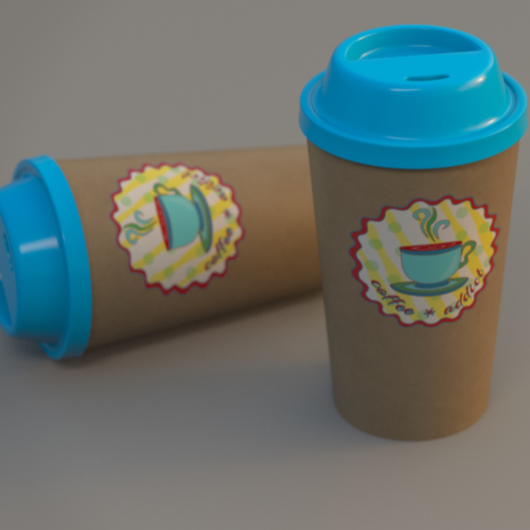
The first module of my free “Houdini FX Practice Hour” project “CoffeeCup” is finished!

Over the course of 13 lessons, you will learn the basics of the Houdini Polygon Modeling tools and how to get into a procedural approach with selections, groups and a little bit of HScript.


You will learn how to work with UVs and build a workflow between Houdini and Substance Painter.

We will render our scenes in Mantra.

In two bonus lessons, we dive deeper into the Classic Material Workflow between Houdini and Substance Painter 2020 and the new UDIM based workflow.

I hope, some of you find this useful.

Here is the full playlist:
https://www.youtube.com/playlist?list=PLp90cx0wSyKadoPBBcMQCSwtTAMBtXPIM

These lessons are meant as an addition to the other two Houdini Practice Hour projects (Banana and Toothbrush), so if you want to follow the complete learning path, you should begin with these. 


Have fun!

Helge

If you want to support me for publishing more free tutorials, you could join my Patreons: https://www.patreon.com/pixeltrain3d

Or you can download the Project files on Gumroad: https://gumroad.com/pixeltrain3d

This tutorial series „Houdini Practice Hour“ is meant for newbies in Houdini FX, who want to learn the basic tasks of modeling, uvs, shading, lighting and rendering on a project base in Houdini FX. I will explain you step by step the workflows and tools, so you can follow along and then experiment to deepen your knowledge. Learning means „getting your hands dirty“. This series doesn’t give you the most effective, elegant or the “only right way”, it’s concepted to give you a solid learning experience.

If your are searching for a complete introduction into the fundamentals of Houdini FX, you can take a look here: https://vimeo.com/ondemand/houdinifxfundamentals

Link to the YouTube-Playlist “Houdini FX Practice Hour”:
https://www.youtube.com/playlist?list=PLp90cx0wSyKZ2Nxnyp4W-EeaEQBp53k-f

If you have questions or topics, which should be added, please let us know.

Find more information on pixeltrain.de YouTube: https://www.youtube.com/pixeltrain3DVFXTrainings

VIMEO: https://www.vimeo.com/pixeltrain

LinkedIn: https://www.linkedin.com/in/pixeltrain

Artstation: https://www.artstation.com/pixeltrain
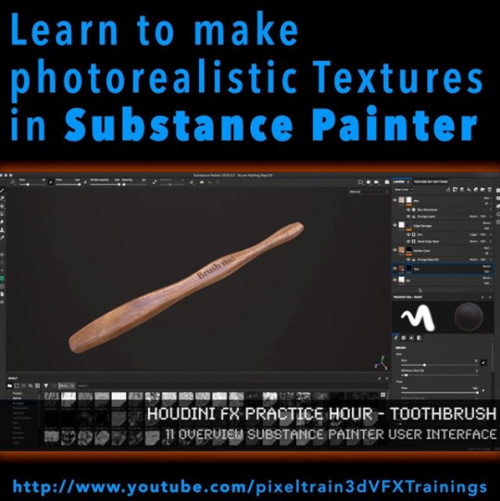
The next hour of free content is online. This time we dive into Substance Painter and texture our Toothbrush from the “Houdini FX Practice Hour”. Next week we will finish this project by rendering the final scene in Houdini FX with Mantra and Pixar’s RenderMan. And, the next project is coming soon!

These tutorials are meant for newbies in Painter but are filled with many tips & trick and workflow hints.
I hope, you have fun with them.
Helge

If you want to support me for publishing more free tutorials, you could join my Patreons: https://www.patreon.com/pixeltrain3d

Or you can download the PROJECT FILES on Gumroad: https://gumroad.com/pixeltrain3d

If your are searching for a complete introduction into the fundamentals of Houdini FX, you can take a look here: https://vimeo.com/ondemand/houdinifxfundamentals

In this tutorial, you will have a brief introduction into the User Interface of Substance Painter and its paradigms. Then we will dive into the Baker and use our High-Poly Mesh from Houdini FX to bake out the needed maps for Painting.

Also, we talk about the feature-set of Painter at the moment and how to fix baking problems.

These topics are covered:

  • Checking the export setting in Houdini FX for low & high poly meshes
  • Creating a new Substance Painter project
  • Understanding the Project Settings
  • Texture Resolution, Normals, UDIMs
  • Navigation in Substance Painter
  • Quick UI overview
  • Painting with Material
  • Why do we need baked maps?
  • Substance Painter Baker
  • Understanding the baking process
  • Baking of Maps
  • Fixing baking problems
  • Inspecting Channels & Maps

This tutorial series „Houdini Practice Hour“ is meant for newbies in Houdini FX, who want to learn the basic tasks of modeling, uvs, shading, lighting and rendering on a project base in Houdini FX.

I will explain you step by step the workflows and tools, so you can follow along and then experiment to deepen your knowledge.

Learning means „getting your hands dirty“. This series doesn’t give you the most effective, elegant or the “only right way”, it’s concepted to give you a solid learning experience.

List of Tutorials:

Toothbrush – 10 Baking Maps in Substance Painter
https://youtu.be/Wy9yJs6Wghg

Toothbrush – 11 Overview Substance Painter User Interface
https://youtu.be/3f4KGNfto8w

Toothbrush – 12 Adding & Projecting the wooden base
https://youtu.be/Wnl1ge8RtCc

Toothbrush – 13 Building a Painting Layer Stack
https://youtu.be/jaeRdR4riAM

Toothbrush – 14 Projecting Text & Exporting Textures
https://youtu.be/8LyKz6USbZ4

Link to the YouTube-Playlist “Houdini FX Practice Hour”:
https://www.youtube.com/playlist?list=PLp90cx0wSyKZ2Nxnyp4W-EeaEQBp53k-f

If you have questions or topics, which should be added, please let us know.

Find more information on pixeltrain.de YouTube: https://www.youtube.com/pixeltrain3DVFXTrainings

VIMEO: https://www.vimeo.com/pixeltrain

LinkedIn: https://www.linkedin.com/in/pixeltrain

Artstation: https://www.artstation.com/pixeltrain
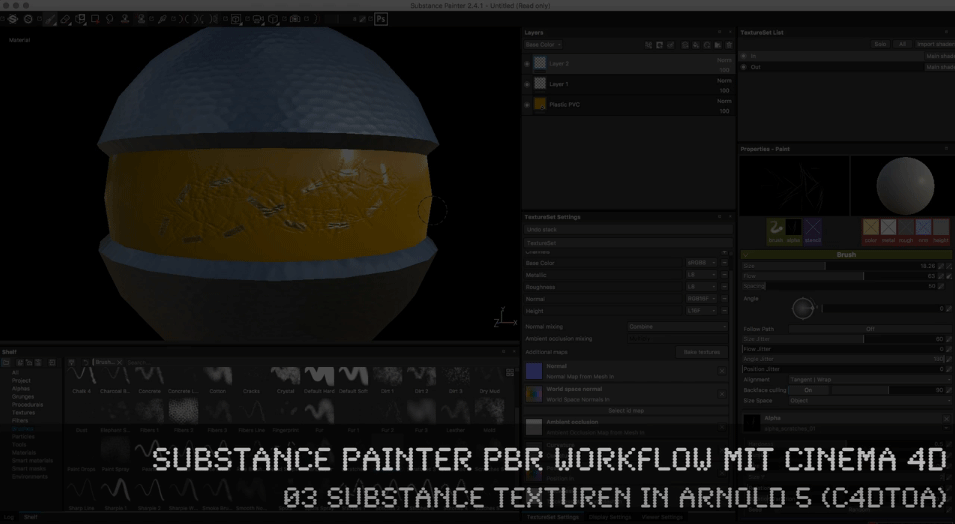
 

01 PBR-Roundtrip zwischen C4D & Substance Painter

Diese Tutorialreihe von Helge Maus zeigt den PBR-Roundtrip zwischen MAXON Cinema 4D und Allegorithmic Substance Painter. Es wird besprochen, wie man in Cinema 4D Texturesets erzeugt um auf einem einzelnen Objekt mehrere Substances zu platzieren. Anschließend wird das Objekt in Substance Painter mit verschiedenen Substances texturiert und als PBR MetalRoughness exportiert.

In den weiteren Filmen wird gezeigt, wie diese PBR-Texturen aus Substance Painter in Cinema 4D mit der Hilfe von Cycles 4D und ARNOLD 5 (C4DtoA) im Node-Tree verlinkt und gerendert werden können.

Dieser Workflow erlaubt es, mit Hilfe der leistungsstarken prozeduralen Substance Technologie in Cinema 4D photorealistische Texturen nutzen zu können.


Like us at Facebook: facebook.com/pixeltrain3D
Verpasst keine neuen Video-Tutorials von Helge mit unserem Newsletter: pixeltrain.de/de/newsletter


02 Substance PBR Texturen in Cycles 4D rendern


03 Substance Texturen in ARNOLD 5 (C4DtoA)


Lerne in unserer Reihe “First Steps” in nur 3 Tagen
die grundlegenden Arbeitsweisen in
MAYA, NUKE, HOUDINI FX oder UNITY
von Helge Maus.

In kleinen Gruppen bleibt Zeit für Fragen und das Gelernte gleich umzusetzen.

EUER VORTEIL: Falls Ihr Euch kein Individual-Training leisten möchtet, könnt Ihr in unserer “First Steps”-Trainingsreihe kostengünstig von Helges Wissen und grandioser Trainingsqualität profitieren.

Also, wir sehen uns im pixeltrain studio. Infos zu Anreise, Unterkunft und der Trainingsveranstaltung an sich gibt’s hier 🙂

Dieses Jahr bieten wir an ACHT (!) Wochenenden Grundlagen-Trainings aus unserer Reihe “First Steps” an.

Neben First Steps in Maya, Houdini FX oder NUKE beginnen wir das Jahr mit unseren

>> First Steps in Game Development &
interaktiver Produktpräsentation
in UNITY (mit Substance)


Gerade der Indie-Games-Markt ist für Artists aus dem 3D & VFX Bereich ein Markt mit großen Wachstumschancen. Aber auch immer mehr Industriekunden wollen interaktive Präsentationen und neue Möglichkeiten der Produktpräsentation. Wie wäre es, sich live durch ein geplantes Gebäude zu bewegen oder eine Maschine wirklich steuern zu können und die Animationen photorealistisch betrachten zu können?!

Als Ziel-Plattformen stehen neben Konsolen auch Desktop-Computer (Mac+PC) und auch mobile Endgeräte zur Verfügung (iPad, iPhone). Daher ist es Zeit, sich mit der Erstellung von Game-Assets und ersten eigenen Games zu beschäftigen.

Einen ersten Einblick, findet Ihr hier: unity3d.com/unity

UNITY 3D bietet dem Einsteiger eine einfache, intuitive Möglichkeit, erste Games und Interaktive Präsentationen zu erzeugen. Der UNITY Editor ist in der Personal Edition kostenfrei(!) für Windows und Mac verfügbar. Das Erstellen von Levels, Assets und Logiken ist sehr einfach möglich. Möchte man mehr, so kann man einfache Skripte per JavaScript oder C# erzeugen. Man kann animierte Assets einfach aus Maya, CINEMA 4D & Co. importieren.


Dieses Training bieten wir zwei Mal jährlich an:

Datum: 10. – 12.3. (Freitag Mittag – Sonntag Abend)
Ort: pixeltrain studio, Feldbacherstrasse 493, 8311 Markt Hartmannsdorf / bei Graz
Kosten: 670 Euro exkl. Ust.

Mehr INFOS zu Anreise, Unterkunft und Anmeldung gibt’s HIER >>

oder

Datum: 28- 30.7. (Freitag Mittag – Sonntag Abend)
Ort: pixeltrain studio, Feldbacherstrasse 493, 8311 Markt Hartmannsdorf / bei Graz
Kosten: 670 Euro exkl. Ust.

Mehr INFOS zu Anreise, Unterkunft und Anmeldung gibt’s HIER >>


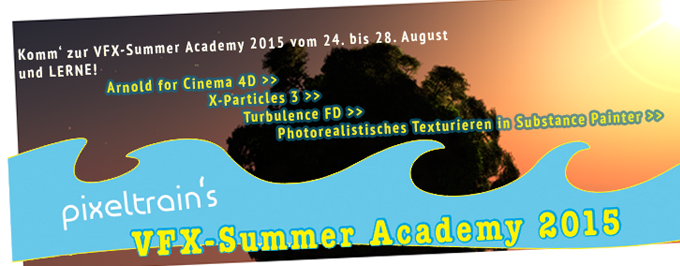
vfx-Summer Academy 2015 mit Helge Maus

In pixeltrain‘s VFX-Summer Academy dreht sich dieses Mal ALLES um photorealistische VFX-Production mit CINEMA 4D R16.

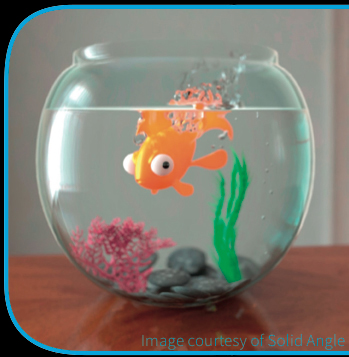
Dabei verwenden wir den endlich auch für CINEMA 4D zugänglichen Hollywood-Standard-Renderer SolidAngle ARNOLD in Zusammenarbeit mit der neuen Version X-Particles 3 und Turbulence FD.

Ziel ist es action-geladene VFX-Shots in C4D zu erstellen!

Als Hilfsmittel für die photorealistische Texturierung machen wir auch einen Ausflug in die Welt von Substance-Painter und dem neuen, kostenfreien Substance-Plugin für CINEMA 4D.

Curriculum vfx-Summer Academy 2015


Inhalte der Workshop-Tagevfx-Summer Academy 2015

oder

Helge’s Ziele für diese VFX-Academy


Info-PDF zur Academy >>


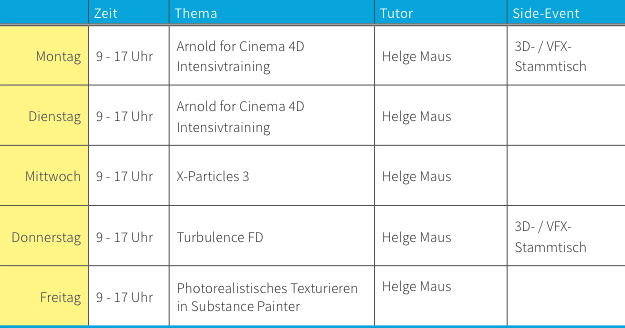
Tag 01 & 02: 

ARNOLD for CINEMA 4D Intensivtraining

>> Ein kompletter, zwei tägiger Crashkurs über den Einsatz von ARNOLD in CINEMA 4D. Umgang mit den mitgelieferten, aber auch Third-Party Shadern, das node-basierende Materialsystem, Procedurals, Volumes, AOVs (Multipassing), sowie Umgang mit Hair und Particles. <<


Tag 03 & 04:

X-Particles 3 & Turbulence FD

>> Deep Dive in die Welt von komplexen und intelligenten Particle-Simulationen, Erzeugung von Fluids, aber auch Fractures und Plasma. Feuer, Smoke und Explosionen mit Turbulence FD, sowie viele Hintergrundinformationen über das Layering von Simulationen und Aufbau von photorealistischen Bränden und Explosionen. Aber auch trickreiche Lösungen mit Hair und Cloth werden mit integriert. Das Rendering erfolgt dann in ARNOLD für CINEMA 4D. <<


Tag 05:

Photorealistisches Teturieren in Substance Painter

>> Substance-Painter bietet ein extrem leistungsfähiges, aber auch einfaches Texturieren von photorealistische Texturen. Zudem integriert es problemlos mit Substances aus Substance-Designer und bietet daher dem CINEMA 4D Benutzer eine leistungsfähige Schnittstelle für Produktionen. Außerdem beleuchten wir an diesem Tag die Arbeit mit dem neuen, kostenfreien Substance-Plugin für CINEMA 4D, dass es uns erlaubt, direkt in C4D Substances zu laden und zu nutzen. <<


Und so läuft’s ab…pixeltrain's VFX-Summer Academy 2015

Termin:

24. bis 28. August 2015 in Markt Hartmannsdorf bei Graz, Austria


Kosten:

Die Teilnahme an der VFX-Summer Academy mit Helge Maus kostet pro Tag 295 Euro (exkl. Ust).


>> Summer-Special:

Der Paket-Preis für die gesamte Woche in pixeltrain‘s VFX-Summer Academy beträgt 1.095 Euro (exkl. Ust).

Das entspricht mehr als 30% Ermässigung.

Da heißt‘s schnell zuschlagen. Die Plätze sind begrenzt.

Anmelde-Deadline ist der 20.08.2015

Anmeldeformular bitte >> hier downloaden >> und an info(at)pixeltrain.de schicken. Danke 🙂


>> Spezialrabatt für Studenten:

Gerne unterstützt pixeltrain angehende 3D-/ Animation- und VFX-Artists. Bist Du Student oder Auszubildender und hast Interesse an der VFX-Summer Academy? Melde Dich ganz unverbindlich bei uns ( info(at)pixeltrain.de oder +43.699.1066.9979 ). Gerne informieren wir Dich über unser Stipendienprogramm und wie sich das positiv auf Dein Gelderbörserl auswirkt!

Wir bitten Dich Deinen Laptop mit bereits installierter Software mitzubringen.

Falls kein eigener Laptop zur Verfügung steht, kann von uns ggf. einer gestellt werden. Zu den verwendeten Produkten (bzw. Plugins) können auch Testversionen zum ersten Hineinschnuppern verwendet werden:

Zu ARNOLD steht eine kostenfreie voll funktionsfähige Trial Version zur Verfügung. Nach Ablauf der Trial ist weiteres Testen mit Wasserzeichen möglich! Ebenso stehen auch Testversionen zu X-Particles und Turbulence FD zur Verfügung.

Montag und Donnerstag werden wir den Abend mit einem 3D- / VFX-Stammtisch in steirischem Ambiente einläuten. Social Networking und einfaches Zusammensein unter Nerds soll auch seinen Platz haben.

Bei Fragen meldet Euch bitte jederzeit unter info(at)pixeltrain.de


Anreise und Unterkunft

pixeltrain‘s VFX-Summer Academy findet im pixeltrain studio in Markt Hartmannsdorf bei Graz statt.
>> Feldbacherstrasse 493, 8311 Markt Hartmannsdorf

Empfohlene Unterkunft:
Gasthof – Pension Gruber >> www.gasthof-gruber.at


Anreise per Flugzeug:

Destination: Flughafen Graz Thalerhof

Gerne organisieren wir für Dich einen Shuttle-Dienst vom Flughafen nach Markt Hartmannsdorf.


Anreise per Bahn:

Destination: Hauptbahnhof Graz oder Bahnhof Gleisdorf

Melde Dich bitte bei uns, wenn Du gerne von uns abgeholt werden möchtest.


Spaziergang zum Veranstaltungsort:

Markt Hartmannsdorf liegt ca. 20 Minuten südöstlich von Graz im sagenumwobenen steirischen Vulkanland. Nur wenige Kilometer entfernt thront die Riegersburg über der malerischen Hügellandschaft, die auch als Apfelland bekannt ist.

Vom Gasthof Gruber spazierst Du fünf bis zehn Minuten zum pixeltrain studio durch den knapp 3000-Seelen Ort Markt Hartmannsdorf.


Ich freue mich auf den Austausch und auf das gemeinsame Lernen!

               Euer Helge Maus


pixeltrain's vfx-Summer Academy 2015