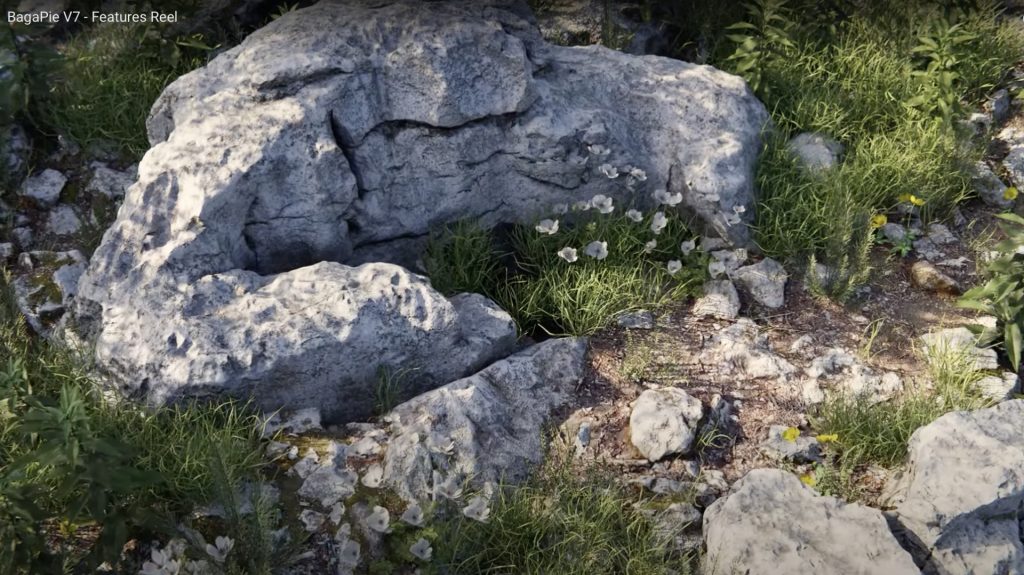
Blender BagaPie V7 Addon

Do you know BagaPie?

The BagaPie Modifier is an “all in one” free Blender addon, you can use it for any purpose by Antoine Bagattini.

Also watch the version V6 reel to understand a little bit more, what this great tool is capable of: https://youtu.be/FlLotEd0zFU 

And the BagaPie version for Blender 3 feature reel:


It started as a collection of cool tools for lazy artists and has evolved over the last versions to a very powerful and useful multi tool for all kinds of operations.

I mostly use it for Scattering purposes of my own assets for nature scenes.
If supports a really fast scatter process, an easy to use Painting system for you instances, Proxies and also Camera Culling. Wow, and that’s for free!

But if you like the addon, you can get also the BagaPie Asset collection (around $55) which gives you around 200+ environment assets for your scenes.

More information and the free download:

https://abaga.gumroad.com/l/BbGVh?_gl

Hope you like it!

Helge
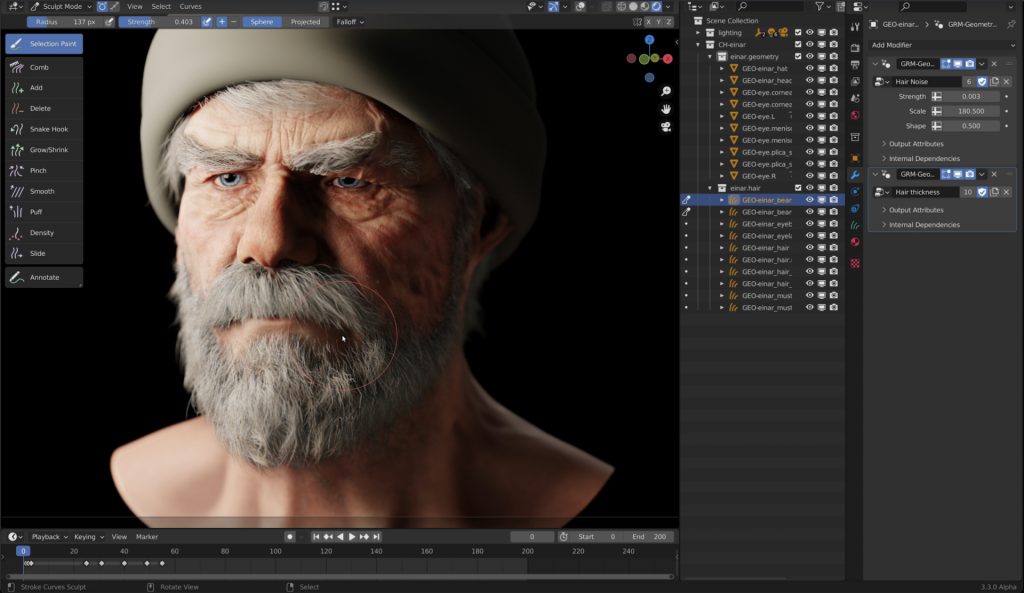
Blender Hair Curves - Project Heist

The next version of Blender, version Blender 3.3 LTS, is coming at the beginning of September 2022. At the moment I am testing the Alpha version to follow the developent of the new features of this version. As a LTS version, it will then receive bugfixes for 2 years, so it is a big milestone for development and production.

One of the most exciting features will be the new Hair system, which will be based on curves. The existing Hair system of Blender uses the Particle system, which is great, but also a little bit “old-school”.

Through geometry nodes it is possible to build your own geometry generators and procedural modifiers. Now with this new curve based approach for Hair you can build very easily procedural modifiers for Hair, for example you build only a basic Hair groom and then the Hair is filled procedurally and also reacts to weather conditions and wetness and so on by a modifier. This is awesome!

Andy Goralczyk from Blender Studio presents a new hair system for the upcoming Blender 3.3. The new hair system uses new high performance curves objects and combine the flexibility of Geometry Nodes with powerful destructive tools for hair grooming.

You find more information here in this article:
https://code.blender.org/2022/07/the-future-of-hair-grooming/

If you have any questions, please let me know. For Blender Trainings (remote, for companies and individuals please check www.pixeltrain.net or contact me directly under info(at)pixeltrain.net ).

Have a nice weekend,

Helge

I had two great and relaxing days with my Blender 3.2 Fundamentals training attendees last week.
Such a pleasure to work with artists around the world and helping them to start their journey in this powerful environment. 🎉

Learning basic PBR Shader networks in the Blender Fundamentals training

The next two workshops (2-days, German language) will be 14.+15. July (Photorealistic and NPR Rendering) and 18.+19. August (Rigging & Animation). And, the new Blender Fundamentals training will be 29.+30. Sept 2022.

If you want to join, please contact Visualisierungs-Akademie Schweiz GmbH here:

https://visualisierungs-akademie.ch/category/bildung/

For Blender Trainings (remote, for companies and individuals please check www.pixeltrain.net or contact me directly under info(at)pixeltrain.net ).

Regards, Helge

We have good news for everyone who wants to dive into Blender, learn the Fundamentals, and beyond.
Together with Visualisierungs-Akademie Schweiz GmbH, I will host another season of Blender online workshops in German language this summer.
Starting in June with 2 days of Blender Fundamentals, after that in July we have 2 days deep dive into Rendering in Cycles and Eevee and then in August 2022, we finish with another 2 days Animation and Rigging in Blender.

If you are interested, please check the following dates or just write me an email (info (at) hmaus.de).

Have a wonderful time!
Yours,
Helge

Introduction to Blender
June 23 + 24, 2022
– online –

in cooperation with Visualisierungsakademie Schweiz

On June 23 and 24 I will teach you online taking your first steps in Blender.

If you are interested, please check out the detailed information here:
https://visualisierungs-akademie.ch/bildung/blender-einfuehrungskurs/

On request I also teach this online course in English. Please do not hesitate to ask your questions (info(at) pixeltrain.net). I am always happy, to hear from everyone who is interested to become an Artist in Blender, Nuke or Houdini FX.

Some of the topics you learn in this course:

  • Getting to know the Blender 3.2 Infrastructure
  • Installation, AddOns and Konfiguration
  • User-Interface and Navigation
  • Scene-Organisation, Outlines, Collections
  • Polygone-Modeling Techniques
  • Working with Curves & Surfaces
  • Modifiers
  • SubDivision Surfaces
  • UV Editor
  • Lightening, Types of Lights, Previews
  • Camera & Physical Setting
  • Materials & Shader
  • Using Textures
  • Photorealism & PBR
  • Preview with Eevee (Realtime)
  • Using Shading Workspace
  • Rendersettings with Eevee and Cycles
  • Final Rendering
  • Simple Compositing in the Compositing Workspace
  • Introduction to Sculpting Workspace
  • First Keyframes and Animationen
  • Rendering of Animations

On request I also teach this online course in English. Please do not hesitate to ask your questions (info(at) pixeltrain.net). I am always happy, to hear from everyone who is interested to become an Artist in Blender, Nuke or Houdini FX.

If you have any questions, please write me on this adress: info (at) hmaus.de.

Hope to see you soon!

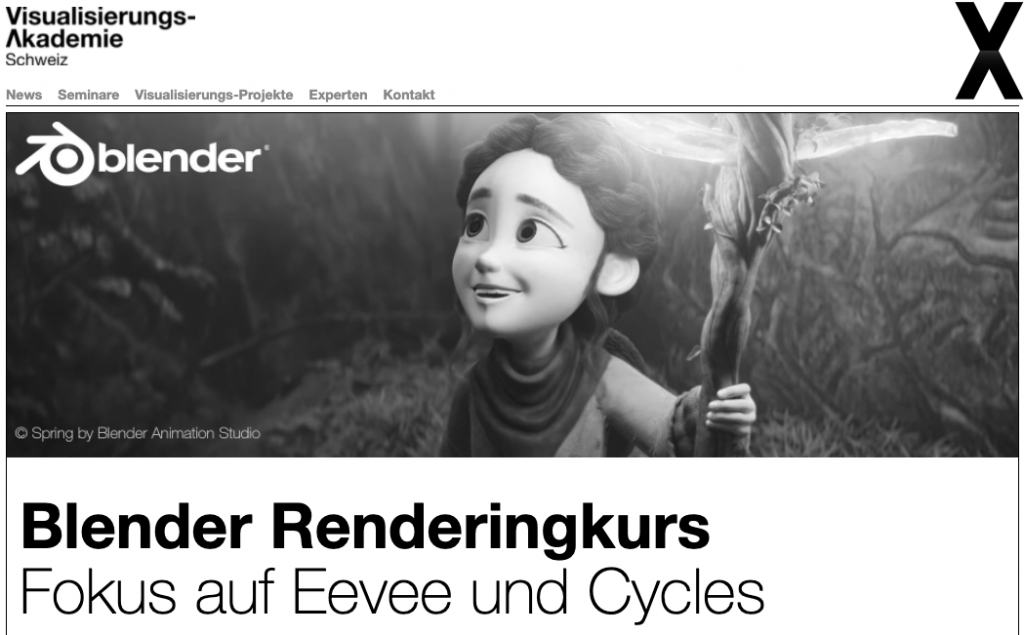
Rendering in Blender with Eevee and Cycles
July 14 + 15, 2022
– online –

in cooperation with Visualisierungsakademie Schweiz

On July 14 and 15 I give an Online-Training on Rendering in Blender -> https://visualisierungs-akademie.ch/bildung/blender-vertiefung/

Two days of intensive advanced training for everyone who wants to use Blender to create sophisticated materials and visualizations for architecture, product design, games & film.
In addition to photorealistic rendering, you will also learn techniques for non-photorealistic rendering for animation, motion design, manga, comics and architecture / product sketching.

Some of the topics you learn in this course:

  • Cycles Render-Engine for Photorealism
  • Physical Lighting and Cameras
  • Eevee for Realtime Rendering
  • Shader Editor
  • Building complex Shaders
  • Creating photorealistic Materials
  • Architecture- & Design Materials
  • Detail-Sculpting & Baking
  • PBR Workflows
  • Image-Finishing with the internal Compositor
  • Exchang with Photoshop, After Effects & NUKE
  • Internal Freestyle Renderer for Sketch & Toon
  • Creating Freestyle Materials
  • Creating Comic Shader
  • Refining Comic & Manga Stile in the Compositor

For further information, please visit this website:
https://visualisierungs-akademie.ch/bildung/blender-vertiefung/

On request I also teach this online course in English. Please do not hesitate to ask your questions (info(at) pixeltrain.net). I am always happy, to hear from everyone who is interested to become an Artist in Blender, Nuke or Houdini FX.

If you have any questions, please write me on this adress: info (at) hmaus.de

Blender Animation Training
August 18 + 19, 2022
– online –

in cooperation with Visualisierungsakademie Schweiz

On August 18 and 19 I give an Online-Training on Animation in Blender -> â€žIntroduction to Animation and Rigging“

You learn how to work with the powerful Animation Tools of Blender. You get to know helpful add-ons for MotionGraphics and Rigging and you build your first technical and organic animation rigs. We bring camera animations to life and also learn how to export these animations for game engines like Unity, Unreal or Godot. You will get to know Timeline, Dopesheet, Graph Editor, NLA, Shapes and Drivers.

  • Wichtige Blender Konzepte für Animatoren & Rigger
  • Projekteinstellungen für Animation
  • Blender Timeline
  • Keying, Keying Sets & Autokeys
  • Channels & Keyframes im Dopesheet
  • Erstellen von Playblasts
  • Motion Path Tool
  • Graph Editor & F-Curves
  • Interpolation & Handles
  • Curves Modifiers
  • Channel Groups
  • Basics des Rigging
  • Armatures
  • Aufbau von Rigs für mechanische / organische Objekte
  • Bone Layers, Bone Groups & Bendy Bones
  • Binding Meshes & Weight-Painting
  • IK Setups
  • Poses
  • Shape Keys
  • Arbeiten mit Constraints
  • Drivers & Expressions
  • Action Editor & Blender’s Action System
  • NLA System
  • Arbeiten mit Audio
  • Basics des Grease Pencil

For further information, please visit this website:
https://visualisierungs-akademie.ch/bildung/blender-animation/


Find more information on www.pixeltrain.net

YouTube: https://www.youtube.com/pixeltrain3DVFXTrainings

Twitter: https://twitter.com/pixeltrain

Instagram: https://www.instagram.com/pixeltrain3d/

LinkedIn: https://www.linkedin.com/in/pixeltrain/

Artstation: https://www.artstation.com/pixeltrain

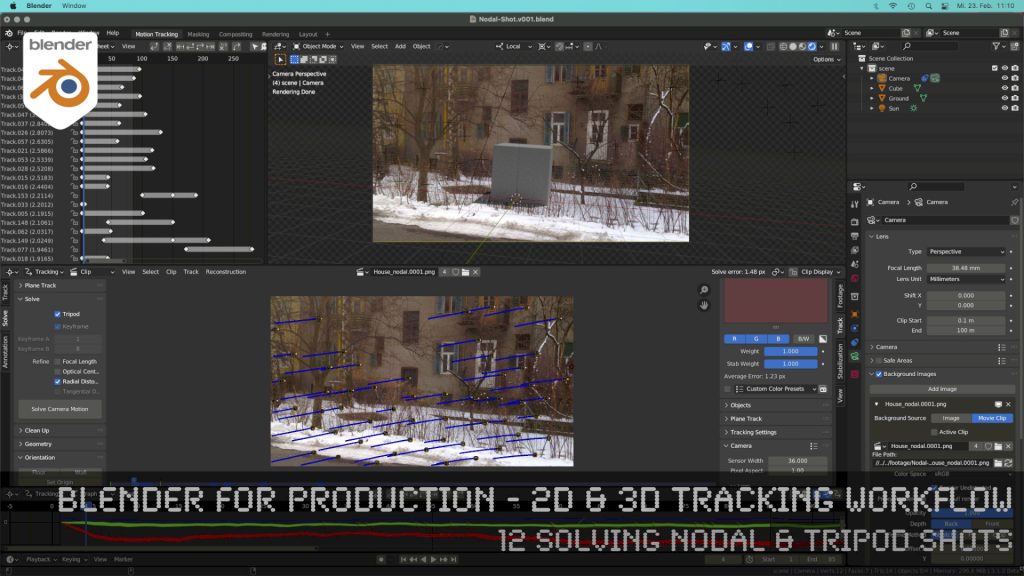
Blender 3.0 for Production - 2D & 3D Tracking Workflow - 12 Solving Nodal & Tripod Shots

How to solve an un-solvable shot without parallax? In this lesson we will talk about that.

Have fun!

Helge

Blender 3.0 for Production – 2D & 3D Tracking Workflow – 12 Solving Nodal & Tripod Shots

These topics are covered in this tutorial:

  • Importance of Nodal Shots for production
  • Analyzing the shot
  • Trying to solve with semi automatic tracking
  • Detect features
  • Camera Settings
  • Solving Keyframes
  • Finding problematic trackers
  • Cleaning up trackers automatically
  • Indicators for a nodal shot in the result
  • Start again, but the right way
  • Clearing out a previous solve
  • Definition of a Nodal / Tripod Shot
  • Solver Tripod Mode
  • Focal Length
  • Lens Distortion
  • Setup a tracking scene
  • Understanding the Camera-Movement
  • Tracker Markers in 3D
  • Setting up a logical manual scene
  • Aligning you camera more easily
  • Working with the 3d cursor
  • Adjusting the Transform Pivot
  • Building a fast Shadow Catcher Setup
  • Cycles Setup
  • Check the Camera-Tracking in a short animation
  • Using an external free Animation Player (DJV2)

If you want to use the same footage, here is my Gumroad link:

https://pixeltrain3d.gumroad.com/l/GEdjT

Be aware, that these files are included in my Patreon 😉

https://www.patreon.com/pixeltrain3d

This tutorial series „Blender for Production“ focuses on Blender as a full Production Suite for (Indie) 3D- & VFX Productions. In these tutorials, I will explain how to work with the different Modules of Blender and how they are connected. I will give you an introduction to the specific functionalities, but also the production context and workflows, which can help you to use Blender in your productions. 

As a Senior 3D & VFX Trainer, Helge Maus teaches 3D- & VFX Applications for 20 years. His focus lies on VFX, but he also works with many studios and agencies from different visualization areas. He focuses on Houdini FX, Blender, and NUKE for his daily work and training.

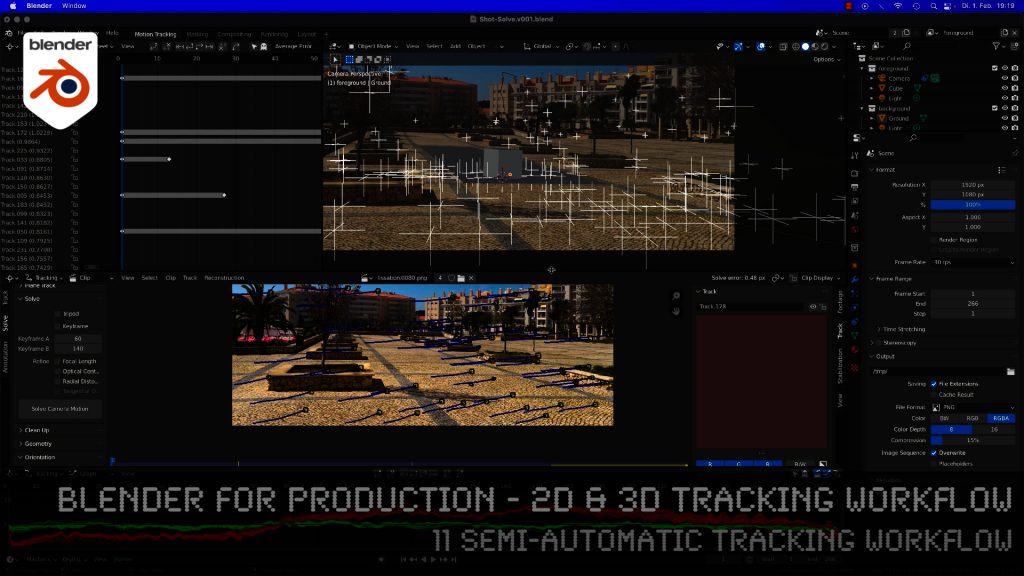
Blender 3.0 for Production - 2D & 3D Tracking Workflow - 11 Semi-automatic Tracking Workflow

Here is the next lesson of the Tracking Workshop. This time we will talk about semi-automatic tracking, which is a way of adding many trackers for shots, where you don’t want to add supervised trackers. Hope you like the lesson 🙂

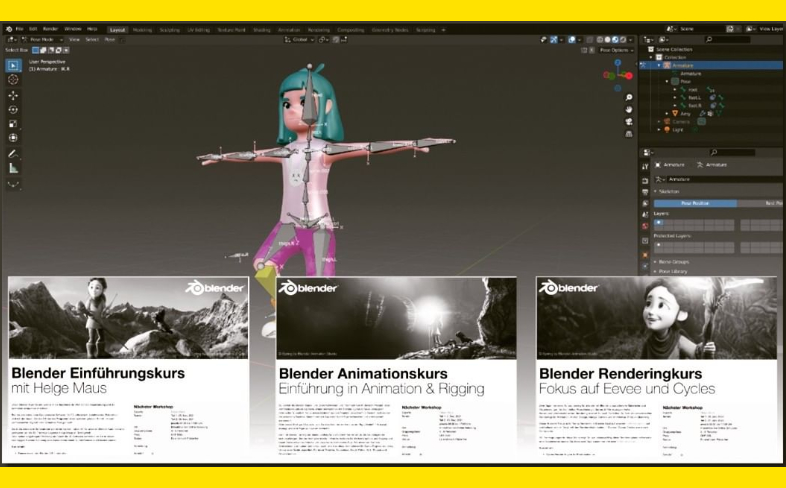
This spring I will again host three Blender Classes, an Introduction Course, a course about Rendering with Eevee and Cyles and the third class deals with Animation and Rigging in Blender.

If you are interested, please check the following dates or just write me an email (info (at) hmaus.de).

Have a wonderful spring!
Yours,
Helge

Rendering in Blender with Eevee and Cycles
February 24 + 25, 2022
– online –

in cooperation with Visualisierungsakademie Schweiz

On February 24 and 25 I give an Online-Training on Rendering in Blender -> https://visualisierungs-akademie.ch/bildung/blender-vertiefung/

Two days of intensive advanced training for everyone who wants to use Blender to create sophisticated materials and visualizations for architecture, product design, games & film.
In addition to photorealistic rendering, you will also learn techniques for non-photorealistic rendering for animation, motion design, manga, comics and architecture / product sketching.

Some of the topics you learn in this course:

  • Cycles Render-Engine for Photorealism
  • Physical Lighting and Cameras
  • Eevee for Realtime Rendering
  • Shader Editor
  • Building complex Shaders
  • Creating photorealistic Materials
  • Architecture- & Design Materials
  • Detail-Sculpting & Baking
  • PBR Workflows
  • Image-Finishing with the internal Compositor
  • Exchang with Photoshop, After Effects & NUKE
  • Internal Freestyle Renderer for Sketch & Toon
  • Creating Freestyle Materials
  • Creating Comic Shader
  • Refining Comic & Manga Stile in the Compositor

For further information, please visit this website:
https://visualisierungs-akademie.ch/bildung/blender-vertiefung/

On request I also teach this online course in English. Please do not hesitate to ask your questions (info(at) pixeltrain.net). I am always happy, to hear from everyone who is interested to become an Artist in Blender, Nuke or Houdini FX.

If you have any questions, please write me on this adress: info (at) hmaus.de

Blender Animation Training
March 7 + 8, 2022
– online –

in cooperation with Visualisierungsakademie Schweiz

On March 7 and 8 I give an Online-Training on Animation in Blender -> â€žIntroduction to Animation and Rigging“

You learn how to work with the powerful Animation Tools of Blender. You get to know helpful add-ons for MotionGraphics and Rigging and you build your first technical and organic animation rigs. We bring camera animations to life and also learn how to export these animations for game engines like Unity, Unreal or Godot. You will get to know Timeline, Dopesheet, Graph Editor, NLA, Shapes and Drivers.

For further information, please visit this website:
https://visualisierungs-akademie.ch/bildung/blender-animation/

On request I also teach this online course in English. Please do not hesitate to ask your questions (info(at) pixeltrain.net). I am always happy, to hear from everyone who is interested to become an Artist in Blender, Nuke or Houdini FX.

If you have any questions, please write me on this adress: info (at) hmaus.de.

Hope to see you soon!

Introduction to Blender
April 13 + 14, 2022
– online –

in cooperation with Visualisierungsakademie Schweiz

On April 13 and 14 I will teach you online taking your first steps in Blender.

If you are interested, please check out the detailed information here:
https://visualisierungs-akademie.ch/bildung/blender-einfuehrungskurs/

On request I also teach this online course in English. Please do not hesitate to ask your questions (info(at) pixeltrain.net). I am always happy, to hear from everyone who is interested to become an Artist in Blender, Nuke or Houdini FX.

Some of the topics you learn in this course:

  • Getting to know the Blender 2.9 Infrastructure
  • Installation, AddOns and Konfiguration
  • User-Interface and Navigation
  • Scene-Organisation, Outlines, Collections
  • Polygone-Modeling Techniques
  • Working with Curves & Surfaces
  • Modifier
  • SubDivision Surfaces
  • UV Editor
  • Lightening, Types of Lights, Previews
  • Camera & Physical Setting
  • Materials & Shader
  • Using Textures
  • Photorealism & PBR
  • Preview with Eevee (Realtime)
  • Using Shading Workspace
  • Rendersettings with Eevee and Cycles
  • Final Rendering
  • Simple Compositing in the Compositing Workspace
  • Introduction to Sculpting Workspace
  • First Keyframes and Animationen
  • Rendering of Animations

Find more information on www.pixeltrain.net

YouTube: https://www.youtube.com/pixeltrain3DVFXTrainings

Twitter: https://twitter.com/pixeltrain

Instagram: https://www.instagram.com/pixeltrain3d/

LinkedIn: https://www.linkedin.com/in/pixeltrain/

Artstation: https://www.artstation.com/pixeltrain

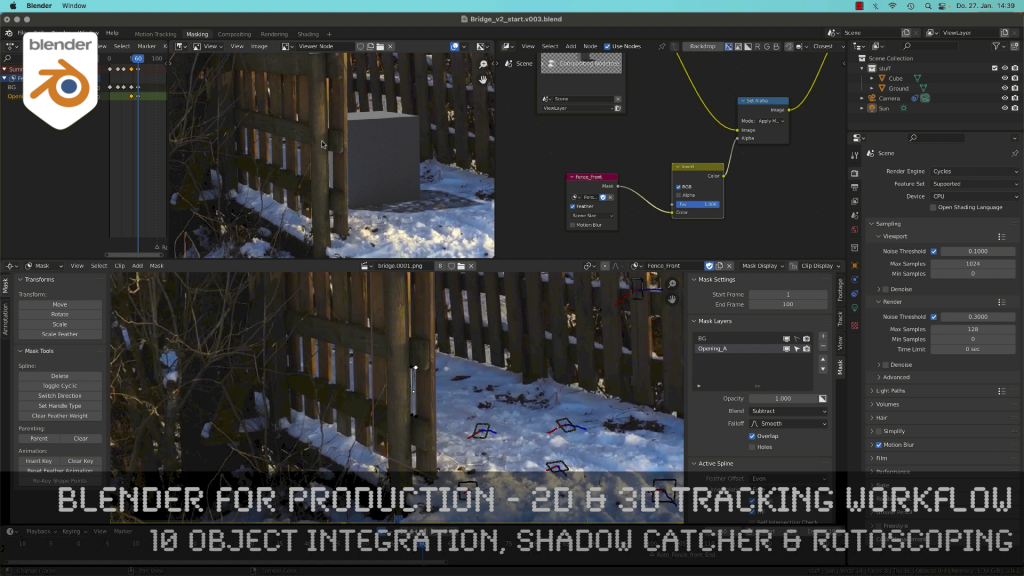
Blender 3.0 for Production - 2D & 3D Tracking Workflow - 10 Object Integration, Shadow Catcher & Rotoscoping

Today, I’ve just published my next Blender 3.0 tutorial.
We talk about 3D-Object Integration, Shadow Catchers & Rotoscoping in Blender 3.1 after 3D-Tracking. It’s part of my free “Blender for Production” series. Have fun!

Blender Studio Project - Heist

Shortly after Sprite Fright, Blender Studio has today announced the next Blender Studio Project. The goal is to develop a high-visual-impact, action-packed 2-minutes-long animation, which is is inspired by the game cinematics and realtime demos formats.

The main goals, beside of making a great short like always, are:

– Challenge Blender and the creative team to make characters and environments at an unprecedented level of realism and complexity

– Push Blender’s capabilities in the interactive PBR workflow, improving and developing new tools (EEVEE, texture painting, baking, etc.)

– Develop and share production assets and pipeline with Blender Studio supporters, and with the film and games industry

This way Blender and it’s tools and workflows will develop much more.

Read more about this project here:

https://studio.blender.org/blog/announcing-project-heist-high-end-cinematic-experience/

Looking forward to it 🙂

Helge

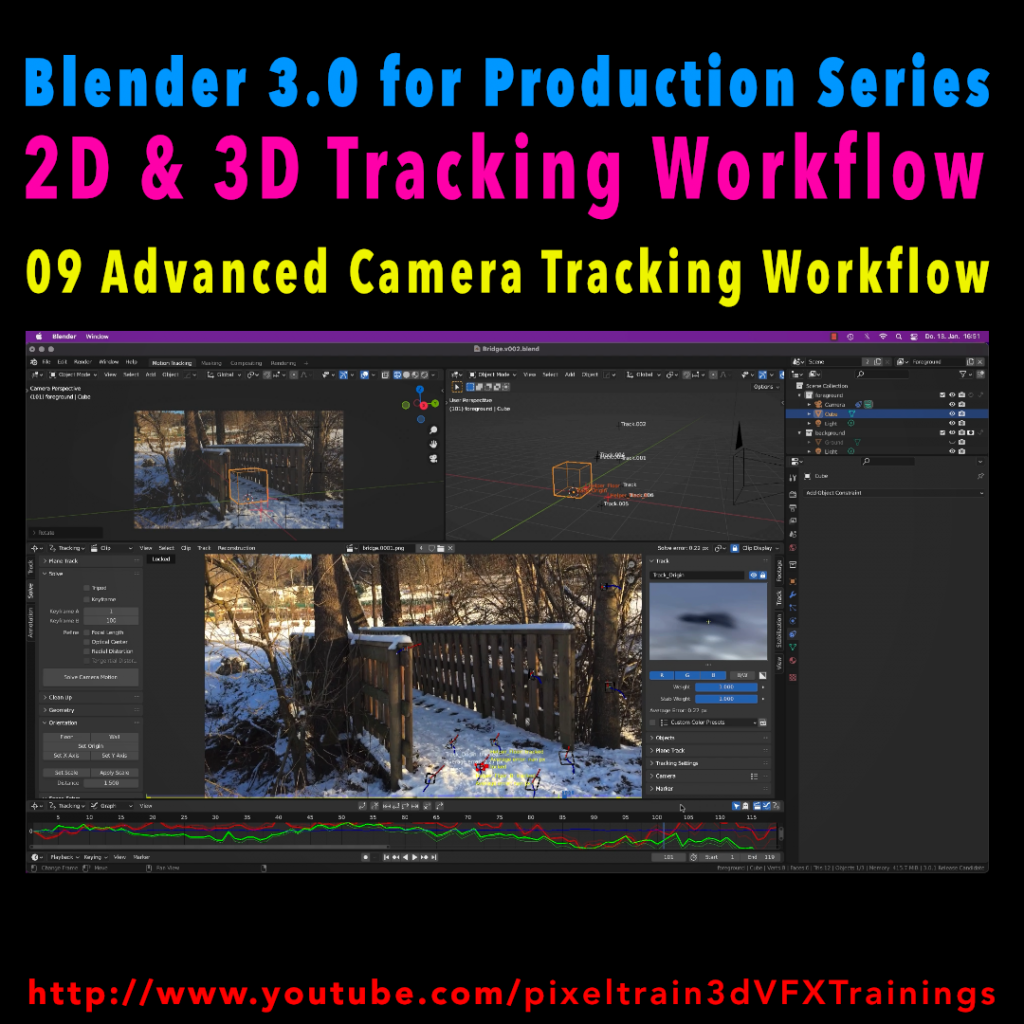
Blender 3.0 for Production - 2D & 3D Tracking Workflow - 09 Advanced Camera Tracking Workflow

In todays lesson we will dive into the Camera-Tracking Workflow of a scene inside Blender 3.0 . You will learn about “good and bad trackers”, solving strategies, build a reconstruction scene and most important, how to get your solve error down.

Hope you like it!

Helge

Blender 3.0 for Production – 2D & 3D Tracking Workflow – 09 Advanced Camera Tracking Workflow

In this tutorial series, we will talk about Blender as a solution for 3D Camera and Object Tracking. Step by Step you will learn how to use Blender for preparing your footage in the Video Sequence Editor (VSE) and getting used to the Movie Clip Editor. Then we will cover the important fundamentals of 2D-Tracking in Blender and also some use-cases for directly using these data. Then we build upon these 2D-Tracks and start solving a 3D-Camera and talk about good and bad tracks, nodal shots, tricks like offset-tracking, joining of tracks, and analyzing solve problems. In the final tutorials, we will finish with Object-tracking for props replacement. After this tutorial series, you have a solid understanding of Blender’s Camera and Object Tracking and how to use the solved data inside of Blender or in other applications like Maya, Cinema, or Houdini.

These topics are covered in this tutorial:

Setting up the Tracking Sequence

Learn to analyze a shot for tracking

Rules for good and bad trackers

Making the default tracking settings

2D track the main trackers

Tracking Graph / Tracking Dope Sheet

Solver Panel

Setting the keyframes

Understanding the Solve Error

Interpreting the Solve Error Graph

Sorting with the Solve Error

Checking for suspicious trackers

Setting the correct Camera data

Finding the correct focal length

Solver Pie menu

Refine Focal Length

Optical Center

Lens Distortion

Display undistorted plate

Generate a scene setup

Activate display options for trackers

Setting up the floor

Setting up orientation axis

Setting up a scale reference

Solving helper trackers

Zero-weight trackers

Color Presets for trackers

Blocking out a helper object

Making a viewport playblast

Using DJV2 as animation player

If you want to use the same footage, here is my Gumroad link:

https://pixeltrain3d.gumroad.com/l/GEdjT

Be aware, that these files are included in my Patreon 😉

https://www.patreon.com/pixeltrain3d

This tutorial series „Blender for Production“ focuses on Blender as a full Production Suite for (Indie) 3D- & VFX Productions. In these tutorials, I will explain how to work with the different Modules of Blender and how they are connected. I will give you an introduction to the specific functionalities, but also the production context and workflows, which can help you to use Blender in your productions. 

As a Senior 3D & VFX Trainer, Helge Maus teaches 3D- & VFX Applications for 20 years. His focus lies on VFX, but he also works with many studios and agencies from different visualization areas. He focuses on Houdini FX, Blender, and NUKE for his daily work and training.

If you have questions or topics, which should be added, please let me know.

If you want to support Helge Maus for publishing more free tutorials you could join his Patreons:

https://www.patreon.com/pixeltrain3d

Find more information on www.pixeltrain.net

YouTube: https://www.youtube.com/pixeltrain3DVFXTrainings

Twitter: https://twitter.com/pixeltrain

Blog: http://www.helgemaus.com

Instagram: https://www.instagram.com/pixeltrain3d/

LinkedIn: https://www.linkedin.com/in/pixeltrain/

Artstation: https://www.artstation.com/pixeltrain