

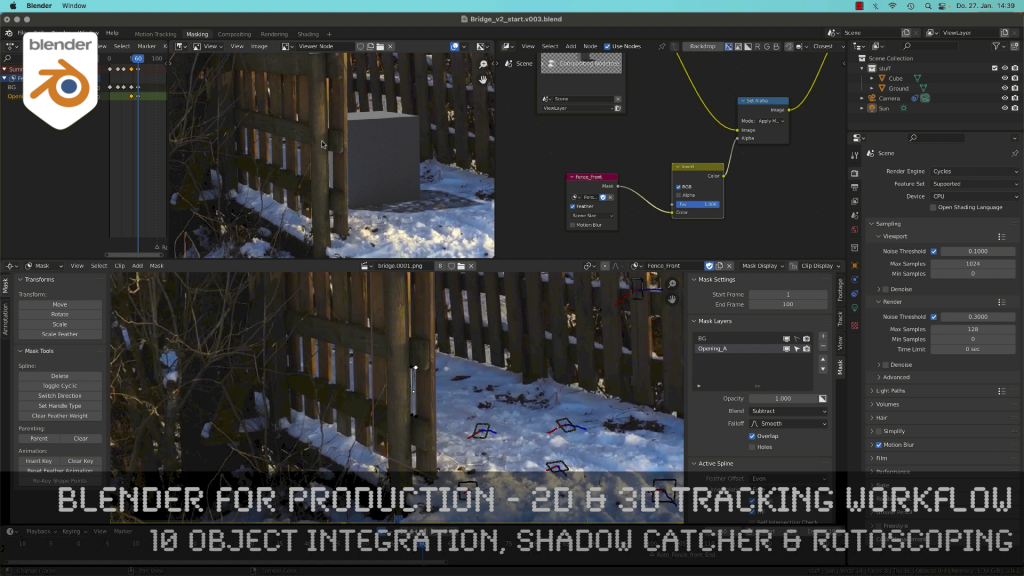
Today, I’ve just published my next Blender 3.0 tutorial.
We talk about 3D-Object Integration, Shadow Catchers & Rotoscoping in Blender 3.1 after 3D-Tracking. It’s part of my free “Blender for Production” series. Have fun!
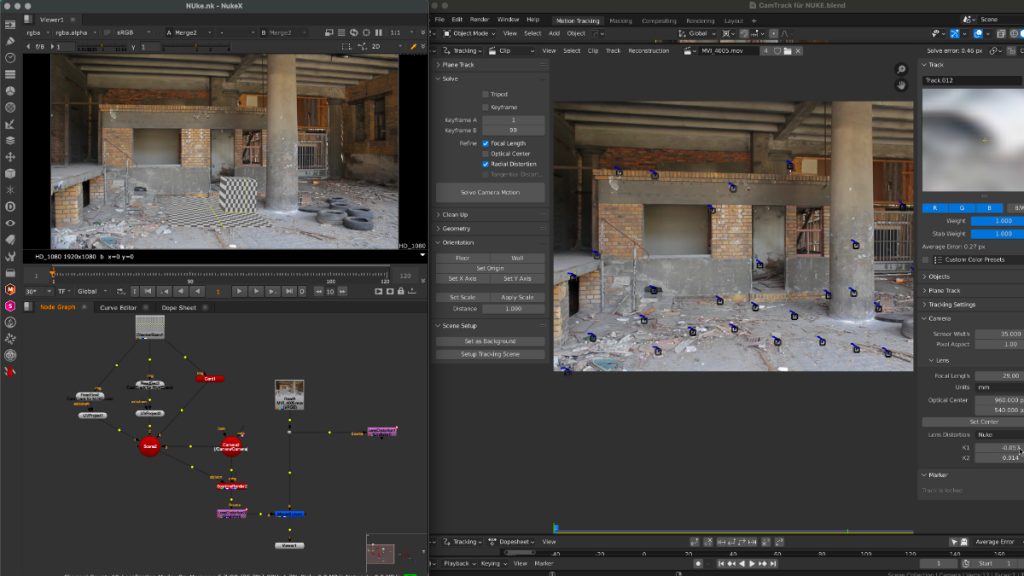
Thanks to the new USD export in Blender, the exchange between Blender’s powerful motion tracker and NUKE or Houdini is becoming easier and easier. Blender is becoming more and more team-minded – thanks to the developers.
My upcoming Blender free tutorial series offers a deep dive into camera and object tracking.
More information then on YouTube. Coming soon: https://www.youtube.com/pixeltrain3DVFXTrainings
If you like Helge’s Tutorials, give him some support to go on!
If you want to support Helge Maus for publishing more free tutorials, you can join his Patreons:
https://www.patreon.com/pixeltrain3d
Or if you want to buy me a coffee or pizza, here’s my Tip Jar:
https://www.paypal.com/donate/?hosted_button_id=72PHXB852BW5A
Thanks for your support!
Find more information on www.pixeltrain.net
YouTube: https://www.youtube.com/pixeltrain3DVFXTrainings
LinkedIn: linkedin.com/in/pixeltrain
Artstation: https://www.artstation.com/pixeltrain
Instagram: https://www.instagram.com/pixeltrain3d/
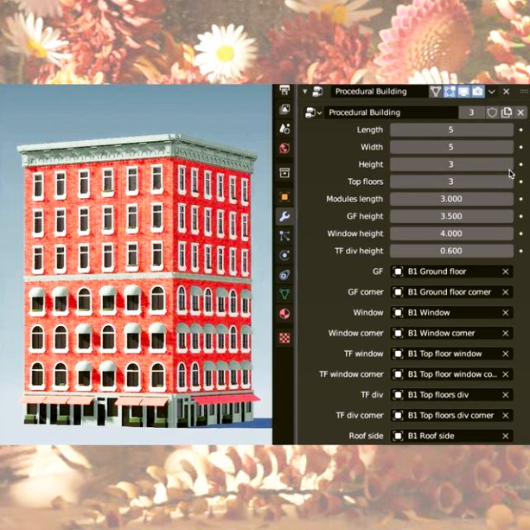
Here are the new features:
https://www.blender.org/download/releases/2-93/
And the cool new features reel:
Such a great final release for Blender 2+ series – now the Blender 3 can come!
Thanks to all the great developers!
P.S. If you want to start now, my next Blender Animation & Rigging Training (German) is June 17 + 18, 2021.
More information: http://www.pixeltrain.net/events/


If you like Helge’s Tutorials, give him some support to go on!
If you want to support Helge Maus for publishing more free tutorials, you can join his Patreons:
https://www.patreon.com/pixeltrain3d
Or if you want to buy me a coffee or pizza, here’s my Tip Jar:
https://www.paypal.com/donate/?hosted_button_id=72PHXB852BW5A
Thanks for your support!
Find more information on www.pixeltrain.net
YouTube: https://www.youtube.com/pixeltrain3DVFXTrainings
VIMEO: vimeo.com/pixeltrain
LinkedIn: linkedin.com/in/pixeltrain
Artstation: https://www.artstation.com/pixeltrain
Instagram: https://www.instagram.com/pixeltrain3d/
Twitter: https://twitter.com/pixeltrain
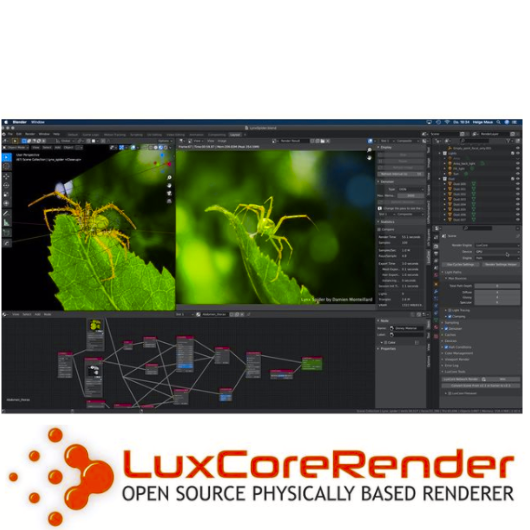
As many of you know, I am a huge fan of Blender. I’m convinced that this free software will be a new industry standard for many visualization and animation projects in the future.
I use Blender with Houdini FX in my trainings and also for personal projects all the time. Besides Cycles and Eevee I am also using LuxCore Renderer for photorealistic rendering with deep ray counts, complex camera effects and light linking. It’s best suited for Architecture, Product Visualization, and many more chases when it comes to realism.
The featureset is great!
And best of all it supports CPU and GPU (also on Mac with AMD cards).
Version 2.5 was just released, take a look here: https://luxcorerender.org
Thanks to the development team!
Here is my YouTube for all my tutorials about Houdini, Blender, Nuke & more:
https://www.youtube.com/pixeltrain3DVFXTrainings
BTW, if you want to support my work with these free tutorials, please subscribe to my YouTube channel, give me a ThumbsUp for the content you like. Also, I have a Patreon page, starting with $1 per month. That’s a nice way to say “Thank You”:
https://www.patreon.com/pixeltrain3d
If you like Helge’s Tutorials, give him some support to go on!
If you want to support Helge Maus for publishing more free tutorials, you can join his Patreons:
https://www.patreon.com/pixeltrain3d
Or if you want to buy me a coffee or pizza, here’s my Tip Jar:
https://www.paypal.com/donate/?hosted_button_id=72PHXB852BW5A
Thanks for your support!
Find more information on www.pixeltrain.net
YouTube: https://www.youtube.com/pixeltrain3DVFXTrainings
VIMEO: vimeo.com/pixeltrain
LinkedIn: linkedin.com/in/pixeltrain
Artstation: https://www.artstation.com/pixeltrain
Instagram: https://www.instagram.com/pixeltrain3d/
Twitter: https://twitter.com/pixeltrain
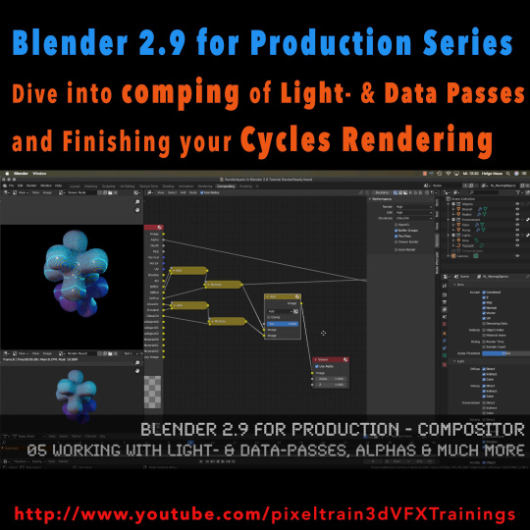
The first module of my „Blender 2.9 for Production“ series is done. In this first module we’ve talked about the build-in node-based Compositor of Blender 2.9 and how to work with it in an effective integrated workflow. You have learned how you set up Render-Layers and -Passes and how to work also with external OpenEXRs from other 3D-Applications and Renderers. My conclusion is, that this Compositor is a really powerful addition to every workflow and I am hoping for more improvements in the future.
01 Introduction to the Blender Compositor Workflow
02 Basic Compositing Tasks in Blender 2.9 Compositor
03 RenderLayers, Collections & Ray-Visibility
04 RenderLayers, LightPasses & DataPasses
05 Working with Light- & Data-Passes, Alphas and much more
I hope, you enjoyed this series and learned a lot. But for now I will dive into the new Houdini 18.5 stuff.
Let’s say it like that „I will be back“ 😉 Blender 2.91 is around the corner and I will continue this „Blender 2.9 for Production“ series with the 2D- & 3D-Tracking system.
If you have questions or topics, which should be added, please let us know.
If you like Helge’s Tutorials, give him some support to go on!
If you want to support Helge Maus for publishing more free tutorials, you can join his Patreons:
https://www.patreon.com/pixeltrain3d
Or if you want to buy me a coffee or pizza, here’s my Tip Jar:
https://www.paypal.com/donate/?hosted_button_id=72PHXB852BW5A
Thanks for your support!
Find more information on www.pixeltrain.net
YouTube: https://www.youtube.com/pixeltrain3DVFXTrainings
VIMEO: vimeo.com/pixeltrain
LinkedIn: linkedin.com/in/pixeltrain
Artstation: https://www.artstation.com/pixeltrain
Instagram: https://www.instagram.com/pixeltrain3d/
Facebook: https://www.facebook.com/helge.maus
Twitter: https://twitter.com/pixeltrain
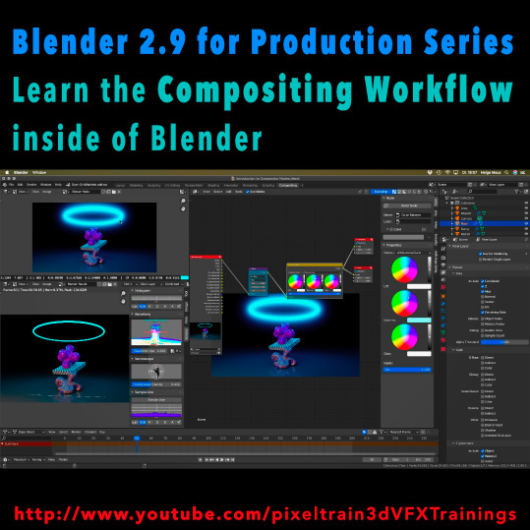
Learn the Compositing Workflow inside of Blender!
Today, I have started a new tutorial series for Blender 2.9 “Blender 2.9 for Production”.
This tutorial series „Blender 2.9 for Production“ focuses on Blender 2.9 as a full Production Suite for (Indie) 3D- & VFX Productions. In this tutorials, I will explain how to work with the different Modules of Blender 2.9 and how they are connected to each other. I will give you an introduction of the specific functionalities, but also the production context and workflows, which can help you to use Blender in your productions.
The first tutorial is online now on my YouTube – enjoy!
These topics are covered:
- Overview over the series
- Understanding the Blender Render Process
- Rendersettings
- Image Editor Window
- Direct Saving of Render Results
- Images in Blender’s Memory
- Re-open a previous render
- Slots for Comparison
- View Layers (Renderlayers) & Render-Channels / Passes / AOVs
- Differences in saving Stills vs. Animations
- Understand Blender’s Post Processing Pipeline
- Adding Channels in the View Layer Properties
- Denoising Data, Mist, Cryptomatte Passes
- Renderlayers & Composite Node
- Loading pre-rendered images or sequences
- Outputting compositing results as EXRs
- Adding Output Channels for the EXR export
- Using the Node Wrangler
- Adding useful Keyboard Shortcuts
- Node Search Shortcut
- Adding some Quick Favorites
- Adding Nodes to the stream
- Deleting Nodes
- Working effective with the Viewer Node
- Backdrop Image / Image Viewer
- Saving out final stills directly
- Finding the control widgets for special nodes
- Performance Settings
- Sampling Colors
- Float normalized Colors Adding a Glow
- Rendering & Comping a whole animation at once
If you have questions or topics, which should be added, please let us know.
If you want to support Helge Maus for publishing more free tutorials you could join his Patreons: https://www.patreon.com/pixeltrain3d
Find more information on pixeltrain.de YouTube: https://www.youtube.com/pixeltrain3DVFXTrainings
VIMEO: vimeo.com/pixeltrain
LinkedIn: linkedin.com/in/pixeltrain
Artstation: https://www.artstation.com/pixeltrain
Instagram: https://www.instagram.com/pixeltrain3d/
Facebook: https://www.facebook.com/helge.maus
Twitter: https://twitter.com/pixeltrain
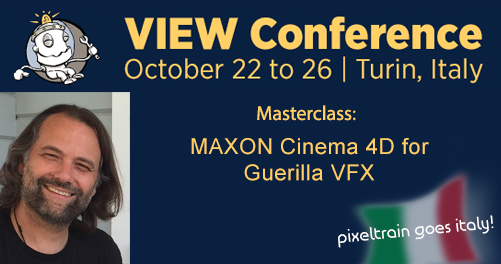
pixeltrain goes Italy und Helge freut sich ins Land des Cappuccinos, der Pizza und Spaghetti und nicht zu vergessen des Tiramisus in bewährter 3D- & VFX-Manier einzutauchen.
Wie Ihr Euch vorstellen könnt, ist Helge per Sprach-App in jeder freien Minute fleißig am Italienisch lernen und im pixeltrain studio erklingt nur noch italienische Musik von Francesco Gabbani, Ermal Meta, Laura Pausini, Elisa und Co 😉
Wir haben eine Spotify Liste “pixeltrain goes italy” angelegt. Vielleicht wollt Ihr mit uns hören und in der Vorfreude auf Italien schwelgen 🙂 >> https://open.spotify.com
Helge wurde aufmerksam auf die View Conference und
die View Conference wurde aufmerksam auf Helge.
Hans Zimmer wird eine Keynote halten.
Und auch sonst ist alles dort was Rang und Namen hat in der 3D- & VFX-Szene. >> https://www.viewconference.it/speakers/
Also gleich neben der FMX the place to be to meet friends and nerds – to celebrate creativity and visual effects!
Schaut unbedingt rein in das Programm! Es ist empfehlenswert >> https://www.viewconference.it/pages/program/
Und lasst Euch anstecken von unserer Euphorie und Abenteuerlust die 3D- und VFX-Welt in Italien zu erkunden 🙂
Helge wurde eingeladen am Montag, 22. Oktober 2018
von 15:00 bis 17:00 Uhr eine MASTERCLASS
zu folgendem Thema zu halten:
“MAXON Cinema 4D for Guerilla VFX”
Auf der VIEW Conference Webseite erfahrt Ihr mehr zum Inhalt der Masterclass und wie Ihr Euch dazu anmelden könnt >>
https://www.viewconference.it/article/163/maxon-cinema-4d-r20-for-guerrilla-vfx
Es wäre toll, wenn wir uns dort treffen können.
Wenn jemand von Euch Lust hat auf 3D- & VFX-dolce vita in Turin im Herbst, dann meldet Euch bei uns unter info(at)pixeltrain.de.
Ci vediamo a Torino 🙂


Lerne in unserer Reihe “First Steps” in nur 3 Tagen
die grundlegenden Arbeitsweisen in
MAYA, NUKE, HOUDINI FX oder UNITY
von Helge Maus.
In kleinen Gruppen bleibt Zeit für Fragen und das Gelernte gleich umzusetzen.
EUER VORTEIL: Falls Ihr Euch kein Individual-Training leisten möchtet, könnt Ihr in unserer “First Steps”-Trainingsreihe kostengünstig von Helges Wissen und grandioser Trainingsqualität profitieren.
Also, wir sehen uns im pixeltrain studio. Infos zu Anreise, Unterkunft und der Trainingsveranstaltung an sich gibt’s hier 🙂
Dieses Jahr bieten wir an ACHT (!) Wochenenden Grundlagen-Trainings aus unserer Reihe “First Steps” an.
Neben First Steps in Maya, Houdini FX oder NUKE beginnen wir das Jahr mit unseren
>> First Steps in Game Development &
interaktiver Produktpräsentation
in UNITY (mit Substance)
Gerade der Indie-Games-Markt ist für Artists aus dem 3D & VFX Bereich ein Markt mit großen Wachstumschancen. Aber auch immer mehr Industriekunden wollen interaktive Präsentationen und neue Möglichkeiten der Produktpräsentation. Wie wäre es, sich live durch ein geplantes Gebäude zu bewegen oder eine Maschine wirklich steuern zu können und die Animationen photorealistisch betrachten zu können?!
Als Ziel-Plattformen stehen neben Konsolen auch Desktop-Computer (Mac+PC) und auch mobile Endgeräte zur Verfügung (iPad, iPhone). Daher ist es Zeit, sich mit der Erstellung von Game-Assets und ersten eigenen Games zu beschäftigen.
Einen ersten Einblick, findet Ihr hier: unity3d.com/unity
UNITY 3D bietet dem Einsteiger eine einfache, intuitive Möglichkeit, erste Games und Interaktive Präsentationen zu erzeugen. Der UNITY Editor ist in der Personal Edition kostenfrei(!) für Windows und Mac verfügbar. Das Erstellen von Levels, Assets und Logiken ist sehr einfach möglich. Möchte man mehr, so kann man einfache Skripte per JavaScript oder C# erzeugen. Man kann animierte Assets einfach aus Maya, CINEMA 4D & Co. importieren.
Dieses Training bieten wir zwei Mal jährlich an:
Datum: 10. – 12.3. (Freitag Mittag – Sonntag Abend)
Ort: pixeltrain studio, Feldbacherstrasse 493, 8311 Markt Hartmannsdorf / bei Graz
Kosten: 670 Euro exkl. Ust.
Mehr INFOS zu Anreise, Unterkunft und Anmeldung gibt’s HIER >>
oder
Datum: 28- 30.7. (Freitag Mittag – Sonntag Abend)
Ort: pixeltrain studio, Feldbacherstrasse 493, 8311 Markt Hartmannsdorf / bei Graz
Kosten: 670 Euro exkl. Ust.
Mehr INFOS zu Anreise, Unterkunft und Anmeldung gibt’s HIER >>

Für die aktuelle Ausgabe der Digital Production habe ich einen Artikel zu Nuke Studio 9 und seinen neuen Features geschrieben. Die DP war so nett, meinen Artikel hier kostenlos zur Verfügung zu stellen.
Der Link zum Artikel:
http://www.helgemaus.de/pdfs/DP1503_094-097_Nuke9_Beleg.PDF
Wer mehr zu Nuke / NukeX und Nuke Studio erfahren will, findet auf meinem VIMEO-Channel eine Reihe an Tutorials. Zudem biete ich auch Firmen- & Individualtrainings zu dieser Software an und noch andere mehr aus dem Bereich 3D, VFX und Animation. Ich freue mich auf Euer Feedback.
Hier findet Ihr mehr Info, wenn Ihr Euch dafür interessiert, Euer Wissen zu 3D, VFX und Animation zu erweitern: www.pixeltrain.de