Godot CSharp tutorial by Helge Maus / pixeltrain

Today I’ve published my first tutorial of my new series “C# Development in Godot Game Engine” on my Patreon:

👉 https://www.patreon.com/posts/first-c-in-godot-160421061?utm_medium=clipboard_copy&utm_source=copyLink&utm_campaign=postshare_creator&utm_content=join_link

In this tutorial, I explain how to set up an working development environment for Game Development with Godot Engine and the C# programming language.

Have fun,

Helge

Helge Maus May 2026

May 2026 & beyond!

Dear Followers,

A creative break of almost a month, combined with a tour through three countries – that’s how Karin and I spent this years May.

I visited my “old homeland” in the Westerwald region of Germany, we traveled along the Rhine, then we went to Graz in Austria to visit family and dear friends.

We experienced buzzing city life and the green Styrian countryside.

To top it all off, we treated ourselves to a week’s beach vacation in Bibione (Italy) before the holiday season started.

It was an exhausting but also very joyful and inspiring time, which we spent together with Bailey and Mickey in various locations and Airbnbs.

Now I’m back in office and I also have some new stuff coming shortly:
First of all the DevLog#3, but also some tutorial capturing is planed for the near future.

I will release these tutorials mainly on Patreon:
https://www.patreon.com/c/pixeltrain3d

Enjoy!

Helge, Karin, Bailey, and Mickey

Material Maker 1.6

In January I wrote an article about Material Maker on my Patreon.

This application is a free open-source solution to generate procedural materials (and even animated ones ) for 3D and games, making it a good alternative to commercial solutions like Adobe Substance Designer or InstaMat Studio.

My (free) Patreon article:
👉 https://www.patreon.com/posts/material-maker-1-156071426?utm_medium=clipboard_copy&utm_source=copyLink&utm_campaign=postshare_creator&utm_content=join_link

Now the new version Material Maker 1.6 was released:
👉 https://rodzilla.itch.io/material-maker/devlog/1491329/material-maker-16

Have fun!
Helge

#opensource #foss #indie #indiedev #indiegame #pixeltrain #helgemaus

UCU Painter for Blender

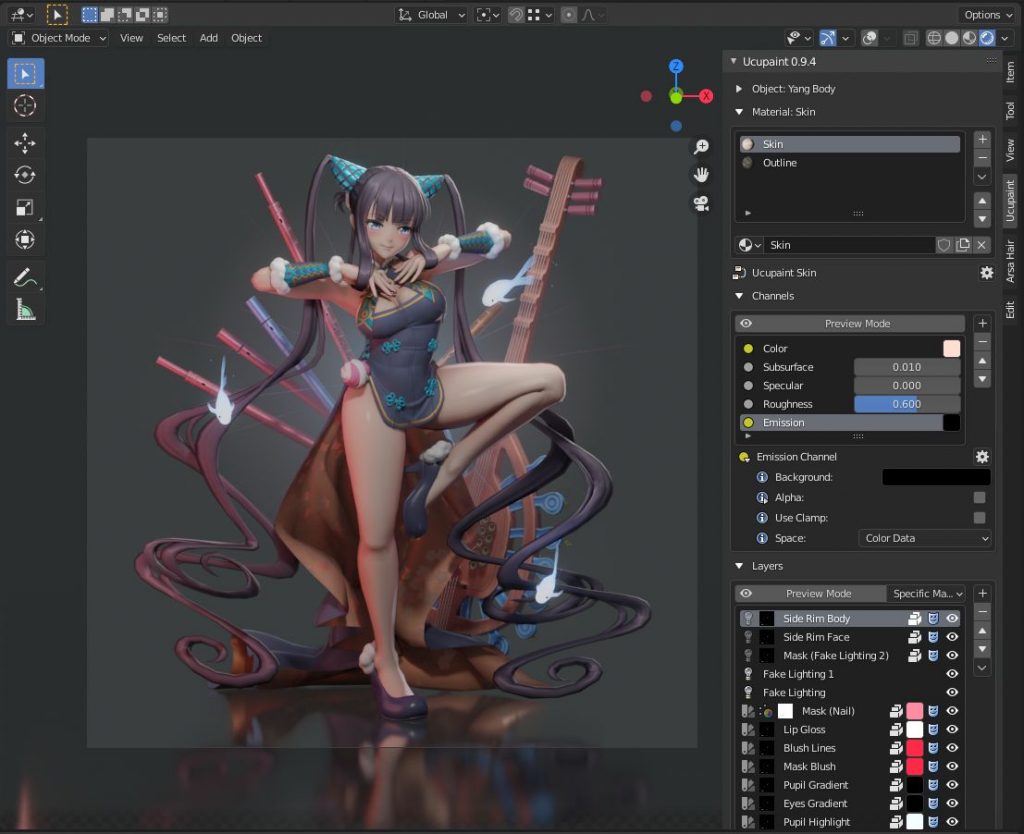
Especially when texturing stylized NPR assets for games or animations, the comfortable painting of textures for 3D objects is necessary. For this purpose, several commercial applications such as Substance Painter, 3DCoat or InstaMAT are available externally from Blender.

However, for my own workflow for animations and games, I have been using a free Blender Extension called “UCU-Paint by ucupumar” for some time.

This amazing add-on allows me to work directly in Blender. In the background, this extension creates a standard node-based Blender shading tree and can even work with my own shaders or external textures for a PBR workflow.

This extension can be easily installed in Blender under „Preference → Get Extensions“.

https://extensions.blender.org/add-ons/ucupaint/?utm_source=blender-4.5.7-lts

Here are some of the features:

  • Stack images, vertex attributes, generated textures, or many other types into layers and masks.
  • All Ucupaint nodes are contained inside a single node group and can be connected to any other nodes.
  • Channels in Ucupaint are flexible, add or remove them based on your needs.
  • You can add modifiers like a color ramp or math operation for quick adjustments.
  • Works well with multiple objects using the same material.
  • Decal support
  • Ability to load images from asset browser or file browser
  • UDIM is detected automatically based on UV islands.
  • Bake final channel images and easily arrange them so most exporters can read them.
  • Dedicated alpha channel for flexible transparency workflow
  • Bake AO, multires, other object’s normal, and more.
  • You can add drivers or keyframes to most Ucupaint inputs.
  • Support realtime displacement and even vector displacement map.
  • Preview mode to check your layers or channel colors.
  • Pack baked channel results into a single image using a custom bake target (useful for creating ORM texture or DirectX normal).
  • And so much more.

If you want to learn more about the features and workflows:

https://www.youtube.com/@ucupumar/videos

Version 2.4.5 was released yesterday, which, in addition to some bug fixes, now offers the option to paint custom Normals directly. A frequently used technique, especially for anime-styled characters.

Have fun painting in Blender

Helge

Image from „Horripilant - A game by Pas Game“

Godot Engine 4.7 Dev 2

Only recently, at the end of January 2026, the new stable version Godot 4.6 was released.

With this release and the first bugfix patch shortly afterwards in mid-February, the development of Godot 4.7 is now progressing in great strides.

Today the second Godot 4.7 Dev2 was released.

So if you want to look into the future and directly dive into some new features, you can find builds for the various platforms here:

👉 https://godotengine.org/download/archive/4.7-dev2/

Some of the highlights so far:

  • Add support for copy/paste of section/category properties
  • Use monospaced font for code names in UI
  • Collapse groups in animation track editor
  • Support HDR output for Apple
  • Add a scene painter tool for 2D
  • Bult-in VirtualJoystick for mobile games (Joypad controls)
  • Drawable Textures
  • Enable Path3D collider snapping
  • and much more

Image from „Horripilant – A game by Pas Game“

Road to Vostok - Game made with Godot Engine

In July 2024, I first wrote about the game “Road to Vostok,” which was in development at the time, on my Patreon page.

https://www.patreon.com/posts/godot-engine-to-107308034?utm_medium=clipboard_copy&utm_source=copyLink&utm_campaign=postshare_creator&utm_content=join_link

What’s special about this game for me isn’t necessarily the survival thriller genre, but rather its origins as a Unity game and its subsequent transition to the Godot Engine. The developer log, which is very well documented, demonstrates that even projects of this size can be handled by the free and open-source Godot engine.

Starting in April 2007, this game will be available as Early Access on Steam (a demo for Windows is already available there):

https://store.steampowered.com/app/1963610/Road_to_Vostok/

Road to Vostok is a hardcore single-player survival game set in a post-apocalyptic border zone between Finland and Russia. Survive, loot, plan, and prepare to cross the border into Vostok, a permadeath zone where one mistake can end it all.

Congratulations to the developers!

Here’s the link to the trailer: https://youtu.be/OTFgTRsz43Q?si=UT_cw2eYJytTQXg6

Projects like this motivate me to create my own worlds in Godot, in 2d or 3d. For beginners and advanced programmers.

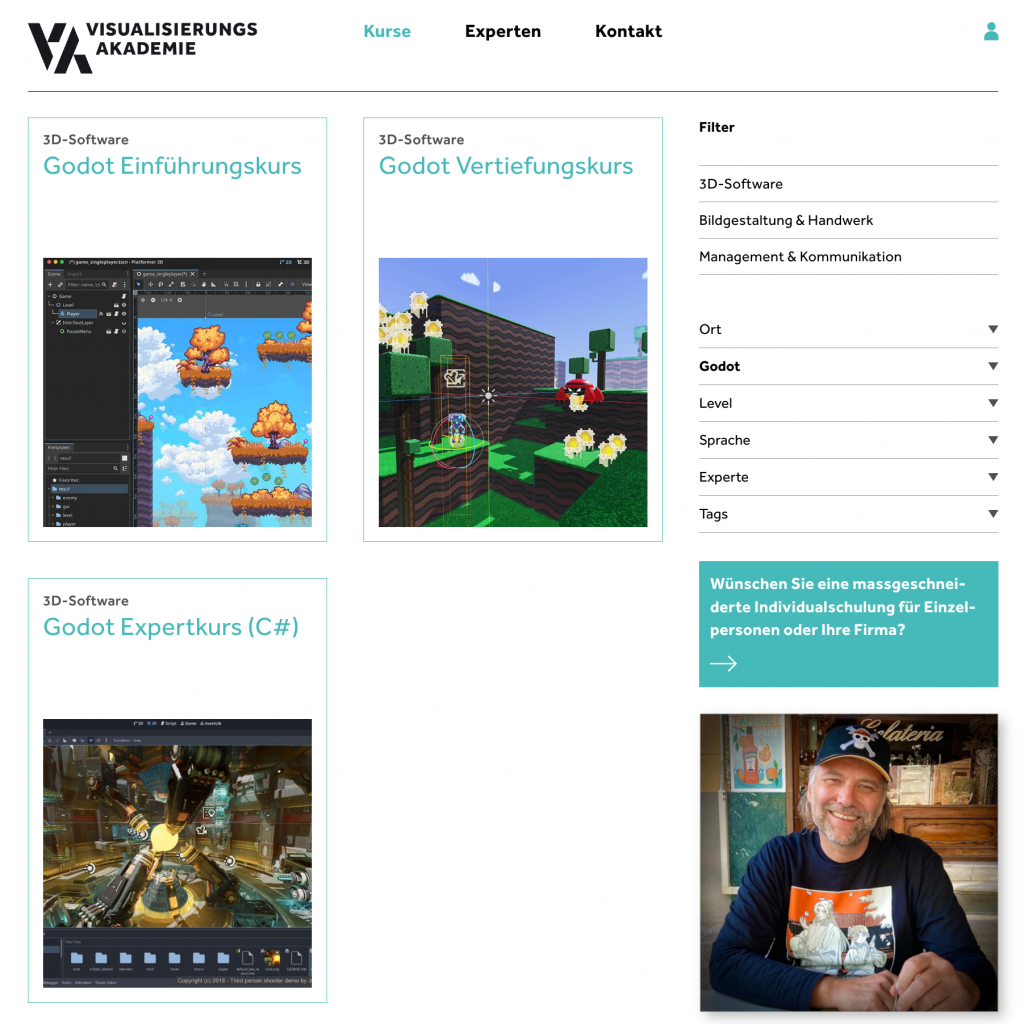
If you’d like to learn more about Godot and Game Development, you can find my German-language online courses here: https://visualisierungs-akademie.ch/

I offer also English-language courses through the pixeltrain Academy: https://www.pixeltrain.net/pixeltrains-academy/

I look forward to seeing you there!

Helge

Material Maker 1.5

The new release of Material Maker 1.5 has been released and is available for download:

👉 https://rodzilla.itch.io/material-maker/devlog/1312764/material-maker-15

Anyone looking for a free open-source solution for procedurally creating materials, textures, sprite sheets, etc. should definitely check out Material Maker.

More info like that on my Patreon:
👉 https://kurzlinks.de/3p4w

Have fun!

Helge

Hi folks,
Today is my first work day in the new year, so it’s time to write my traditional years review on my (free) Patreon:

https://www.patreon.com/posts/lets-talk-about-147466572?utm_medium=clipboard_copy&utm_source=copyLink&utm_campaign=postshare_creator&utm_content=join_link

I wish you all a healthy, successful and creative year 2026.
The world needs more real (indie) artists and art than ever.

Ci vediamo, Helge Maus

P.S. For my upcoming Blender and Godot trainings, please look at pixeltrain Academy | Blender for Production | Godot Game Development for Indies

Krita 5.2.14 was released!

Krita 5.2.14 release!

Good news for all you digital painters: Krita 5.2.14 has been released.

Krita is for me the best digital painting application on the desktop and it’s free and open-source! I use if for making game assets, drafts and also animated characters for games.

This version is (almost) entirely a bug fix release and concludes the Krita 5.2 series.
The focus now shifts towards Krita versions 5.3 and 6.0 in the next year 🙂

As mentioned, this version primarily focuses on bug fixes, but the color picker has also been improved. Nice!

More information can be found here:
https://krita.org/en/posts/2025/krita-5.2.14-released/

Have fun!

Helge

P.S. You can also read me Post on my (free) Patreon:
https://www.patreon.com/posts/krita-5-2-14-145607603?utm_medium=clipboard_copy&utm_source=copyLink&utm_campaign=postshare_creator&utm_content=join_link

Helge Maus - Senior Trainer & Mentor 3d | animation | game art | game dev

The year is slowly coming to an end, and with it, our Blender training calendar for this year.

My last Blender Modeling course (2 days) in collaboration with Visualisierungs-Akademie Schweiz will take place online on December 18th and 19th. This is a german course.

Here’s the link to the course:
👉 https://visualisierungs-akademie.ch/de/kurs/blender-modelingkurs/ff1b0321-e948-41c1-bca6-1c23651e75ea

If you’d like to learn Blender or Godot online in English, check out the pixeltrain Academy website:
👉 https://www.pixeltrain.net/pixeltrains-academy/

Have a amazing weekend! 🙂

Helge