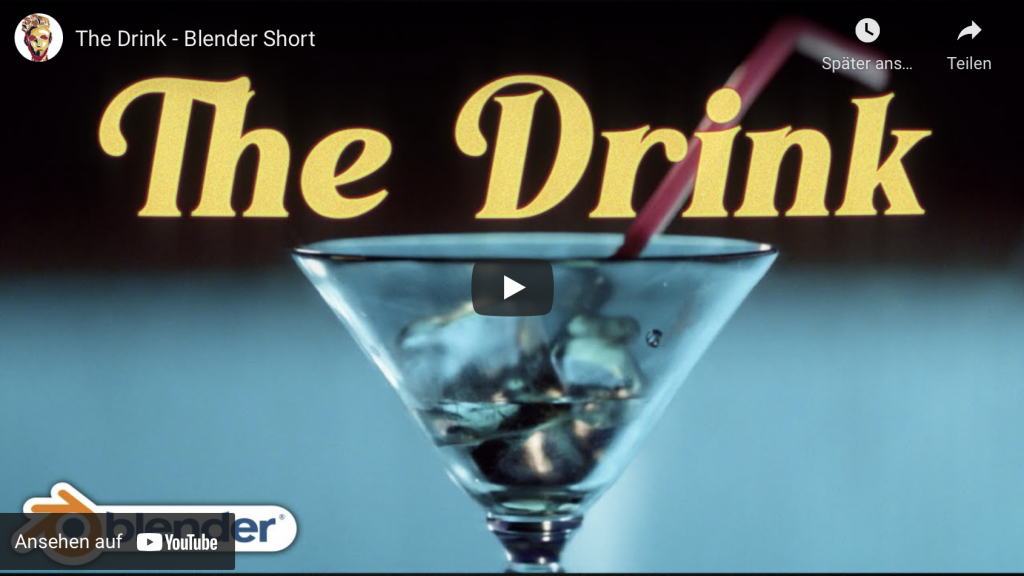
The drink - Blender Shortfilm by William Landgren

Today I want to talk about another shot film made completely in Blender by Artist William Landgren (14 years old). First watch the movie before reading more 😉

The production of the short took 2 months and is 100% CG. He used Blender, After Effects, Marvelous Designer and DaVinci Resolve. I think, it looks amazing, right?

This brings me to an important point:

If you are creative and want to be a CG filmmaker you can start today! 

You don’t need high end software and equipment. I want to stress that, because I had an interesting conversation this week with a program manager for a big VFX Event in India. After I was asked to talk there I decided I want to do an “Introduction for Blender for Indie VFX- & Animation studios”, because I was thinking about the many young creative folks in India and all over the world, who are dreaming to become a CG Artist. 

The answer I heard then from the organizers of the event (owner of a big production house in India) was, that I better do a NUKE class, because it’s “more relevant” for the audience. This would have been no problem for me, because I train NUKE since many years and I’m loving it, but it brought me to an important insight.

The film industry is mostly driven by big investment companies, and the artist is only a “anonymous working bee” for them. The tools are so expensive and the workflows are quite complex, so that the artists have to pirate the softwares (mostly a whole bunch of them) or sell their souls for the maintenance fees. The result is, that they are forced into these big companies to make the stuff they want. And if you are bound in a company like that you have to go every step they demand from you or you are laid off, because the company is bought or it closes suddenly it’s doors forever.

Don’t get me wrong, it’s not a bad thing to work in such a company and have fun to work on great blockbusters as a highly specialized member of a team.

But I am a strong believer that we have many more options to make a living from creative work and art development. So for artists with less money and chances from all ends of the world or even for Indie artists which have ideas for art, which is not mainstream or boring mid-standard like the big productions, there has to be a place. 

Why, because it’s important for an artist to have an own voice for ideas, thoughts and also an independent income. Storys are different for everyone, for every culture, age and social groups. They have to been told. For this, software has to be approachable. 

So, in the future I will invest more time into my “Blender for Production” series, to help these filmmakers. I want to show how you can use high quality stuff with Blender and the infrastructure around it. Also I will post more stories like that here, to show you what’s possible to motivate you.

Here is the link to my YouTube tutorials:
https://www.youtube.com/pixeltrain3DVFXTrainings

And if you want to support my tutorials, here is my Patreon link:
https://www.patreon.com/pixeltrain3d

Don’t be afraid, I will still do Houdini FX and NUKE tutorials, because it’s important for you to see, how it is done there. Then you can apply this knowledge to every tool.

I hope you like that.

More in the next days.

Thanks for your support,

Helge

RenderMan 24.1 in Blender 2.93 LTS

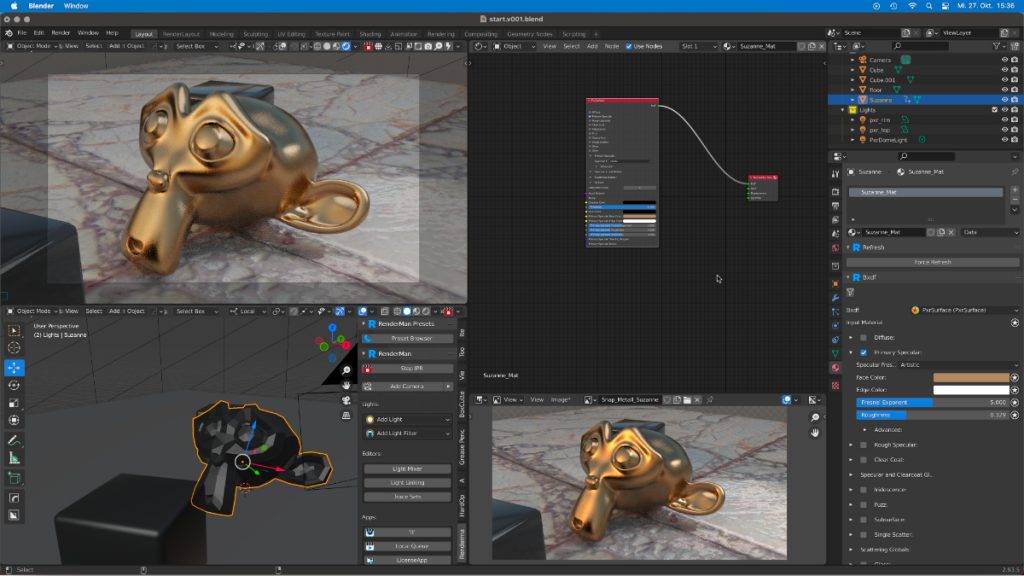
I have to say, I’m pretty impressed with the great and well-done integration of Pixar RenderMan 24.1 into Blender.

It’s just great to be able to use the same shader networks in Blender and Houdini FX, to exchange them without any problems and finally to be able to write out all the desired AOVs for NUKE from Blender. 

I think, this will be a good topic for an Introduction … .

Did you know that RenderMan 24.1 non-commercial is a free version? So you can start today with your personal work with this Renderer.


Find more information on www.pixeltrain.net

YouTube: https://www.youtube.com/pixeltrain3DVFXTrainings

VIMEO: vimeo.com/pixeltrain

LinkedIn: linkedin.com/in/pixeltrain

Artstation: https://www.artstation.com/pixeltrain

Instagram: https://www.instagram.com/pixeltrain3d/

Twitter: https://twitter.com/pixeltrain

We have good news for everyone who wants to dive into Blender, learn the Fundamentals, and beyond.

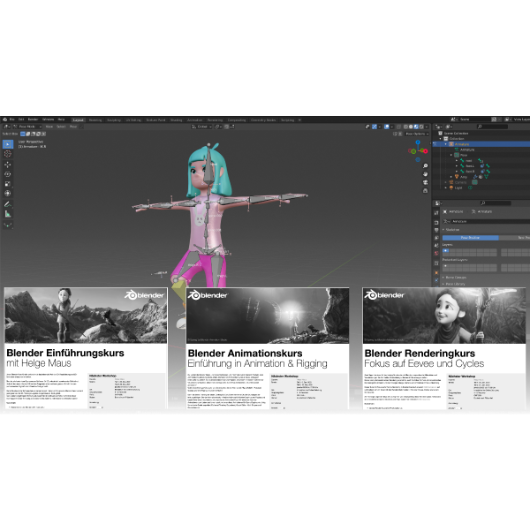
Together with Visualisierungs-Akademie Schweiz GmbH, I will host another season of Blender online workshops in the next weeks.

Starting in November with 2 days of Blender Fundamentals, after that in December we have 2 days deep dive into Animation and Rigging and then in January 2022, we finish with another 2 days Rendering in Cycles, Eevee and NPR.


As said, these workshops are in german language BUT, English is planed now. More information on that in the next days.

So keep in touch 🙂

Find more information on www.pixeltrain.net

YouTube: https://www.youtube.com/pixeltrain3DVFXTrainings

Patreon: https://www.patreon.com/pixeltrain3d

VIMEO: vimeo.com/pixeltrain

LinkedIn: linkedin.com/in/pixeltrain

Artstation: https://www.artstation.com/pixeltrain

Instagram: https://www.instagram.com/pixeltrain3d/

Twitter: https://twitter.com/pixeltrain

>> Introduction to Blender | Visualisierungsakademie Schweiz, September 2021

On September 16 and 17 I will teach you online taking your first steps in Blender.
If you are interested, please check out the detailed information here:
https://visualisierungs-akademie.ch/bildung/blender-einfuehrungskurs/

On request I also teach this online course in English. Please do not hesitate to ask your questions (info(at) pixeltrain.net). I am always happy, to hear from everyone who is interested to become an Artist in Blender, Nuke or Houdini FX.

Some of the topics you learn in this course:

  • Getting to know the Blender 2.9 Infrastructure
  • Installation, AddOns and Konfiguration
  • User-Interface and Navigation
  • Scene-Organisation, Outlines, Collections
  • Polygone-Modeling Techniques
  • Working with Curves & Surfaces
  • Modifier
  • SubDivision Surfaces
  • UV Editor
  • Lightening, Types of Lights, Previews
  • Camera & Physical Setting
  • Materials & Shader
  • Using Textures
  • Photorealism & PBR
  • Preview with Eevee (Realtime)
  • Using Shading Workspace
  • Rendersettings with Eevee and Cycles
  • Final Rendering
  • Simple Compositing in the Compositing Workspace
  • Introduction to Sculpting Workspace
  • First Keyframes and Animationen
  • Rendering of Animations
>> Blender Online-Training – Rendering with Eevee and Cycles | Visualisierungsakademie Schweiz, October 2021

On October 7 and 8 I give an Online-Training on Rendering in Blender -> https://visualisierungs-akademie.ch/bildung/blender-vertiefung/

Two days of intensive advanced training for everyone who wants to use Blender to create sophisticated materials and visualizations for architecture, product design, games & film.
In addition to photorealistic rendering, you will also learn techniques for non-photorealistic rendering for animation, motion design, manga, comics and architecture / product sketching.

Some of the topics you learn in this course:

  • Cycles Render-Engine for Photorealism
  • Physical Lighting and Cameras
  • Eevee for Realtime Rendering
  • Shader Editor
  • Building complex Shaders
  • Creating photorealistic Materials
  • Architecture- & Design Materials
  • Detail-Sculpting & Baking
  • PBR Workflows
  • Image-Finishing with the internal Compositor
  • Exchang with Photoshop, After Effects & NUKE
  • Internal Freestyle Renderer for Sketch & Toon
  • Creating Freestyle Materials
  • Creating Comic Shader
  • Refining Comic & Manga Stile in the Compositor

For further information, please visit this website:
https://visualisierungs-akademie.ch/bildung/blender-vertiefung/

On request I also teach this online course in English. Please do not hesitate to ask your questions (info(at) pixeltrain.net). I am always happy, to hear from everyone who is interested to become an Artist in Blender, Nuke or Houdini FX.

If you have any questions, please write me on this adress: info (at) pixeltrain.net.

>> Blender Animation Training | Visualisierungsakademie Schweiz, October 2021

On October 14 and 15 I give an Online-Training on Animation in Blender -> „Introduction to Animation and Rigging“

You learn how to work with the powerful Animation Tools of Blender. You get to know helpful add-ons for MotionGraphics and Rigging and you build your first technical and organic animation rigs. We bring camera animations to life and also learn how to export these animations for game engines like Unity, Unreal or Godot. You will get to know Timeline, Dopesheet, Graph Editor, NLA, Shapes and Drivers.

For further information, please visit this website:
https://visualisierungs-akademie.ch/bildung/blender-animation/

On request I also teach this online course in English. Please do not hesitate to ask your questions (info(at) pixeltrain.net). I am always happy, to hear from everyone who is interested to become an Artist in Blender, Nuke or Houdini FX.

If you have any questions, please write me on this adress: info (at) pixeltrain.net.

Hope to see you soon!

Yours,
Helge

Find more information on www.pixeltrain.net

YouTube: https://www.youtube.com/pixeltrain3DVFXTrainings

VIMEO: vimeo.com/pixeltrain

Patreon: https://www.patreon.com/pixeltrain3d

LinkedIn: linkedin.com/in/pixeltrain

Artstation: https://www.artstation.com/pixeltrain

Instagram: https://www.instagram.com/pixeltrain3d/

Twitter: https://twitter.com/pixeltrain

Here are the new features:

https://www.blender.org/download/releases/2-93/

And the cool new features reel:

https://youtu.be/fxNlpQYRz7s

Such a great final release for Blender 2+ series – now the Blender 3 can come!

Thanks to all the great developers!

P.S. If you want to start now, my next Blender Animation & Rigging Training (German) is June 17 + 18, 2021.

More information: http://www.pixeltrain.net/events/


If you like Helge’s Tutorials, give him some support to go on!

If you want to support Helge Maus for publishing more free tutorials, you can join his Patreons:
https://www.patreon.com/pixeltrain3d

Or if you want to buy me a coffee or pizza, here’s my Tip Jar:
https://www.paypal.com/donate/?hosted_button_id=72PHXB852BW5A

Thanks for your support!


Find more information on www.pixeltrain.net

YouTube: https://www.youtube.com/pixeltrain3DVFXTrainings

VIMEO: vimeo.com/pixeltrain

LinkedIn: linkedin.com/in/pixeltrain

Artstation: https://www.artstation.com/pixeltrain

Instagram: https://www.instagram.com/pixeltrain3d/

Twitter: https://twitter.com/pixeltrain

As many of you know, I am a huge fan of Blender. I’m convinced that this free software will be a new industry standard for many visualization and animation projects in the future.

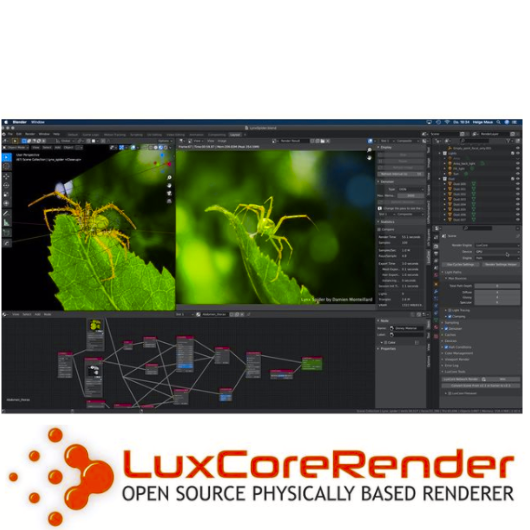
I use Blender with Houdini FX in my trainings and also for personal projects all the time. Besides Cycles and Eevee I am also using LuxCore Renderer for photorealistic rendering with deep ray counts, complex camera effects and light linking. It’s best suited for Architecture, Product Visualization, and many more chases when it comes to realism.

The featureset is great!
And best of all it supports CPU and GPU (also on Mac with AMD cards).

Version 2.5 was just released, take a look here: https://luxcorerender.org

Thanks to the development team!


Here is my YouTube for all my tutorials about Houdini, Blender, Nuke & more:
https://www.youtube.com/pixeltrain3DVFXTrainings

BTW, if you want to support my work with these free tutorials, please subscribe to my YouTube channel, give me a ThumbsUp for the content you like. Also, I have a Patreon page, starting with $1 per month. That’s a nice way to say “Thank You”:
https://www.patreon.com/pixeltrain3d


If you like Helge’s Tutorials, give him some support to go on!

If you want to support Helge Maus for publishing more free tutorials, you can join his Patreons:
https://www.patreon.com/pixeltrain3d

Or if you want to buy me a coffee or pizza, here’s my Tip Jar:
https://www.paypal.com/donate/?hosted_button_id=72PHXB852BW5A

Thanks for your support!


Find more information on www.pixeltrain.net

YouTube: https://www.youtube.com/pixeltrain3DVFXTrainings

VIMEO: vimeo.com/pixeltrain

LinkedIn: linkedin.com/in/pixeltrain

Artstation: https://www.artstation.com/pixeltrain

Instagram: https://www.instagram.com/pixeltrain3d/

Twitter: https://twitter.com/pixeltrain

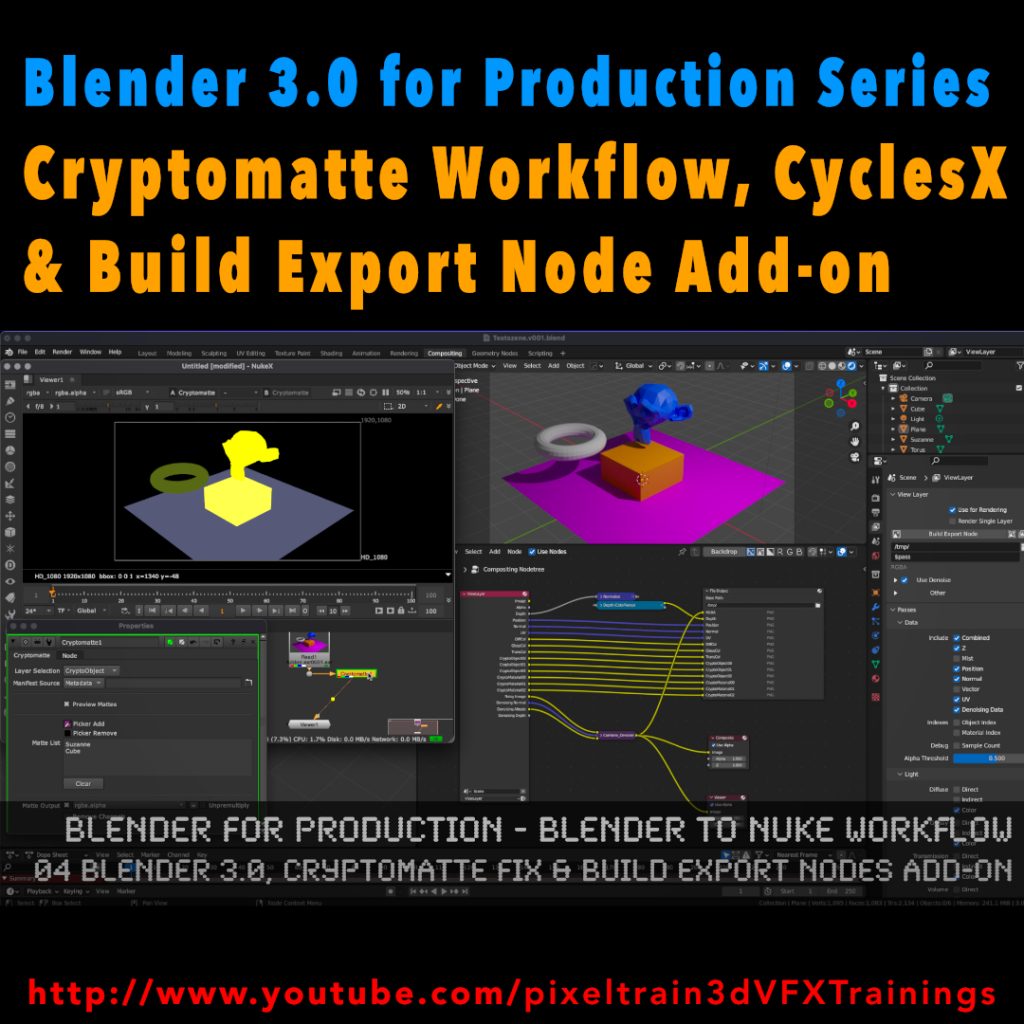
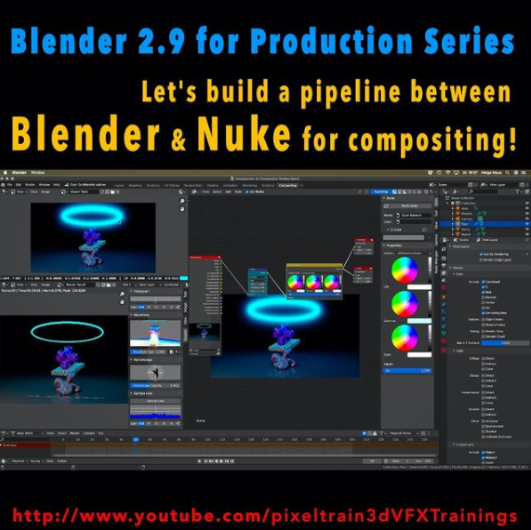
Here is a new tutorial for my series “Blender for Production“.

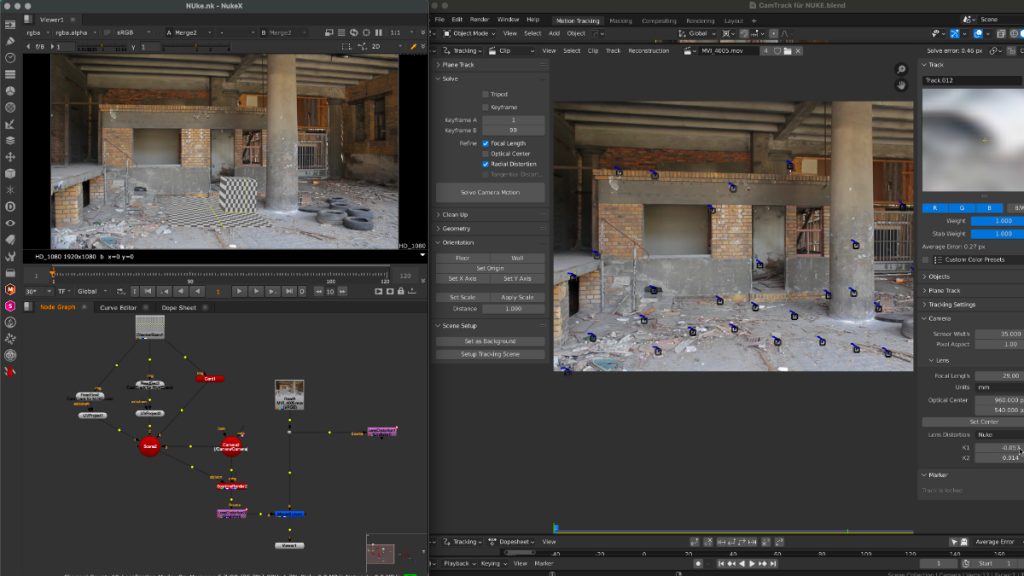
This time we will talk about an exciting software combination because we start setting up a Blender to NUKE pipeline. YES – Blender is an excellent choice as a 3d application and so it is important to learn how to use it together with Nuke in a compositing pipeline. This series has three parts.

These are the topics:

  • How to set up a Blender to Nuke-Pipeline
  • How to compose the Light Passes from Blender Cycles inside of NUKE
  • How to get a correct World Position Pass. You learn how to fix all the issues which will appear if you try to use a Blender Cycles WPP in NUKE directly. You learn to solve the problems in NUKE, but also in Blender, so you later have a deep understanding of the workflow and solutions. As always we then build our tools for a later production pipeline.

Have fun!
Helge

01 Setting up a Blender to Nuke Pipeline

02 Working with Blender Light Passes in Nuke

03 Building correct World Position Passes and custom AOVS

Here is my YouTube for all my tutorials about Houdini, Blender, Nuke & more:
https://www.youtube.com/pixeltrain3DVFXTrainings

BTW, if you want to support my work with these free tutorials, please subscribe to my YouTube channel, give me a ThumbsUp for the content you like. Also, I have a Patreon page, starting with $1 per month. That’s a nice way to say “Thank You”:
https://www.patreon.com/pixeltrain3d


If you like Helge’s Tutorials, give him some support to go on!

If you want to support Helge Maus for publishing more free tutorials, you can join his Patreons:
https://www.patreon.com/pixeltrain3d

Or if you want to buy me a coffee or pizza, here’s my Tip Jar:
https://www.paypal.com/donate/?hosted_button_id=72PHXB852BW5A

Thanks for your support!


Find more information on www.pixeltrain.net

YouTube: https://www.youtube.com/pixeltrain3DVFXTrainings

VIMEO: vimeo.com/pixeltrain

LinkedIn: linkedin.com/in/pixeltrain

Artstation: https://www.artstation.com/pixeltrain

Instagram: https://www.instagram.com/pixeltrain3d/

Twitter: https://twitter.com/pixeltrain

>> Introduction to Blender | Visualisierungsakademie Schweiz, May 2021

On May 20 and 21 I will teach you online taking your first steps in Blender.
If you are interested, please check out the detailed information here:
https://visualisierungs-akademie.ch/bildung/blender-einfuehrungskurs/

On request I also teach this online course in English. Please do not hesitate to ask your questions (info(at) pixeltrain.net). I am always happy, to hear from everyone who is interested to become an Artist in Blender, Nuke or Houdini FX.

Some of the topics you learn in this course:

  • Getting to know the Blender 2.9 Infrastructure
  • Installation, AddOns and Konfiguration
  • User-Interface and Navigation
  • Scene-Organisation, Outlines, Collections
  • Polygone-Modeling Techniques
  • Working with Curves & Surfaces
  • Modifier
  • SubDivision Surfaces
  • UV Editor
  • Lightening, Types of Lights, Previews
  • Camera & Physical Setting
  • Materials & Shader
  • Using Textures
  • Photorealism & PBR
  • Preview with Eevee (Realtime)
  • Using Shading Workspace
  • Rendersettings with Eevee and Cycles
  • Final Rendering
  • Simple Compositing in the Compositing Workspace
  • Introduction to Sculpting Workspace
  • First Keyframes and Animationen
  • Rendering of Animations
>> Blender Online-Training – Rendering with Eevee and Cycles | Visualisierungsakademie Schweiz, June 2021

On June 3 and 4 I give an Online-Training on Rendering in Blender -> https://visualisierungs-akademie.ch/bildung/blender-vertiefung/

Two days of intensive advanced training for everyone who wants to use Blender to create sophisticated materials and visualizations for architecture, product design, games & film.
In addition to photorealistic rendering, you will also learn techniques for non-photorealistic rendering for animation, motion design, manga, comics and architecture / product sketching.

Some of the topics you learn in this course:

  • Cycles Render-Engine for Photorealism
  • Physical Lighting and Cameras
  • Eevee for Realtime Rendering
  • Shader Editor
  • Building complex Shaders
  • Creating photorealistic Materials
  • Architecture- & Design Materials
  • Detail-Sculpting & Baking
  • PBR Workflows
  • Image-Finishing with the internal Compositor
  • Exchang with Photoshop, After Effects & NUKE
  • Internal Freestyle Renderer for Sketch & Toon
  • Creating Freestyle Materials
  • Creating Comic Shader
  • Refining Comic & Manga Stile in the Compositor

For further information, please visit this website:
https://visualisierungs-akademie.ch/bildung/blender-vertiefung/

On request I also teach this online course in English. Please do not hesitate to ask your questions (info(at) pixeltrain.net). I am always happy, to hear from everyone who is interested to become an Artist in Blender, Nuke or Houdini FX.

If you have any questions, please write me on this adress: info (at) pixeltrain.net.

>> Blender Animation Training | Visualisierungsakademie Schweiz, June 2021

On June 17 and 18 I give an Online-Training on Animation in Blender -> „Introduction to Animation and Rigging“

You learn how to work with the powerful Animation Tools of Blender. You get to know helpful add-ons for MotionGraphics and Rigging and you build your first technical and organic animation rigs. We bring camera animations to life and also learn how to export these animations for game engines like Unity, Unreal or Godot. You will get to know Timeline, Dopesheet, Graph Editor, NLA, Shapes and Drivers.

For further information, please visit this website:
https://visualisierungs-akademie.ch/bildung/blender-animation/

On request I also teach this online course in English. Please do not hesitate to ask your questions (info(at) pixeltrain.net). I am always happy, to hear from everyone who is interested to become an Artist in Blender, Nuke or Houdini FX.

If you have any questions, please write me on this adress: info (at) pixeltrain.net.

Hope to see you soon!

Yours,
Helge

Find more information on www.pixeltrain.net

YouTube: https://www.youtube.com/pixeltrain3DVFXTrainings

VIMEO: vimeo.com/pixeltrain

Patreon: https://www.patreon.com/pixeltrain3d

LinkedIn: linkedin.com/in/pixeltrain

Artstation: https://www.artstation.com/pixeltrain

Instagram: https://www.instagram.com/pixeltrain3d/

Twitter: https://twitter.com/pixeltrain

Today I taught my final Houdini FX class for this semester’s block for SAE Germany. After 10 weeks of talking about Houdini Fundamentals, Vex, Vellum, RBDs, Fluids, and Pyro, I have now to say “Goodbye” and “All the Best” to my motivated students. It was such fun and I wish you all the best in this exciting industry. 

We started the course at the first of December and those were the topics my students learned from me:

  • Houdini Basics
  • Particle Simulation (POP)
  • Vellum Simulation
  • Rigid Body Dynamics (RBD)
  • Fluid Simulation (FLIP)
  • Pyro Simulation

This was my first “official” work day for 2021 as I wrote on my Instagram-Account (https://www.instagram.com/pixeltrain3d):

Preparing my next Houdini FX classes for my SAE Students in the following weeks. After starting last year with the fundamentals with them, we now dive into Particles, Vellum, RBDs, Fluids and Pyro. Exciting weeks with a fully motivated group. Such fun besides my normal studio trainings to teach a student group again. Thanks to SAE Institute Germany for your trust.

If you want to start learning Houdini FX NOW, please check out my VideoOnDemand-Tutorial Series >>

If you have any question concerning your learning path in becoming a Houdini FX Artist, please do not hesitate to ask me (info (at) hmaus.de) or just hop to my YouTube-Channel and start with one of my FREE Tutorial-Series “Houdini FX Practice Hour”:

https://www.youtube.com/pixeltrain3DVFXTrainings


If you like Helge’s Tutorials, give him some support to go on!

If you want to support Helge Maus for publishing more free tutorials, you can join his Patreons:
https://www.patreon.com/pixeltrain3d

Or if you want to buy him a coffee or pizza, here’s his Tip Jar:
https://www.paypal.com/donate/?hosted_button_id=72PHXB852BW5A

Thanks for your support!


Find more information on www.pixeltrain.de

YouTube: https://www.youtube.com/pixeltrain3DVFXTrainings

VIMEO: vimeo.com/pixeltrain

Patreon: https://www.patreon.com/pixeltrain3d

LinkedIn: linkedin.com/in/pixeltrain

Artstation: https://www.artstation.com/pixeltrain

Instagram: https://www.instagram.com/pixeltrain3d/

Twitter: https://twitter.com/pixeltrain

Great release, the next big step for the Affinity tools. We use Affinity Designer, Affinity Photo and Affinity Publisher for our work at pixeltrain. And we love these tools.

So, if you are not willing to pay 50 Euro per month and you want to own your software and have a clean, modern and intuitive approach to designing and photo manipulation, take a look!
They offer a 50% discount on their extremely competitive price. We use Affinity since 1.5 years and killed the Adobe Subscription one year ago. No look back 😎

https://affinity.serif.com/en-gb/1-9/

So, have fun!

Karin likes to recommend these YouTube-Tutorials, if you want to get started learning Affinity Photo, Affinity Designer and Affinity Publisher!

>> Free Tutorials by Affinity

https://www.youtube.com/Affinitybyserif

Affinity has its own YouTube-Channel and I like to watch the Creative Sessions to learn.

Really great are also their Tutorials “Studio visits with Affinity Pros”. Here, you get an inside look at creative processes and workflows from numerous artist. Fun to watch and very inspiring!

>> Free Tutorials by Affinity Revolution

Ezra and Ally make great Tutorials, if you want to learn Affinity Photo.

They have a Tutorial Series for everyone who wants to get started in Affinity Photo and they have so many different tutorials, where they show how you make awesome compositings, how you pimp your photos for instagram and of course a lot of tips and tricks.

https://www.youtube.com/affinityrevolution


Find more information on www.pixeltrain.net

YouTube: https://www.youtube.com/pixeltrain3DVFXTrainings

VIMEO: vimeo.com/pixeltrain

Patreon: https://www.patreon.com/pixeltrain3d

LinkedIn: linkedin.com/in/pixeltrain

Artstation: https://www.artstation.com/pixeltrain

Instagram: https://www.instagram.com/pixeltrain3d/

Twitter: https://twitter.com/pixeltrain