
Here is a new tutorial for my series “Blender for Production“.

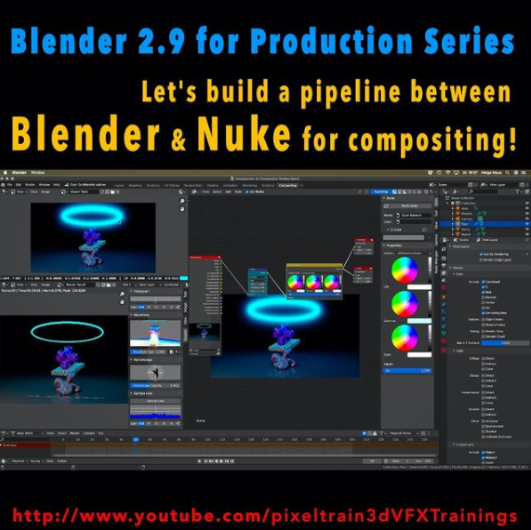
This time we will talk about an exciting software combination because we start setting up a Blender to NUKE pipeline. YES – Blender is an excellent choice as a 3d application and so it is important to learn how to use it together with Nuke in a compositing pipeline. This series has three parts.

These are the topics:

  • How to set up a Blender to Nuke-Pipeline
  • How to compose the Light Passes from Blender Cycles inside of NUKE
  • How to get a correct World Position Pass. You learn how to fix all the issues which will appear if you try to use a Blender Cycles WPP in NUKE directly. You learn to solve the problems in NUKE, but also in Blender, so you later have a deep understanding of the workflow and solutions. As always we then build our tools for a later production pipeline.

Have fun!
Helge

01 Setting up a Blender to Nuke Pipeline

02 Working with Blender Light Passes in Nuke

03 Building correct World Position Passes and custom AOVS

Here is my YouTube for all my tutorials about Houdini, Blender, Nuke & more:
https://www.youtube.com/pixeltrain3DVFXTrainings

BTW, if you want to support my work with these free tutorials, please subscribe to my YouTube channel, give me a ThumbsUp for the content you like. Also, I have a Patreon page, starting with $1 per month. That’s a nice way to say “Thank You”:
https://www.patreon.com/pixeltrain3d


If you like Helge’s Tutorials, give him some support to go on!

If you want to support Helge Maus for publishing more free tutorials, you can join his Patreons:
https://www.patreon.com/pixeltrain3d

Or if you want to buy me a coffee or pizza, here’s my Tip Jar:
https://www.paypal.com/donate/?hosted_button_id=72PHXB852BW5A

Thanks for your support!


Find more information on www.pixeltrain.net

YouTube: https://www.youtube.com/pixeltrain3DVFXTrainings

VIMEO: vimeo.com/pixeltrain

LinkedIn: linkedin.com/in/pixeltrain

Artstation: https://www.artstation.com/pixeltrain

Instagram: https://www.instagram.com/pixeltrain3d/

Twitter: https://twitter.com/pixeltrain
>> Introduction to Blender | Visualisierungsakademie Schweiz, May 2021

On May 20 and 21 I will teach you online taking your first steps in Blender.
If you are interested, please check out the detailed information here:
https://visualisierungs-akademie.ch/bildung/blender-einfuehrungskurs/

On request I also teach this online course in English. Please do not hesitate to ask your questions (info(at) pixeltrain.net). I am always happy, to hear from everyone who is interested to become an Artist in Blender, Nuke or Houdini FX.

Some of the topics you learn in this course:

  • Getting to know the Blender 2.9 Infrastructure
  • Installation, AddOns and Konfiguration
  • User-Interface and Navigation
  • Scene-Organisation, Outlines, Collections
  • Polygone-Modeling Techniques
  • Working with Curves & Surfaces
  • Modifier
  • SubDivision Surfaces
  • UV Editor
  • Lightening, Types of Lights, Previews
  • Camera & Physical Setting
  • Materials & Shader
  • Using Textures
  • Photorealism & PBR
  • Preview with Eevee (Realtime)
  • Using Shading Workspace
  • Rendersettings with Eevee and Cycles
  • Final Rendering
  • Simple Compositing in the Compositing Workspace
  • Introduction to Sculpting Workspace
  • First Keyframes and Animationen
  • Rendering of Animations
>> Blender Online-Training – Rendering with Eevee and Cycles | Visualisierungsakademie Schweiz, June 2021

On June 3 and 4 I give an Online-Training on Rendering in Blender -> https://visualisierungs-akademie.ch/bildung/blender-vertiefung/

Two days of intensive advanced training for everyone who wants to use Blender to create sophisticated materials and visualizations for architecture, product design, games & film.
In addition to photorealistic rendering, you will also learn techniques for non-photorealistic rendering for animation, motion design, manga, comics and architecture / product sketching.

Some of the topics you learn in this course:

  • Cycles Render-Engine for Photorealism
  • Physical Lighting and Cameras
  • Eevee for Realtime Rendering
  • Shader Editor
  • Building complex Shaders
  • Creating photorealistic Materials
  • Architecture- & Design Materials
  • Detail-Sculpting & Baking
  • PBR Workflows
  • Image-Finishing with the internal Compositor
  • Exchang with Photoshop, After Effects & NUKE
  • Internal Freestyle Renderer for Sketch & Toon
  • Creating Freestyle Materials
  • Creating Comic Shader
  • Refining Comic & Manga Stile in the Compositor

For further information, please visit this website:
https://visualisierungs-akademie.ch/bildung/blender-vertiefung/

On request I also teach this online course in English. Please do not hesitate to ask your questions (info(at) pixeltrain.net). I am always happy, to hear from everyone who is interested to become an Artist in Blender, Nuke or Houdini FX.

If you have any questions, please write me on this adress: info (at) pixeltrain.net.

>> Blender Animation Training | Visualisierungsakademie Schweiz, June 2021

On June 17 and 18 I give an Online-Training on Animation in Blender -> „Introduction to Animation and Rigging“

You learn how to work with the powerful Animation Tools of Blender. You get to know helpful add-ons for MotionGraphics and Rigging and you build your first technical and organic animation rigs. We bring camera animations to life and also learn how to export these animations for game engines like Unity, Unreal or Godot. You will get to know Timeline, Dopesheet, Graph Editor, NLA, Shapes and Drivers.

For further information, please visit this website:
https://visualisierungs-akademie.ch/bildung/blender-animation/

On request I also teach this online course in English. Please do not hesitate to ask your questions (info(at) pixeltrain.net). I am always happy, to hear from everyone who is interested to become an Artist in Blender, Nuke or Houdini FX.

If you have any questions, please write me on this adress: info (at) pixeltrain.net.

Hope to see you soon!

Yours,
Helge

Find more information on www.pixeltrain.net

YouTube: https://www.youtube.com/pixeltrain3DVFXTrainings

VIMEO: vimeo.com/pixeltrain

Patreon: https://www.patreon.com/pixeltrain3d

LinkedIn: linkedin.com/in/pixeltrain

Artstation: https://www.artstation.com/pixeltrain

Instagram: https://www.instagram.com/pixeltrain3d/

Twitter: https://twitter.com/pixeltrain
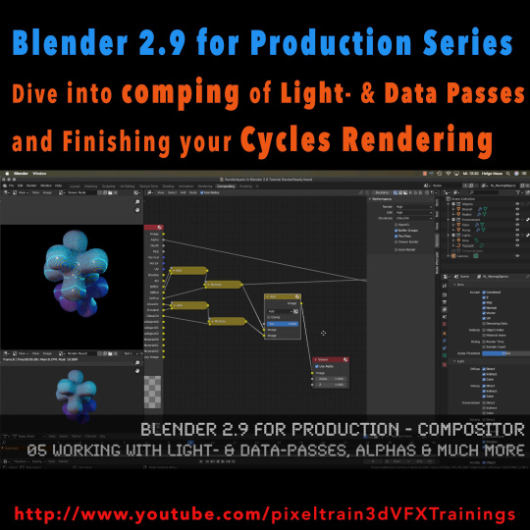
The first module of my „Blender 2.9 for Production“ series is done. In this first module we’ve talked about the build-in node-based Compositor of Blender 2.9 and how to work with it in an effective integrated workflow. You have learned how you set up Render-Layers and -Passes and how to work also with external OpenEXRs from other 3D-Applications and Renderers. My conclusion is, that this Compositor is a really powerful addition to every workflow and I am hoping for more improvements in the future.

01 Introduction to the Blender Compositor Workflow

02 Basic Compositing Tasks in Blender 2.9 Compositor

03 RenderLayers, Collections & Ray-Visibility

04 RenderLayers, LightPasses & DataPasses

05 Working with Light- & Data-Passes, Alphas and much more

I hope, you enjoyed this series and learned a lot. But for now I will dive into the new Houdini 18.5 stuff.

Let’s say it like that „I will be back“ 😉 Blender 2.91 is around the corner and I will continue this „Blender 2.9 for Production“ series with the 2D- & 3D-Tracking system.

If you have questions or topics, which should be added, please let us know.


If you like Helge’s Tutorials, give him some support to go on!

If you want to support Helge Maus for publishing more free tutorials, you can join his Patreons:
https://www.patreon.com/pixeltrain3d

Or if you want to buy me a coffee or pizza, here’s my Tip Jar:
https://www.paypal.com/donate/?hosted_button_id=72PHXB852BW5A

Thanks for your support!


Find more information on www.pixeltrain.net

YouTube: https://www.youtube.com/pixeltrain3DVFXTrainings

VIMEO: vimeo.com/pixeltrain

LinkedIn: linkedin.com/in/pixeltrain

Artstation: https://www.artstation.com/pixeltrain

Instagram: https://www.instagram.com/pixeltrain3d/

Facebook: https://www.facebook.com/helge.maus

Twitter: https://twitter.com/pixeltrain
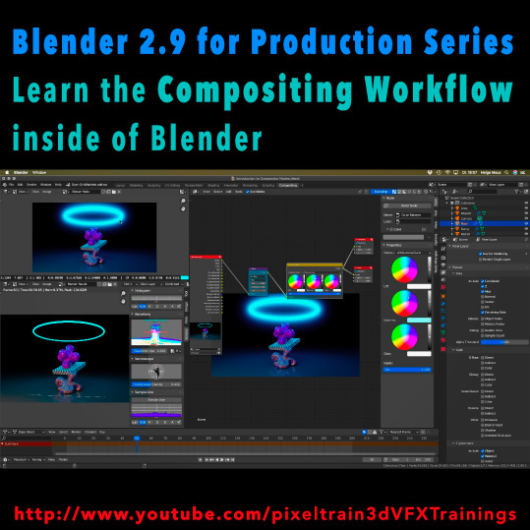
Learn the Compositing Workflow inside of Blender!

Today, I have started a new tutorial series for Blender 2.9 “Blender 2.9 for Production”.

This tutorial series „Blender 2.9 for Production“ focuses on Blender 2.9 as a full Production Suite for (Indie) 3D- & VFX Productions. In this tutorials, I will explain how to work with the different Modules of Blender 2.9 and how they are connected to each other. I will give you an introduction of the specific functionalities, but also the production context and workflows, which can help you to use Blender in your productions.

The first tutorial is online now on my YouTube – enjoy!

These topics are covered:
  • Overview over the series
  • Understanding the Blender Render Process
  • Rendersettings
  • Image Editor Window
  • Direct Saving of Render Results
  • Images in Blender’s Memory
  • Re-open a previous render
  • Slots for Comparison
  • View Layers (Renderlayers) & Render-Channels / Passes / AOVs
  • Differences in saving Stills vs. Animations
  • Understand Blender’s Post Processing Pipeline
  • Adding Channels in the View Layer Properties
  • Denoising Data, Mist, Cryptomatte Passes
  • Renderlayers & Composite Node
  • Loading pre-rendered images or sequences
  • Outputting compositing results as EXRs
  • Adding Output Channels for the EXR export
  • Using the Node Wrangler
  • Adding useful Keyboard Shortcuts
  • Node Search Shortcut
  • Adding some Quick Favorites
  • Adding Nodes to the stream
  • Deleting Nodes
  • Working effective with the Viewer Node
  • Backdrop Image / Image Viewer
  • Saving out final stills directly
  • Finding the control widgets for special nodes
  • Performance Settings
  • Sampling Colors
  • Float normalized Colors Adding a Glow
  • Rendering & Comping a whole animation at once

If you have questions or topics, which should be added, please let us know.

If you want to support Helge Maus for publishing more free tutorials you could join his Patreons: https://www.patreon.com/pixeltrain3d

Find more information on pixeltrain.de YouTube: https://www.youtube.com/pixeltrain3DVFXTrainings

VIMEO: vimeo.com/pixeltrain

LinkedIn: linkedin.com/in/pixeltrain

Artstation: https://www.artstation.com/pixeltrain

Instagram: https://www.instagram.com/pixeltrain3d/

Facebook: https://www.facebook.com/helge.maus

Twitter: https://twitter.com/pixeltrain
Start your Blender 2.9 Journey now!
Blender 2.9 – A full production suite for 3D, VFX and Animation.


Next to my beloved Houdini FX, Blender is for me the solutions for Modeling, Animation and PreViz.

As you may have seen, I have published the last days 4 free tutorials about the new features of Blender 2.9.
You find them on my YouTube channel: https://www.youtube.com/pixeltrain3DVFXTrainings


If you now have the feeling, that you want to start seriously to learn this great free production suite, here are some event tips, where I will be teaching Blender for you.


>> VIEW CONFERENCE 2020, Oct 18 – 23

https://www.viewconference.it/

The next live workshop will be at the exciting VIEW CONFERENCE 2020 – on-site and online
I will give a 2-hours Workshop:

“Blender 2.9: The Free Production Studio for Indies“

in Room Mezzanino on Sunday 18th Oct 2020 in English.

You find more Information about the Online-Workshop here: https://www.viewconference.it/article/384/blender-29-the-free-production-studio-for-indies
And, don’t miss all the other great Keynotes, Masterclasses and talks. This conference is great!


>> Blender-Trainings – Visualisierungs-Akademie Schweiz, Nov & Dec 2020

https://visualisierungs-akademie.ch/

In Cooperation with Visualisierungs-Akademie Schweiz, I will teach again some online sessions for small groups of 4-8 attendees. This is in german language. If you are interested in an English workshop, please let me know!


Blender 2.9 – Einführungskurs

Date: 26 and 27 November, 2020 – online
You find more Information about the Training here: https://visualisierungs-akademie.ch/bildung/blender-einfuehrungskurs/

Blender 2.9 – Rendering mit Eevee und Cycles

Date:04 December, 2020 – online
You find more Information about the Training here: https://visualisierungs-akademie.ch/bildung/blender-vertiefung/

Blender 2.9 – Animation & Rigging

Date: 10 and 11 December, 2020 – online
You find more Information about the Training here: https://visualisierungs-akademie.ch/bildung/blender-animation/


If you have questions or your company wants to adapt Blender (or Houdini FX) to the pipeline, get in contact. I’m happy to help!


Liebe Blender 2.5 Freunde!

Blender 2.5 betaEndlich ist es soweit. Der nächste große Schritt bei der Entwicklung von Blender 2.5 ist geschafft. Die Beta (Version 2.53) steht vor der Tür. Auf GraphicAll.org stehen die ersten Builds zur Verfügung. Im Moment lade ich gerade einen Build für Mac OS X Intel 64 Bit hoch.

Hier der Link: http://graphicall.org/builds/builds/showbuild.php?action=show&id=1487

Ich wünsche Euch ganze viel Spaß damit. Übrigens, wer gerne 3D mit Blender 2.5 lernen möchte, lege ich meine neue erschienene Trainings-DVD “Blender 2.5” an’s Herz.

Bis bald und happy “Blender”ing,

Helge

Du möchtest lernen, wie man Flüssigkeiten wie Wasser, Milch oder flüssiges Metall in Blender 2.5 simulieren kann? Dann ist dieses Tutorial für Dich der richtige Einstieg.

Viel Spaß damit 🙂

Helge

Blender 2.5 Flüssigkeiten simulieren von Helge Maus / pixeltrain

Folgende Inhalte werden darin besprochen

Eine neue Fluid-Domain erstellen | Ein Fluid-Objekt erstellen | Ein Hindernis hinzufügen | Objekt-Physik aktivieren | Cache-Ordner leeren | Fluid-Simulation rendern | Das Fluid-Objekt ausblenden | Die Flüssigkeit verbessern | Flüssigkeitsverhalten einstellen | Die Auflösung erhöhen

Mehr Blender 2.5 lernen

Dieses freie Video-Tutorial zu Blender 2.5 ist ein Teil der vor kurzem erschienen Trainings-DVD “Blender 2.5 – Das umfassende Training” von Helge Maus / pixeltrain.

Du möchtest lernen, wie man eine Fahne in Blender 2.5 modeliert und mit Hilfe der Cloth-Simulation zum Leben erweckt?

Viel Spaß damit 🙂

Helge

Blender 2.5. Fahne modelieren

Folgende Inhalte werden darin besprochen

Die Fahne unterteilen und glätten | Die Fahne texturieren | Ein neues Material zuweisen | Eine Vertex-Gruppe erstellen | Die Fahne simulieren | Hindernis definieren | Wind hinzufügen | Selbstkollision deaktivieren

Mehr Blender 2.5 lernen

Dieses freie Video-Tutorial zu Blender 2.5 ist ein Teil der vor kurzem erschienen Trainings-DVD “Blender 2.5 – Das umfassende Training” von Helge Maus / pixeltrain.

Hallo lieber Blender-User!

Ich habe die letzten Wochen im Studio verbracht, um Euch eine neue DVD zum Thema “Blender 2.5” zu produzieren. Meine vorherige ist mittlerweile einige Jahre alt und mit der neuen Version Blender 2.5 ziemlich veraltet. Daher nun das neue Werk und ich hoffe, es gefällt Euch. Ich freue mich auf Euer Feedback und vielleicht auch ein paar nette Kommentare. Es hat mir wirklich viel Spaß gemacht, mit Blender 2.5 zu arbeiten. Ein klasse Tool 🙂

Blender 2.5 – Das umfassende Training
DVD – über 12 Stunden Gesamtspielzeit, 39,90 Euro, ISBN 978-3-8362-1520-6

  • Von den Grundlagen bis zu aufwändigen 3D-Techniken
  • Realistische Spezial- und Lichteffekte
  • 3D-Übungsprojekte auf der DVD

Blender 2.5 Trainings-DVD von Helge Maus / pixeltrain“Das umfassende Blender-Video-Training. Ihr Trainer ist Helge Maus, Experte für professionelle 3D-Produktionen mit Blender 2.5. Er zeigt Ihnen anschaulich und gut verständlich, wie Sie mit der Open-Source-Software Blender 2.5 überzeugende 3D-Modelle erstellen, animieren und rendern. Lernen Sie die verschiedenen Modelling-Konzepte an praxisnahen Beispielen kennen und erfahren Sie, wie Sie Blender richtig einrichten, damit Sie ideal arbeiten können. Außerdem erhalten Sie viele Profi-Tipps und erleben professionelle Textur und Simulationswerkzeuge im Einsatz, mit denen Sie Haare, Rauch und Flüssigkeiten simulieren können.”

Aus dem Inhalt

  • Einführung ins 3D-Modelling
  • Die Arbeitsoberfläche von Blender 2.5
  • 3D-Objekte erzeugen und formen
  • Polygone-Modeling
  • Materialien und Texturen auftragen
  • Transparenz- und Schatten
  • UV-Mapping und Projektion
  • Lichtsetup und Kameras setzen
  • Rendering-Techniken
  • Animationen erzeugen
  • Haare, Flüssigkeit und Rauch simulieren

Ausführliche Informationen und das genaue Inhaltsverzeichnis  findet ihr etwas tiefer im Artikel.

Viele Grüße

Helge

Continue reading Blender 2.5 Trainings-DVD erschienen!