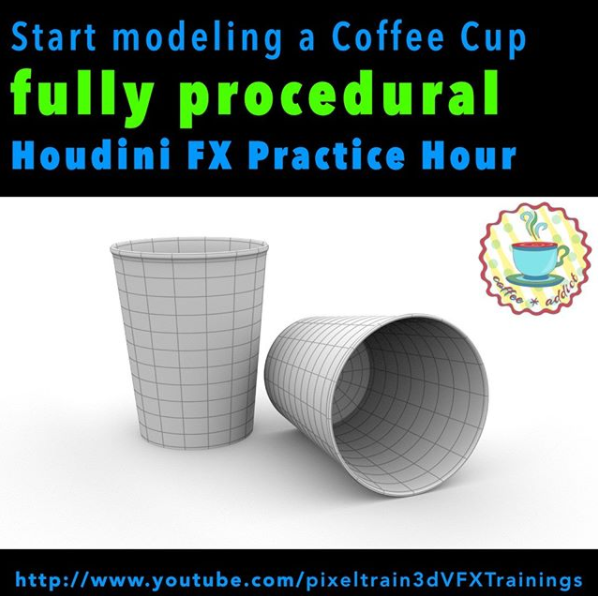
Ok, Friday is release day and the next “Houdini FX Practice Hour” project has started. We will start this week building a Coffee Cup Scene with some beans flying around. Also, we will dive into “procedural” Polygon Modeling in Houdini FX and, later for the beans, into Retopo and Rigid Bodies.

So, for people coming from other 3D applications, you will find a whole bunch of important Houdini FX concepts like selection, groups, automatically generated groups and channel expressions with HScript. Everything step-by-step, so that you can build your own scene.

Let’s start this week with fundamentals and build these paper cups – procedurally.

Thanks and have a nice weekend,

Helge

If you want to support me for publishing more free tutorials, you could join my Patreons: https://www.patreon.com/pixeltrain3d

Or you can download the Project files on Gumroad: https://gumroad.com/pixeltrain3d

In this tutorial, we will talk about the ideas of the Coffee Cups & Beans project, collect references with the help of PureRef and setting up our Houdini FX Project. It’s about learning how to start a new project.

These topics are covered:

  • Setting up a new Houdini Project
  • Understanding $JOB & relative paths
  • Importance of References
  • Using PureRef (https://www.pureref.com) to collect references
  • Moving & Resizing the PureRef Canvas
  • Finding the Key Bindings Re-arranging Boards
  • Entering Nodes /Text in PureRef Presenting Images
  • Adding Images to a PureRef Board
  • Optimize Boards
  • Exporting a PureRef Board as PNG
  • Loading Reference Images to Houdini FX

This tutorial series „Houdini Practice Hour“ is meant for newbies in Houdini FX, who want to learn the basic tasks of modeling, uvs, shading, lighting and rendering on a project base in Houdini FX. I will explain you step by step the workflows and tools, so you can follow along and then experiment to deepen your knowledge. Learning means „getting your hands dirty“. This series doesn’t give you the most effective, elegant or the “only right way”, it’s concepted to give you a solid learning experience.

If your are searching for a complete introduction into the fundamentals of Houdini FX, you can take a look here: https://vimeo.com/ondemand/houdinifxfundamentals

Link to the YouTube-Playlist “Houdini FX Practice Hour”:
https://www.youtube.com/playlist?list=PLp90cx0wSyKbb3jldZ43aRyHv-IrMyjCJ

If you have questions or topics, which should be added, please let us know.

Find more information on pixeltrain.de YouTube: https://www.youtube.com/pixeltrain3DVFXTrainings

VIMEO: https://www.vimeo.com/pixeltrain

LinkedIn: https://www.linkedin.com/in/pixeltrain

Artstation: https://www.artstation.com/pixeltrain
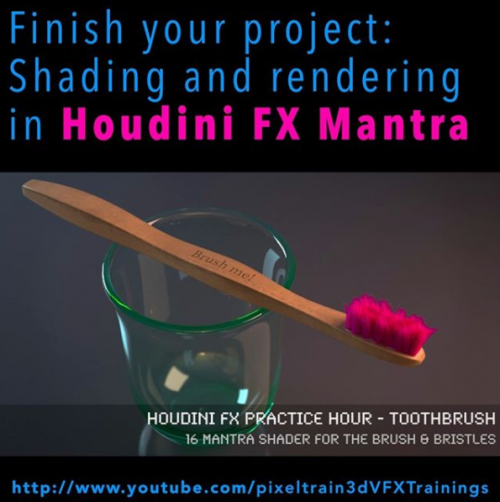
It’s done – today I have finished the complete “Toothbrush” series of my “Houdini FX Practice Hour”.

16 FREE lessons, over 3 hours of training about Houdini FX, Grooming Hair, Substance Painter and Mantra Rendering.

Now I am planing the next project 🙂

YouTube: https://www.youtube.com/pixeltrain3DVFXTrainings

Thanks for subscribing and sharing!

If you want to support me for publishing more free tutorials, you could join my Patreons: https://www.patreon.com/pixeltrain3d

Or you can download the Project files on Gumroad: https://gumroad.com/pixeltrain3d

Link to the YouTube-Playlist “Houdini FX Practice Hour”:
https://www.youtube.com/playlist?list=PLp90cx0wSyKZ2Nxnyp4W-EeaEQBp53k-f

If your are searching for a complete introduction into the fundamentals of Houdini FX, you can take a look here: https://vimeo.com/ondemand/houdinifxfundamentals

In this tutorial, we will finish our project by adding Mantra Shaders for the Brushes and the Bristles.

You will learn to add the external textures from Substance Painter and how to get the right look.

Also, we talk about subnets and how to pack the whole brush into a subnet as a preparation for a later HDA workflow.

These topics are covered:

  • Making the Bristles setup moveable
  • Working with Subnets
  • Re-caching Guide Groom data
  • Principled Shader
  • Adding Textures (from Substance Painter)
  • Normal Maps
  • Base Color, Metallic, Roughness Maps
  • Houdini Hair Shader for the Bristles
  • Changing the Hair
  • Generation to SOP Working with the tree view
  • Rendering the final image

This tutorial series „Houdini Practice Hour“ is meant for newbies in Houdini FX, who want to learn the basic tasks of modeling, uvs, shading, lighting and rendering on a project base in Houdini FX. I will explain you step by step the workflows and tools, so you can follow along and then experiment to deepen your knowledge. Learning means „getting your hands dirty“. This series doesn’t give you the most effective, elegant or the “only right way”, it’s concepted to give you a solid learning experience.

If your are searching for a complete introduction into the fundamentals of Houdini FX, you can take a look here: https://vimeo.com/ondemand/houdinifxfundamentals

If you have questions or topics, which should be added, please let us know.

Find more information on pixeltrain.de YouTube: https://www.youtube.com/pixeltrain3DVFXTrainings

VIMEO: https://www.vimeo.com/pixeltrain

LinkedIn: https://www.linkedin.com/in/pixeltrain

Artstation: https://www.artstation.com/pixeltrain
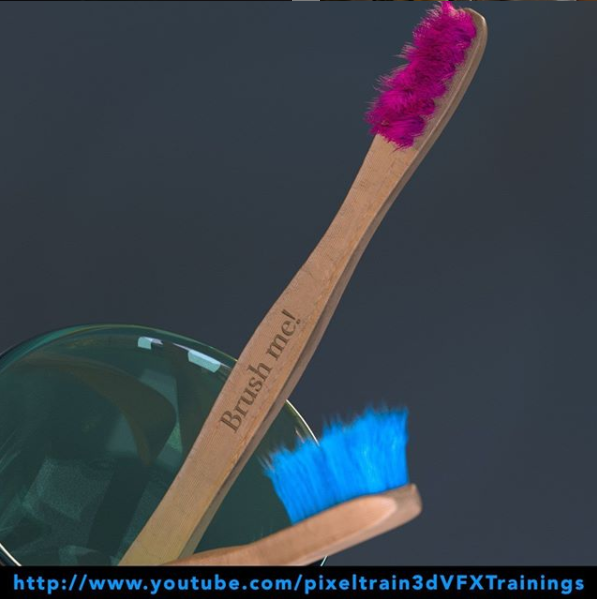
Here we go – the next 4 lessons of our “Houdini FX Practice Hour” (Beginner’s series) are online. Hairy stuff, this time!

The toothbrushes get now their bristles with the help of the Houdini FX Grooming system. Thanks for all your support!

In this tutorial, you will learn how the Houdini FX Grooming system works and which nodes are involved to build up an easy system.

We will take a look into generating Guides and how to generate Hair from them.

Also you will learn how to use Attribute Paint to drive the placement and length of your Hair.

These topics are covered:

  • Pros and cons on shelf tools
  • Adding a Fur System
  • Guide Groom Node
  • Explanation Parameters in the Guide Groom Node
  • Working with Overrides
  • Skin Attributes
  • Painting Guide / Hair Length (lengthscale) with Attribute Paint
  • Hair Generate Node
  • Explanation Hair Generate Node Parameters
  • The connection between Guides and Hair
  • Mantra Hair Generation
  • Generating Splines for third party Renderers

This tutorial series „Houdini Practice Hour“ is meant for newbies in Houdini FX, who want to learn the basic tasks of modeling, uvs, shading, lighting and rendering on a project base in Houdini FX.

I will explain you step by step the workflows and tools, so you can follow along and then experiment to deepen your knowledge.

Learning means „getting your hands dirty“. This series doesn’t give you the most effective, elegant or the “only right way”, it’s concepted to give you a solid learning experience.

Link to the YouTube-Playlist “Houdini FX Practice Hour”: https://www.youtube.com/playlist?list=PLp90cx0wSyKZ2Nxnyp4W-EeaEQBp53k-f

If you have questions or topics, which should be added, please let us know.

If you want to support Helge Maus for publishing more free tutorials you could join his Patreons: https://www.patreon.com/pixeltrain3d

Or you can download the Project files on Gumroad: https://gumroad.com/pixeltrain3d

Find more information on pixeltrain.de YouTube: https://www.youtube.com/pixeltrain3DVFXTrainings

VIMEO: https://www.vimeo.com/pixeltrain

LinkedIn: https://www.linkedin.com/in/pixeltrain

Artstation: https://www.artstation.com/pixeltrain
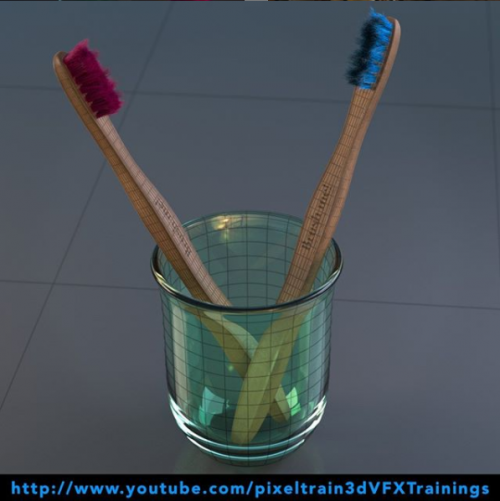
Welcome to our new “Houdini FX Practice Hour” project.

This time we will model, texture and render a Toothbrush with glass.

Also, we will dive into the Houdini FX groom system for generating the bristles with hair.

Hope, you like it – if yes, please subscribe 🙂

In this tutorial, we will create a Houdini FX project and talk about the importance of the project structure and the Houdini variables $JOB and $HOME and to make sure, that your paths will not break when transferring the project to another machine or a render farm.

These topics are covered:

  • Generation a new Houdini FX project
  • Getting out of a stuck dialog box
  • The importance of $JOB and $HOME
  • Aliases and Variables dialog
  • Making sure your paths are always correct
  • Switching and activating a project
  • Adding reference images to the structure

This tutorial series „Houdini Practice Hour“ is meant for newbies in Houdini FX, who want to learn the basic tasks of modeling, uvs, shading, lighting and rendering on a project base in Houdini FX.

I will explain you step by step the workflows and tools, so you can follow along and then experiment for deepen your knowledge. Learning means „getting your hands dirty“.

This series doesn’t give you the most effective, elegant or the “only right way”, it’s concepted to give you a solid learning experience.

If your are searching for a complete introduction into the fundamentals of Houdini FX, you can take a look here: https://vimeo.com/ondemand/houdinifxfundamentals

If you have questions or topics, which should be added, please let us know.

If you want to support Helge Maus for publishing more free tutorials you could join his Patreons: https://www.patreon.com/pixeltrain3d

Or you can download the Project files on Gumroad: https://gumroad.com/pixeltrain3d

Find more information on pixeltrain.de YouTube: https://www.youtube.com/pixeltrain3DVFXTrainings

VIMEO: https://www.vimeo.com/pixeltrain

LinkedIn: https://www.linkedin.com/in/pixeltrain

Artstation: https://www.artstation.com/pixeltrain
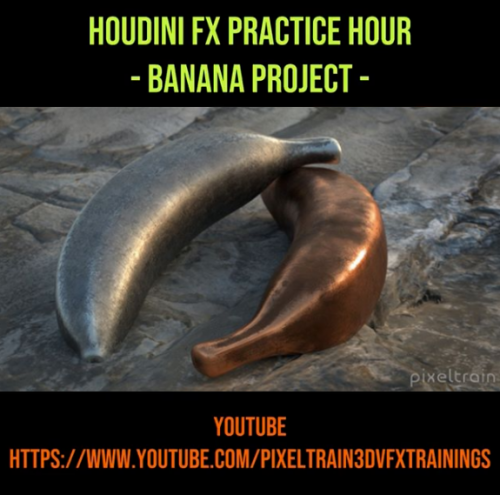
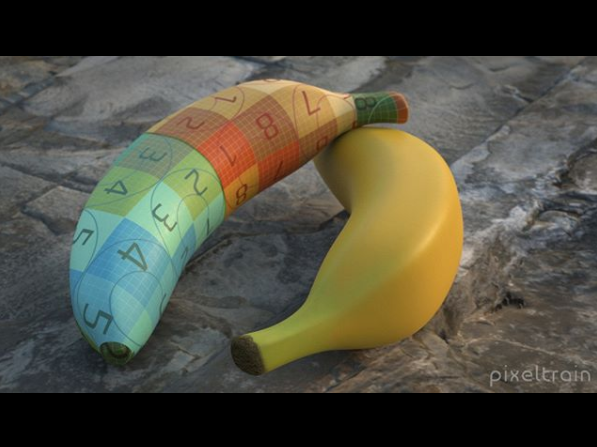
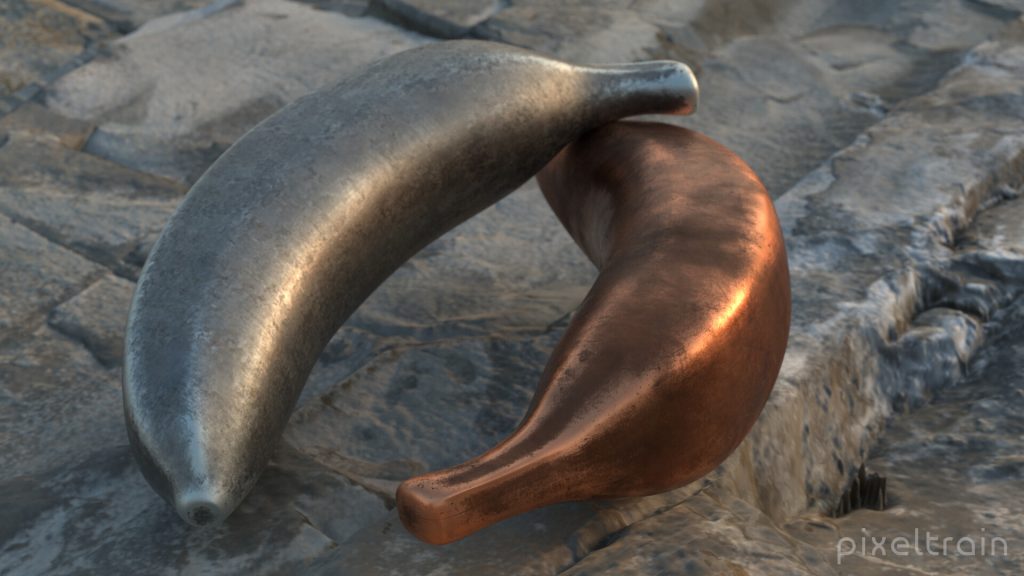
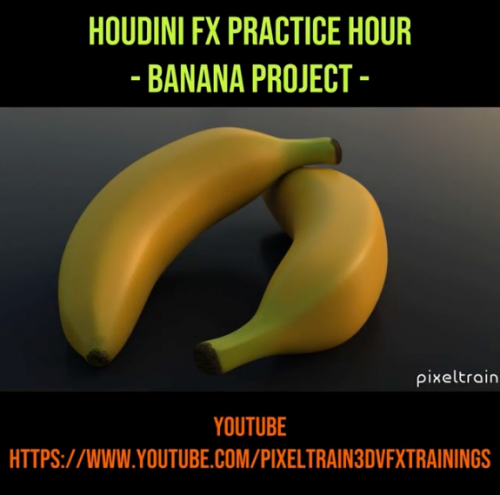
The final lessons for the Houdini FX Modeling & Texturing Workshop “Banana” are online now.

This time we are working with UVs, Texturpainting in 3D Coat and then render the final product. Hope, you liked the first project in my new “Houdini Practice Hour” series.

In this tutorial, we will unwrap the UVs of the banana, use uv layout and then export the object as FBX and obj.

These topics are covered:

  • UV Flatten Node
  • Cutting Seams
  • Sewing seams
  • Working with UV constraints
  • Pins for UVs
  • Straighten Edges in UVs
  • Rectify Groups of Quads in UVs
  • UV Transform
  • Export with FBX ROP and File Cache

This tutorial series „Houdini Practice Hour“ is meant for newbies in Houdini FX, who want to learn the basic tasks of modeling, uvs, shading, lighting and rendering on a project base in Houdini FX. I will explain you step by step the workflows and tools, so you can follow along and then experiment for deepen your knowledge. Learning means „getting your hands dirty“. This series doesn’t give you the most effective, elegant or the “only right way”, it’s concepted to give you a solid learning experience.

If your are searching for a complete introduction into the fundamentals of Houdini FX, you can take a look here: https://vimeo.com/ondemand/houdinifxfundamentals

Playlist des gesamten Banana Projects:

https://www.youtube.com/playlist?list=PLp90cx0wSyKbu7V7P_S53W1XzSfYkQwNQ

Today I’ve released the first part of my new “Houdini FX Practice Hour” series on YouTube.

5 Lessons for Beginners, showing Direct Modeling in Houdini FX.

Hope, you like it: https://youtube.com/pixeltrain3DVFXTrainings

Next part will come next week, then we will dive into UVs, Texture Painting, Shading and Rendering.

In this tutorial, we will set up our Houdini FX scene for modeling.

These topics are covered:

  • Setting up a reference image in COPs
  • Setting up reference images in the viewport
  • Working with different display options to help the modeling process
  • Changing object shading and ghosting
  • Learning keyboard shortcuts for working with panels more effective

This tutorial series „Houdini Practice Hour“ is meant for newbies in Houdini FX, who want to learn the basic tasks of modeling, uvs, shading, lighting and rendering on a project base in Houdini FX.

I will explain you step by step the workflows and tools, so you can follow along and then experiment for deepen your knowledge. Learning means „getting your hands dirty“. This series doesn’t give you the most effective, elegant or the “only right way”, it’s concepted to give you a solid learning experience.

If your are searching for a complete introduction into the fundamentals of Houdini FX, you can take a look here: https://vimeo.com/ondemand/houdinifxfundamentals

If you have questions or topics, which should be added, please let us know.

If you want to support Helge Maus for publishing more free tutorials you could join his Patreons: https://www.patreon.com/pixeltrain3d

Or you can download the Project files on Gumroad: https://gumroad.com/pixeltrain3d

Find more information on pixeltrain.de YouTube: https://www.youtube.com/pixeltrain3DVFXTrainings

VIMEO: vimeo.com/pixeltrain

LinkedIn: linkedin.com/in/pixeltrain

Artstation: https://www.artstation.com/pixeltrain
***

It’s finally done! Helge and his team worked for more than a year on this epic publication and are happy and proud to be finally able to tell you all about it. So here are the details about the contents of this video-tutorial:

This publication “pixeltrain – Houdini FX Fundamentals >> Fast Forward“ by experienced trainer Helge Maus is a complete Introduction to Houdini FX.

In 117 lessons with a duration of 18,5 hours, your instructor Helge Maus provides you with a step by step approach to understanding Houdini FX and its workflow as a fully featured 3d application.

This training is designed to get you up and running quickly, enabling you with the skills needed to work effectively in this incredibly powerful 3d and vfx package. Additionally, it lays the foundation of essential concepts and paradigms to understand more advanced topics for other modules of Houdini FX down the road.
In this course, Helge Maus starts from the ground up providing you with a solid and practice-oriented foundation in Houdini FX.

First, he takes you through the user interface, followed by an exploration of the different levels and contexts of a Houdini project. You will conclude by learning how to manage these concepts through the production cycle within Houdini FX.
You will write your first expressions in Hscript. Therein, you will learn the concepts of dependencies between objects, explore using groups and packed geometries and finish by building your first asset.
Once you have those primary skills under your belt, Helge gives you a brief introduction into working with VOPs (vex visual scripting), Digital Assets, Volumes and VDBs.
After that, you will start learning the basics of modeling inside of Houdini FX. You will begin with the basics of NURBS Curves and generating surfaces, followed by the powerful and flexible polygon modeling tools.
Important topics like Deformations and UVs are explained in-depth and demonstrated.
After you have learned to build your assets, you will assemble your scene, set cameras with physical attributes, and finish with lighting and shading.

Helge wraps up with a practice-oriented introduction of rendering techniques using the Houdini Mantra renderer.
After finishing this training you will have the skills needed to understand the more advanced workflows and modules of Houdini FX.

Topics included:

01 Welcome to Houdini FX [01h 52m]
02 Basic Concepts in Houdini FX [02h 57m]
03 VOPs & Digital Assets [01h 44m]
04 Volumes & VDBs in Houdini FX [01h 04m]
05 Working with Curves [00h 57m]
06 Generating Surfaces [01h 16m]
07 Polygon Modeling [01h 45m]
08 Retopo, PolyBuild & Boolean [01h 04m]
09 Deformations [00h 44m]
10 UVs in Houdini FX [01h 22m]
11 Lighting & Cameras [01h 21m]
12 Shading [01h 54m]
13 Rendering [00h 43m]

You can find the entire table of contents here >> pixeltrain.de/images/stories/Houdini_FX_Fundamentals_Content.pdf

These tutorials were created using mostly Houdini 17.5. However, we made sure that everything will work in Houdini 18+. Also, you will receive subsequent information about any version-based technical changes as needed.

After purchasing these tutorials, please contact us by email (info(at)pixeltrain.de), so that we can send you a dropbox link to the training material.
If you have any problems or questions don’t hesitate to write to us.

***

If you want to support Helge Maus for publishing more free tutorials you can join his Patreons:
patreon.com/pixeltrain3d

***

Find more information on pixeltrain.de/en
VIMEO: vimeo.com/pixeltrain
LinkedIn: linkedin.com/in/pixeltrain
Artstation: artstation.com/pixeltrain

***

We hope, you like this tutorial. We hope, you find it helpful in learning and understanding Houdini FX. It was a pleasure creating this little masterpiece 😉 and Helge and his team will go on producing more tutorials with even more experienced topics. So stay tuned! We appreciate it and wish you all the best and fun in learning Houdini FX!

Helge and his team

Here are two examples taken from the publication:

>> MOUVO – Education in Motion

22. – 23. Februar 2019, Prag


“Mouvo – Festival presenting Motion Design in all of its forms.

Ubiquitous and creative dynamic field, combining graphic design, animation, video, special effects and new technologies.

Mouvo festival is a meeting place for all the thinkers, talents and producers around the world, who would like to cooperate and meet others from the community, those who are eager to learn, inspire and to be inspired.”

www.mouvo.cz


Helge wurde als Vortragender auf das Mouvo Festival in Prag eingeladen. Damit wird dieses Motion Design Festival das 3D & VFX Eventjahr 2019 für pixeltrain einläuten. Nach der Mouvo folgt die FMX in Stuttgart und dann im Herbst wieder unsere liebgewonnene VIEW Conference in Turin.
JA, pixeltrain goes Europe und wir freuen uns schon sehr auf dieses coole Event-Jahr! Let’s celebrate 3D, VFX creativity and mind :-)!


Helges HOUDINI FX-Workshop auf der MOUVO ist am 22. Februar 2019 von 14.00 bis 18.00 Uhr

Topic:

sideFX Houdini VFX | MotionGraphics & Abstracts

In this workshop, Helge Maus (3D & VFX Trainer) teaches you how the procedural approach and the various VFX Tools of Houdini FX can help you to be more effective in the fields of Motion Graphics, Creation and Commercials. By working through different examples Helge shows you, how Particles, Pyro, Wires, Cloth and Rigid Body Simulations can be used to generate exciting abstracts and animations.


Außerdem hält Helge eine Presentation zu den neuen Features von
Cinema 4D R20 am 23. Februar von 13:00 bis 14:30.
Bei dieser Presentation setzt er den Fokus vor allem auf FIELDS & VOLUMES.

Mouvo verspricht ein tolles Event zu werden. Das Eventjahr 2019 wird eingeläutet. Hier gibt’s mehr Infos zu dem Line-up der Speaker >> https://mouvo.cz/lineup/ 


pixeltrain goes Italy und Helge freut sich ins Land des Cappuccinos, der Pizza und Spaghetti und nicht zu vergessen des Tiramisus in bewährter 3D- & VFX-Manier einzutauchen.

Wie Ihr Euch vorstellen könnt, ist Helge per Sprach-App in jeder freien Minute fleißig am Italienisch lernen und im pixeltrain studio erklingt nur noch italienische Musik von Francesco Gabbani, Ermal Meta, Laura Pausini, Elisa und Co 😉

Wir haben eine Spotify Liste “pixeltrain goes italy” angelegt. Vielleicht wollt Ihr mit uns hören und in der Vorfreude auf Italien schwelgen 🙂 >> https://open.spotify.com


Helge wurde aufmerksam auf die View Conference und
die View Conference wurde aufmerksam auf Helge.


Hans Zimmer wird eine Keynote halten.

Und auch sonst ist alles dort was Rang und Namen hat in der 3D- & VFX-Szene. >> https://www.viewconference.it/speakers/

Also gleich neben der FMX the place to be to meet friends and nerds – to celebrate creativity and visual effects!


Schaut unbedingt rein in das Programm! Es ist empfehlenswert >> https://www.viewconference.it/pages/program/


Und lasst Euch anstecken von unserer Euphorie und Abenteuerlust die 3D- und VFX-Welt in Italien zu erkunden 🙂


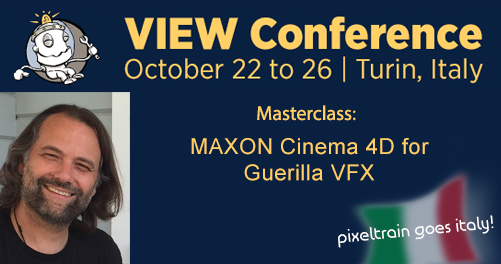
Helge wurde eingeladen am Montag, 22. Oktober 2018
von 15:00 bis 17:00 Uhr eine MASTERCLASS
zu folgendem Thema zu halten:

“MAXON Cinema 4D for Guerilla VFX”

Auf der VIEW Conference Webseite erfahrt Ihr mehr zum Inhalt der Masterclass und wie Ihr Euch dazu anmelden könnt >>
https://www.viewconference.it/article/163/maxon-cinema-4d-r20-for-guerrilla-vfx


Es wäre toll, wenn wir uns dort treffen können.
Wenn jemand von Euch Lust hat auf 3D- & VFX-dolce vita in Turin im Herbst, dann meldet Euch bei uns unter info(at)pixeltrain.de.

Ci vediamo a Torino 🙂


Das Team von dve advanced systems lädt Euch herzlich zum Cinema 4D R20 Release Day am Montag, den 3.9.2018 in München ein!


Programm:

17.30 Einlass
18.00 Jonas Pilz von Maxon stellt die Features der aktuellen Version Cinema 4D R20 vor.

– Pause –

19.30 Helge Maus von pixeltrain hält einen Vortrag mit dem Thema
„Praxisnahe Workflows for MotionGraphics & Guerilla VFX”

20.30 Gemütlicher Ausklang im Garten
Natürlich gibt es dazu Getränke und einen kleinen Imbiss.


Weil ein persönlicher Austausch mit Jonas Pilz und Helge Maus möglich sein soll, ist die Zahl der Plätze limitiert.
Deshalb bitten wir Euch, Euch kurz per Email unter info@dveas.com anzumelden!

Helge und das Team von dve advanced systems freut sich auf Euch!

Bei Fragen meldet Euch gerne jederzeit direkt bei DVE AS ( info@dveas.com) oder bei Helge unter info@pixeltrain.de!

Bis bald 🙂