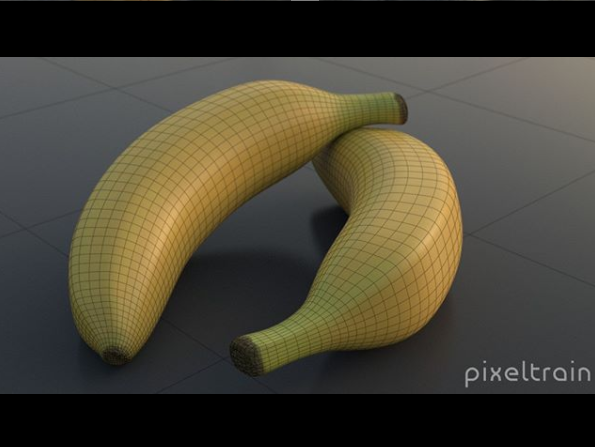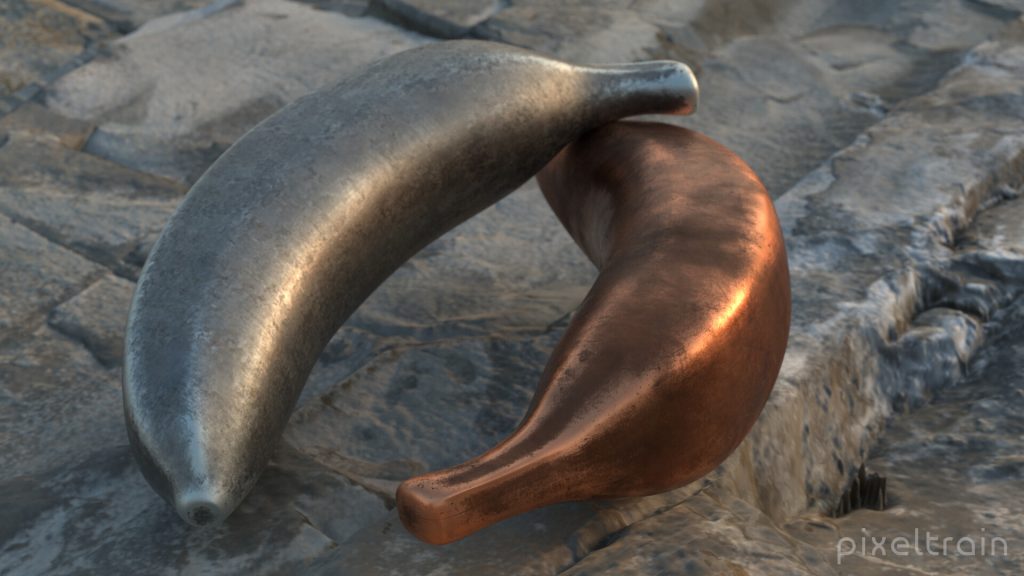
The final lessons for the Houdini FX Modeling & Texturing Workshop “Banana” are online now.

This time we are working with UVs, Texturpainting in 3D Coat and then render the final product. Hope, you liked the first project in my new “Houdini Practice Hour” series.

In this tutorial, we will unwrap the UVs of the banana, use uv layout and then export the object as FBX and obj.

These topics are covered:

  • UV Flatten Node
  • Cutting Seams
  • Sewing seams
  • Working with UV constraints
  • Pins for UVs
  • Straighten Edges in UVs
  • Rectify Groups of Quads in UVs
  • UV Transform
  • Export with FBX ROP and File Cache

This tutorial series „Houdini Practice Hour“ is meant for newbies in Houdini FX, who want to learn the basic tasks of modeling, uvs, shading, lighting and rendering on a project base in Houdini FX. I will explain you step by step the workflows and tools, so you can follow along and then experiment for deepen your knowledge. Learning means „getting your hands dirty“. This series doesn’t give you the most effective, elegant or the “only right way”, it’s concepted to give you a solid learning experience.

If your are searching for a complete introduction into the fundamentals of Houdini FX, you can take a look here: https://vimeo.com/ondemand/houdinifxfundamentals

Playlist des gesamten Banana Projects:

https://www.youtube.com/playlist?list=PLp90cx0wSyKbu7V7P_S53W1XzSfYkQwNQ

Today I’ve released the first part of my new “Houdini FX Practice Hour” series on YouTube.

5 Lessons for Beginners, showing Direct Modeling in Houdini FX.

Hope, you like it: https://youtube.com/pixeltrain3DVFXTrainings

Next part will come next week, then we will dive into UVs, Texture Painting, Shading and Rendering.

In this tutorial, we will set up our Houdini FX scene for modeling.

These topics are covered:

  • Setting up a reference image in COPs
  • Setting up reference images in the viewport
  • Working with different display options to help the modeling process
  • Changing object shading and ghosting
  • Learning keyboard shortcuts for working with panels more effective

This tutorial series „Houdini Practice Hour“ is meant for newbies in Houdini FX, who want to learn the basic tasks of modeling, uvs, shading, lighting and rendering on a project base in Houdini FX.

I will explain you step by step the workflows and tools, so you can follow along and then experiment for deepen your knowledge. Learning means „getting your hands dirty“. This series doesn’t give you the most effective, elegant or the “only right way”, it’s concepted to give you a solid learning experience.

If your are searching for a complete introduction into the fundamentals of Houdini FX, you can take a look here: https://vimeo.com/ondemand/houdinifxfundamentals

If you have questions or topics, which should be added, please let us know.

If you want to support Helge Maus for publishing more free tutorials you could join his Patreons: https://www.patreon.com/pixeltrain3d

Or you can download the Project files on Gumroad: https://gumroad.com/pixeltrain3d

Find more information on pixeltrain.de YouTube: https://www.youtube.com/pixeltrain3DVFXTrainings

VIMEO: vimeo.com/pixeltrain

LinkedIn: linkedin.com/in/pixeltrain

Artstation: https://www.artstation.com/pixeltrain
***

It’s finally done! Helge and his team worked for more than a year on this epic publication and are happy and proud to be finally able to tell you all about it. So here are the details about the contents of this video-tutorial:

This publication “pixeltrain – Houdini FX Fundamentals >> Fast Forward“ by experienced trainer Helge Maus is a complete Introduction to Houdini FX.

In 117 lessons with a duration of 18,5 hours, your instructor Helge Maus provides you with a step by step approach to understanding Houdini FX and its workflow as a fully featured 3d application.

This training is designed to get you up and running quickly, enabling you with the skills needed to work effectively in this incredibly powerful 3d and vfx package. Additionally, it lays the foundation of essential concepts and paradigms to understand more advanced topics for other modules of Houdini FX down the road.
In this course, Helge Maus starts from the ground up providing you with a solid and practice-oriented foundation in Houdini FX.

First, he takes you through the user interface, followed by an exploration of the different levels and contexts of a Houdini project. You will conclude by learning how to manage these concepts through the production cycle within Houdini FX.
You will write your first expressions in Hscript. Therein, you will learn the concepts of dependencies between objects, explore using groups and packed geometries and finish by building your first asset.
Once you have those primary skills under your belt, Helge gives you a brief introduction into working with VOPs (vex visual scripting), Digital Assets, Volumes and VDBs.
After that, you will start learning the basics of modeling inside of Houdini FX. You will begin with the basics of NURBS Curves and generating surfaces, followed by the powerful and flexible polygon modeling tools.
Important topics like Deformations and UVs are explained in-depth and demonstrated.
After you have learned to build your assets, you will assemble your scene, set cameras with physical attributes, and finish with lighting and shading.

Helge wraps up with a practice-oriented introduction of rendering techniques using the Houdini Mantra renderer.
After finishing this training you will have the skills needed to understand the more advanced workflows and modules of Houdini FX.

Topics included:

01 Welcome to Houdini FX [01h 52m]
02 Basic Concepts in Houdini FX [02h 57m]
03 VOPs & Digital Assets [01h 44m]
04 Volumes & VDBs in Houdini FX [01h 04m]
05 Working with Curves [00h 57m]
06 Generating Surfaces [01h 16m]
07 Polygon Modeling [01h 45m]
08 Retopo, PolyBuild & Boolean [01h 04m]
09 Deformations [00h 44m]
10 UVs in Houdini FX [01h 22m]
11 Lighting & Cameras [01h 21m]
12 Shading [01h 54m]
13 Rendering [00h 43m]

You can find the entire table of contents here >> pixeltrain.de/images/stories/Houdini_FX_Fundamentals_Content.pdf

These tutorials were created using mostly Houdini 17.5. However, we made sure that everything will work in Houdini 18+. Also, you will receive subsequent information about any version-based technical changes as needed.

After purchasing these tutorials, please contact us by email (info(at)pixeltrain.de), so that we can send you a dropbox link to the training material.
If you have any problems or questions don’t hesitate to write to us.

***

If you want to support Helge Maus for publishing more free tutorials you can join his Patreons:
patreon.com/pixeltrain3d

***

Find more information on pixeltrain.de/en
VIMEO: vimeo.com/pixeltrain
LinkedIn: linkedin.com/in/pixeltrain
Artstation: artstation.com/pixeltrain

***

We hope, you like this tutorial. We hope, you find it helpful in learning and understanding Houdini FX. It was a pleasure creating this little masterpiece 😉 and Helge and his team will go on producing more tutorials with even more experienced topics. So stay tuned! We appreciate it and wish you all the best and fun in learning Houdini FX!

Helge and his team

Here are two examples taken from the publication:

>> MOUVO – Education in Motion

22. – 23. Februar 2019, Prag


“Mouvo – Festival presenting Motion Design in all of its forms.

Ubiquitous and creative dynamic field, combining graphic design, animation, video, special effects and new technologies.

Mouvo festival is a meeting place for all the thinkers, talents and producers around the world, who would like to cooperate and meet others from the community, those who are eager to learn, inspire and to be inspired.”

www.mouvo.cz


Helge wurde als Vortragender auf das Mouvo Festival in Prag eingeladen. Damit wird dieses Motion Design Festival das 3D & VFX Eventjahr 2019 fĂŒr pixeltrain einlĂ€uten. Nach der Mouvo folgt die FMX in Stuttgart und dann im Herbst wieder unsere liebgewonnene VIEW Conference in Turin.
JA, pixeltrain goes Europe und wir freuen uns schon sehr auf dieses coole Event-Jahr! Let’s celebrate 3D, VFX creativity and mind :-)!


Helges HOUDINI FX-Workshop auf der MOUVO ist am 22. Februar 2019 von 14.00 bis 18.00 Uhr

Topic:

sideFX Houdini VFX | MotionGraphics & Abstracts

In this workshop, Helge Maus (3D & VFX Trainer) teaches you how the procedural approach and the various VFX Tools of Houdini FX can help you to be more effective in the fields of Motion Graphics, Creation and Commercials. By working through different examples Helge shows you, how Particles, Pyro, Wires, Cloth and Rigid Body Simulations can be used to generate exciting abstracts and animations.


Außerdem hĂ€lt Helge eine Presentation zu den neuen Features von
Cinema 4D R20 am 23. Februar von 13:00 bis 14:30.
Bei dieser Presentation setzt er den Fokus vor allem auf FIELDS & VOLUMES.

Mouvo verspricht ein tolles Event zu werden. Das Eventjahr 2019 wird eingelĂ€utet. Hier gibt’s mehr Infos zu dem Line-up der Speaker >> https://mouvo.cz/lineup/ 


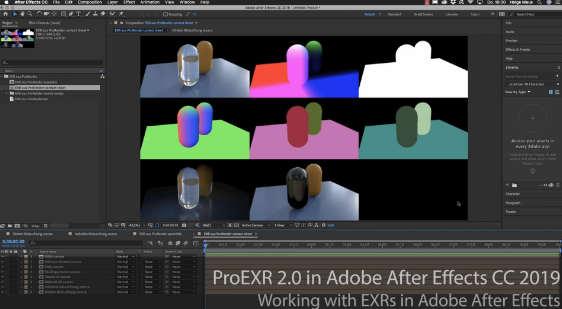
In Helges neuesten, kostenfreien Video-Tutorials geht es um das kostenfreie PluginProEXR 2.0 (https://www.fnordware.com/ProEXR/) fĂŒr Adobe After Effects CC.

Dieses Plugin erlaubt es, Adobe After Effects Arists endlich komfortabel mit multi-channel EXRs zu arbeiten und auch noch Cryptomattes direkt in AEX nutzen zu können. Damit rĂŒckt After Effects ein StĂŒck nĂ€her an die VFX-Pipelines der großen Studios heran.


Im ersten Tutorial stellt Euch Helge das kostenfreie Plugin ProEXR 2.0 (https://www.fnordware.com/ProEXR/) vor, mit dem Ihr ganz einfach KanĂ€le aus den EXRs extrahieren könnt. Außerdem könnt ihr automatisch ein gesamtes Composite von allen Ebenen einer EXR-Datei ausgeben lassen. Zudem auch ein Layer-Contact Sheet. Zu Beginn des Tutorials gibt’s eine kurze EinfĂŒhrung in das klassische Arbeiten mit Multi-Channel EXRs in After Effects CC 2019.


Im zweiten aufbauenden Tutorial erklĂ€rt Euch Helge dann, was Cryptomattes sind, wo ihr passende Informationen ĂŒber Renderengines und die Verwendung findet und natĂŒrlich wie diese nun in After Effects CC 2019 eingesetzt werden können. Dabei wird gezeigt, wie Ihr aus einem 3D-Rendering on-the-fly Masken generieren könnt. HierfĂŒr benötigt Ihr das im ersten Tutorial vorgestellte freie ProEXR 2.0 Plugin.


Übrigens, wer mehr ĂŒber das Rendern von Cryptomattes aus Houdini oder aus Cinema 4D erfahren will, findet hier zwei Links zu bereits veröffentlichten Tutorials:

Introduction to Cryptomatte for Houdini FX (engl)


Introduction Cryptomatte für Cinema 4D & Arnold 5 (dt)


Falls Ihr Euch tiefer in Adobe After Effects einarbeiten möchtet und Euch das Kreieren von MotionGraphics fasziniert, denkt daran, dass Ihr das von Helge in einem seiner Trainings lernen könnt, egal ob online, on-site oder bei uns im pixeltrain studio mit dem superduper Helge-bleibt-im-studio-Rabatt fĂŒr Euch 😉 >> www.pixeltrain.de


pixeltrain goes Italy und Helge freut sich ins Land des Cappuccinos, der Pizza und Spaghetti und nicht zu vergessen des Tiramisus in bewÀhrter 3D- & VFX-Manier einzutauchen.

Wie Ihr Euch vorstellen könnt, ist Helge per Sprach-App in jeder freien Minute fleißig am Italienisch lernen und im pixeltrain studio erklingt nur noch italienische Musik von Francesco Gabbani, Ermal Meta, Laura Pausini, Elisa und Co 😉

Wir haben eine Spotify Liste “pixeltrain goes italy” angelegt. Vielleicht wollt Ihr mit uns hören und in der Vorfreude auf Italien schwelgen 🙂 >> https://open.spotify.com


Helge wurde aufmerksam auf die View Conference und
die View Conference wurde aufmerksam auf Helge.


Hans Zimmer wird eine Keynote halten.

Und auch sonst ist alles dort was Rang und Namen hat in der 3D- & VFX-Szene. >> https://www.viewconference.it/speakers/

Also gleich neben der FMX the place to be to meet friends and nerds – to celebrate creativity and visual effects!


Schaut unbedingt rein in das Programm! Es ist empfehlenswert >> https://www.viewconference.it/pages/program/


Und lasst Euch anstecken von unserer Euphorie und Abenteuerlust die 3D- und VFX-Welt in Italien zu erkunden 🙂


Helge wurde eingeladen am Montag, 22. Oktober 2018
von 15:00 bis 17:00 Uhr eine MASTERCLASS
zu folgendem Thema zu halten:

“MAXON Cinema 4D for Guerilla VFX”

Auf der VIEW Conference Webseite erfahrt Ihr mehr zum Inhalt der Masterclass und wie Ihr Euch dazu anmelden könnt >>
https://www.viewconference.it/article/163/maxon-cinema-4d-r20-for-guerrilla-vfx


Es wÀre toll, wenn wir uns dort treffen können.
Wenn jemand von Euch Lust hat auf 3D- & VFX-dolce vita in Turin im Herbst, dann meldet Euch bei uns unter info(at)pixeltrain.de.

Ci vediamo a Torino 🙂


Das Team von dve advanced systems lĂ€dt Euch herzlich zum Cinema 4D R20 Release Day am Montag, den 3.9.2018 in MĂŒnchen ein!


Programm:

17.30 Einlass
18.00 Jonas Pilz von Maxon stellt die Features der aktuellen Version Cinema 4D R20 vor.

– Pause –

19.30 Helge Maus von pixeltrain hÀlt einen Vortrag mit dem Thema
„Praxisnahe Workflows for MotionGraphics & Guerilla VFX”

20.30 GemĂŒtlicher Ausklang im Garten
NatĂŒrlich gibt es dazu GetrĂ€nke und einen kleinen Imbiss.


Weil ein persönlicher Austausch mit Jonas Pilz und Helge Maus möglich sein soll, ist die Zahl der PlÀtze limitiert.
Deshalb bitten wir Euch, Euch kurz per Email unter info@dveas.com anzumelden!

Helge und das Team von dve advanced systems freut sich auf Euch!

Bei Fragen meldet Euch gerne jederzeit direkt bei DVE AS ( info@dveas.com) oder bei Helge unter info@pixeltrain.de!

Bis bald 🙂


pixeltrain’s
First Steps in HOUDINI FX 2018


Willst Du ein Profi in Houdini FX werden? Dann bist Du hier genau richtig!

Helge Maus und sein Team von pixeltrain bieten Dir in diesem Jahr einen gesamten Houdini Lehrgang an.

3 Module zu je 2,5 Tagen – d. h. drei Wochenenden Deiner Freizeit – 670 Euro (exkl. Ust) pro Modul – schnelle, fundierte WissenĂŒbertragung an Dich zu einem freundlichen Preis 🙂


Dein Weg in die 3D & VFX-Welt von HOUDINI! Willkommen 🙂


! Tipp: Überzeug’ Dich von Helges Begeisterung fĂŒr Houdini FX, seinem Wissen und seinem Talent, dieses Wissen didaktisch sinnvoll aufzubereiten, um es Dir am effektivsten weiterzugeben.
>>  www.vimeo.com/channels/houdinilernen


>> 01 First Steps – Houdini FX Introduction

In diesem ersten Modul unserer „First Steps in Houdini FX“-Reihe lernst Du Houdini FX als 3D-Software kennen und nutzen. Dabei wird besonderen Wert auf das Verstehen und Anwenden prozeduraler Arbeitstechniken gelegt, sodass ein fĂŒr die Praxis sinnvolles Fundament gelegt wird.

In den 2,5 Tagen lernst Du neben der ArbeitsoberflĂ€che, Projektstrukturen und Paradigmen die ersten prozeduralen Modeling-Techniken, das Material- und Shadersystem, UVs, Lichtsetzung und Renderingvon ersten Stills, sowie einfache Animationen. Somit bist Du danach sofort fit fĂŒr Deine ersten Projekte in Houdini!

Datum:
03. – 05. August 2018 (Freitag 13.00 Uhr bis Sonntag 17.00 Uhr)

Ort:
pixeltrain studio
Feldbacherstrasse 493, A-8311 Markt Hartmannsdorf

Unterkunft in Gehweite vom pixeltrain studio >>

Wir holen Dich gerne vom Flughafen oder Bahnhof in Graz ab bzw. bringen Dich auch wieder dorthin bei Abreise.

Preis:
670 Euro (exkl. Ust) fĂŒr dieses Houdini FX Grundlagentraining


!! Preisvorteil:

Wenn Du gemeinsam mit diesem Training eines oder beide weiteren Houdini-Trainings aus der First Steps-Reihe buchst, bekommst du von diesen jeweils einen halben Trainingstag von uns geschenkt.

Beim Buchen der gesamten First Steps in Houdini FX”-Reihe schenken wir Dir damit einen vollen Trainingstag.


Anmeldung und Fragen bitte an info(at)pixeltrain.de oder +43.69910669979


Wie versprochen schalten wir fĂŒr Euch nun die gesamte Tutorial-Reihe von Helge zu Cycles 4D frei. Lernt von Helge, wie Ihr Eure ersten Projekte in Cinema 4D mit Hilfe des Cycles 4D Renderers von Insydium Ltd umsetzt!

Schreibt uns gerne (info(at)pixeltrain.de), was Ihr von Cycles 4D hĂ€lt. Überzeugt er Euch in seiner Leistung? Helge ist sehr von diesem Renderer angetan. Doch schaut selbst, wie er arbeitet und was er so drauf hat:


01 Szenenbeleuchtung, Node-Editor & Materialtypen in Cycles 4D / Cinema 4D


02 Shader erstellen, Texturen, Projetion & Normal-Maps in Cycles 4D / Cinema 4D


03 Spline & Hair – Rendering mit Cycles 4D / Cinema 4D


04 Materialien, Selektions-Tags & Attribute in Cycles 4D / Cinema 4D


05 Kamera Einstellungen, DOF & Kamera Post-Effekte in Cycles 4D / Cinema 4D


*** ACHTUNG ! AUFGEPASST ***


!! Du brauchst schnelle Hilfe bei einem Projekt?

!! Du willst die Sommerzeit nutzen, eine neue Software zu lernen oder Dir einfach tieferes Know-How raufzuschaffen?

!! Du willst schneller und effizienter sein, beim Umsetzen der KundenwĂŒnsche?


Helge Maus und pixeltrain wollen Dir helfen zu lernen!


Ganz im Sinne von der Philosophie unseres Online-Coachings
„Bleib’ wo Du bist!“ kann das Lernen
projektbegleitend, intensiv und unabhÀngig von Deinem und unserem Standort passieren.

Damit wir Dir in 3D-, VFX- & Animations-Fragen helfen und dabei noch unnötigen Reiseaufwand fĂŒr Umwelt und Geldbörserl sparen können, bieten wir Dir 15 % – RABATT auf jede Stunde Online-Coaching im Aktionszeitraum vom 1. Juli bis zum 10. September 2018 an.

Einzige Rahmenbedingung: Du musst Dein Online-Coaching im angegebenen Zeitraum konsumieren.

(Normalpreis fĂŒr 1 Stunde Online-Coaching ohne Rabatt: 87,50 Euro exkl. Ust)

Noch Fragen? Gerne! Melde Dich bei Helge unter info@pixeltrain.de oder ++43.699.10669979


pixeltrain und Helge Maus wĂŒnschen Dir einen herrlichen Sommer!Â